One Block Survival Craft

One Block Survival Craft

Adventure

| Aivolusi Media

Play on PC with BlueStacks or from our cloud

  • Overview
  • Game Features
  • How to Play

Page Modified On: August 11, 2026

Play One Block Survival Craft on PC or Mac

Step into the World of One Block Survival Craft, a thrilling Adventure game from the house of Aivolusi Media. Play this Android game on BlueStacks App Player and experience immersive gaming on PC or Mac.

About the Game

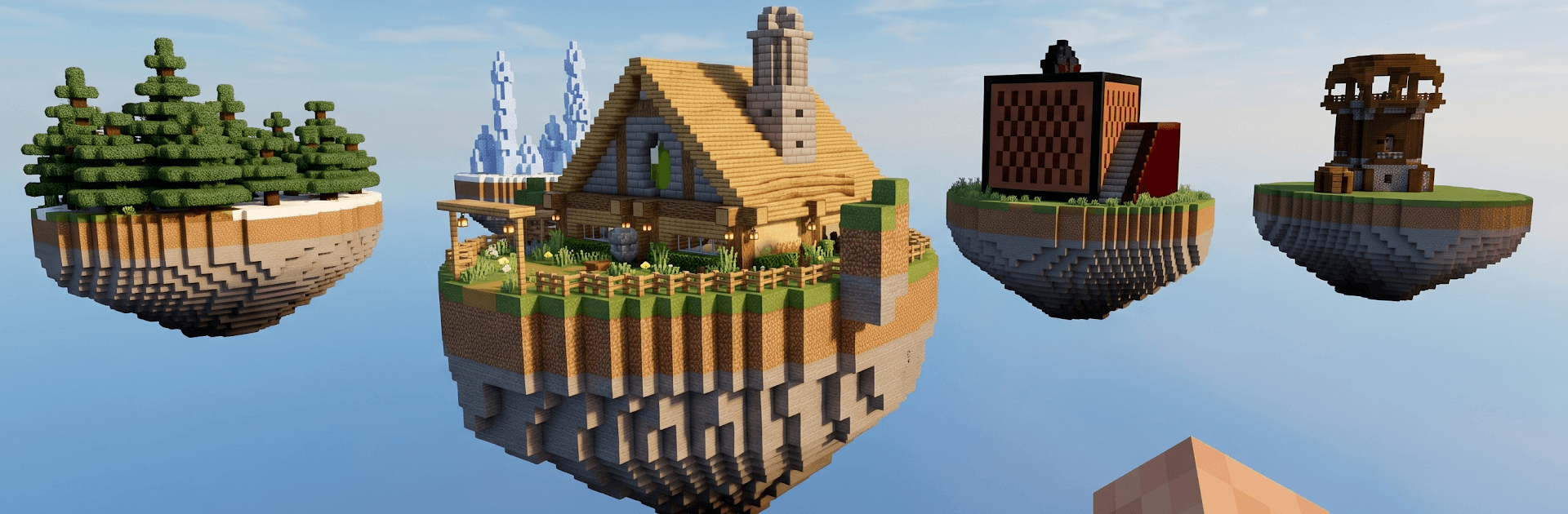
One Block Survival Craft is a quirky Adventure sandbox where your entire world begins on a single floating block. Break it, grab what pops out next, and keep going as the block refreshes into new materials and surprises. Before long, that tiny ledge becomes a rambling base, a cozy home, or whatever wild idea you’ve got in mind—survival, crafting, and exploration all rolled into one.

Game Features

  • One-Block Start: Begin on one lone block in the sky. Mine it and it respawns as something else—wood, stone, rare loot, and the occasional curveball.
  • Crafting That Matters: Turn scraps into tools, gear, and building essentials. Piece together platforms, bridges, and shelters that actually keep you going.
  • Growth Into Biomes: Progress unlocks new, procedurally generated phases with biome-style resources, letting you gather what you need to push further.
  • Survival With Stakes: Manage your space, keep your footing, and use every resource wisely. The world’s small at first, but the risks aren’t.
  • Hidden Treasures: Stumble on useful items, chests, and special drops that speed up your build or open new paths.
  • Creative Mode Freedom: Want to just build? Swap to creative and experiment without limits—great for testing big ideas or practicing layouts.
  • Sandbox Vibes: If you’re into lokicraft-style building, mastercraft projects, or craftsman challenges, this mode scratches that itch without feeling copy-paste.
  • Smooth On PC: Prefer a bigger view and steady controls? It runs nicely on BlueStacks, so you can play with more room while keeping that pickaxe swinging.

Start playing One Block Survival Craft on BlueStacks and get a smoother, more comfortable PC or Mac setup.


Game Features

Enhancements

  • Macros
  • Multi Instance
  • Multi Instance Sync
  • Script
  • Enhancements
Macros

Macros

Automate the predictable in One Block Survival Craft and transform your gameplay with Macros. Get access to inventive Macros in the BlueStacks Macro Community
Multi Instance

Multi Instance

Play One Block Survival Craft on one window. And chat with your friend on the other. Press CTRL + Shift + 8 to open the Multi-Instance Manager. And start creating fresh instances or clone an existing one.
Multi Instance Sync

Multi Instance Sync

Play One Block Survival Craft with the power of Multi-Instance Sync. Replicate what you are doing on the main instance on all other instances. Level up faster, play more.
Script

Script

Script your way to gaming glory in One Block Survival Craft with BlueStacks Script. Write and run a set of commands to automate repeated tasks. Trigger the command by assigning it to any key.
Read More

How to Download and Play One Block Survival Craft on PC or Mac

  • Download and install BlueStacks on your PC or Mac

  • Complete Google sign-in to access the Play Store, or do it later

  • Look for One Block Survival Craft in the search bar at the top right corner

  • Click to install One Block Survival Craft from the search results

  • Complete Google sign-in (if you skipped step 2) to install One Block Survival Craft

  • Click the One Block Survival Craft icon on the home screen to start playing

video
Watch Video

Minimum System Requirements

With BlueStacks 5, you can get started on a PC that fulfills the following requirements.

  • Operating System

    Microsoft Windows 7 or above, macOS 11 (Big Sur) or above

  • Processor

    Intel, AMD or Apple Silicon Processor

  • RAM

    at least 4GB

  • HDD

    10GB Free Disk Space

Note:

* You must be an Administrator on your PC. Up to date graphics drivers from Microsoft or the chipset vendor.

One Block Survival Craft - FAQs

  • How to play One Block Survival Craft on Windows PC & Mac?

    Play One Block Survival Craft on your PC or Mac by following these simple steps.

    • Click on 'Play One Block Survival Craft on PC’ to download BlueStacks
    • Install it and log-in to Google Play Store
    • Launch and play the game.
  • Why is BlueStacks the fastest and safest platform to play games on PC?

    BlueStacks respects your privacy and is always safe and secure to use. It does not carry any malware, spyware, or any sort of additional software that could harm your PC.

    It is engineered to optimize speed and performance for a seamless gaming experience.

  • What are One Block Survival Craft PC requirements?

    Minimum requirement to run One Block Survival Craft on your PC

    • OS: Microsoft Windows 7 or above MacOS 11 (Big Sur) or above
    • Processor: Intel, AMD or Apple Silicon Processor
    • RAM: Your PC must have at least 4GB of RAM. (Note that having 4GB or more disk space is not a substitute for RAM)
    • HDD: 10GB Free Disk Space.
    • You must be an Administrator on your PC.