
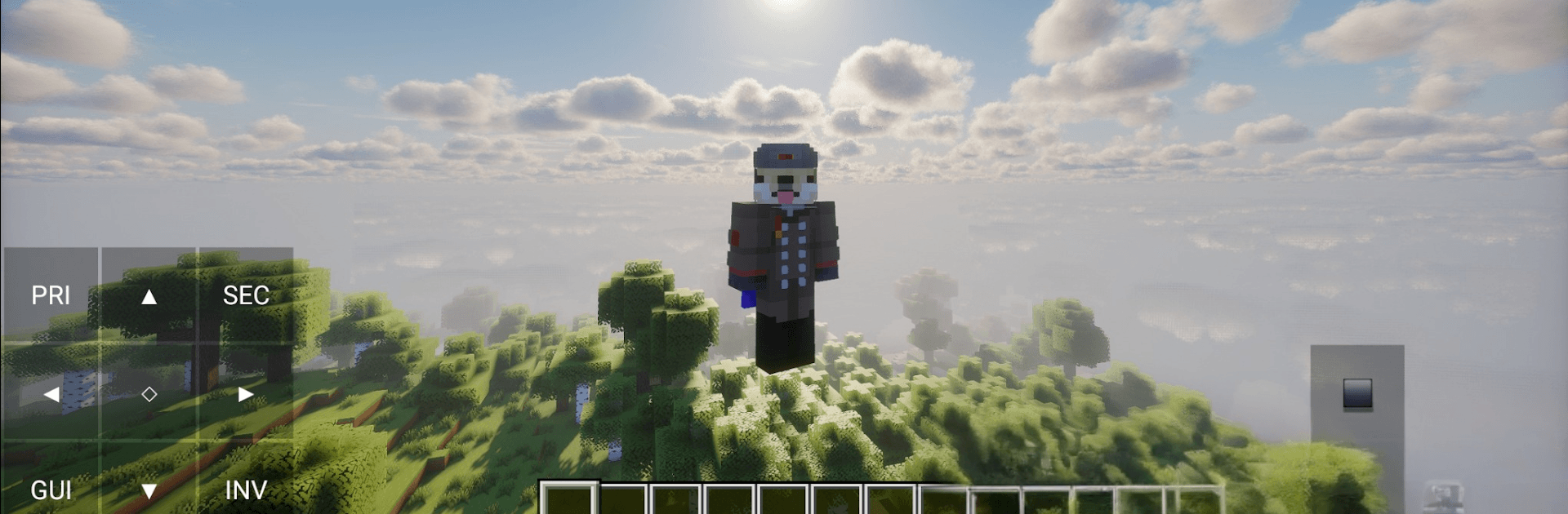
Onyx Launcher
Onyx Launcher

Onyx Launcher

Adventure

| Studio BaseCode

Play on PC with BlueStacks or from our cloud

  • Overview
  • Game Features
  • How to Play

Page Modified On: July 20, 2026

Play Onyx Launcher on PC or Mac

Explore a whole new adventure with Onyx Launcher, a Adventure game created by Studio BaseCode. Experience great gameplay with BlueStacks, the most popular gaming platform to play Android games on your PC or Mac.

About the Game

Onyx Launcher is your clean, no-nonsense command center for Adventure sessions. It trims the busywork so you can tweak, launch, and play the way you want—without digging through folders or wrestling with settings. Prefer a bigger screen? It plays nicely on BlueStacks too.

Game Features

  • Fast, Clean Startup: Streamlined boot tools cut out the clutter and get your game running smoothly from the jump.
  • Profiles & Instances: Create separate, isolated setups for different worlds or mod packs, so files don’t clash and everything stays tidy.
  • Mod-Friendly Integration: Built-in hooks to popular mod sources make finding, installing, and updating add-ons straightforward.
  • Smart Java Detection: No more guessing versions—Onyx Launcher picks the right Java environment for the setup you’re launching.
  • Performance Controls: Fine-tune RAM allocation and launch parameters to keep frames steady and gameplay snappy on your hardware.
  • Targeted Add-on Search: Filter by category, version, and compatibility to quickly track down the exact tools or textures you’re after.
  • Local-First Privacy: Settings, profiles, and configuration data are stored on your device—no dependency on remote databases.
  • Auto Safety Checks: On startup, the launcher scans for secure code updates so you’re always running the latest, stable build.
  • Fair-Play Logins: Only supports official accounts and valid licenses. Unauthorized or cracked logins are blocked—simple as that.
  • Independent Utility: Not affiliated with the original block game; it’s a standalone tool focused on managing your local files and enhancing your play rhythm.

Get ready for a buttery smooth, high-performance gaming action only on BlueStacks.

Game Features

Enhancements

  • Macros
  • Multi Instance
  • Multi Instance Sync
  • Script
  • Enhancements
Macros

Macros

Automate the predictable in Onyx Launcher and transform your gameplay with Macros. Get access to inventive Macros in the BlueStacks Macro Community
Multi Instance

Multi Instance

Play Onyx Launcher on one window. And chat with your friend on the other. Press CTRL + Shift + 8 to open the Multi-Instance Manager. And start creating fresh instances or clone an existing one.
Multi Instance Sync

Multi Instance Sync

Play Onyx Launcher with the power of Multi-Instance Sync. Replicate what you are doing on the main instance on all other instances. Level up faster, play more.
Script

Script

Script your way to gaming glory in Onyx Launcher with BlueStacks Script. Write and run a set of commands to automate repeated tasks. Trigger the command by assigning it to any key.
Read More

How to Download and Play Onyx Launcher on PC or Mac

  • Download and install BlueStacks on your PC or Mac

  • Complete Google sign-in to access the Play Store, or do it later

  • Look for Onyx Launcher in the search bar at the top right corner

  • Click to install Onyx Launcher from the search results

  • Complete Google sign-in (if you skipped step 2) to install Onyx Launcher

  • Click the Onyx Launcher icon on the home screen to start playing

video
Watch Video

Minimum System Requirements

With BlueStacks 5, you can get started on a PC that fulfills the following requirements.

  • Operating System

    Microsoft Windows 7 or above, macOS 11 (Big Sur) or above

  • Processor

    Intel, AMD or Apple Silicon Processor

  • RAM

    at least 4GB

  • HDD

    10GB Free Disk Space

Note:

* You must be an Administrator on your PC. Up to date graphics drivers from Microsoft or the chipset vendor.

Onyx Launcher - FAQs

  • How to play Onyx Launcher on Windows PC & Mac?

    Play Onyx Launcher on your PC or Mac by following these simple steps.

    • Click on 'Play Onyx Launcher on PC’ to download BlueStacks
    • Install it and log-in to Google Play Store
    • Launch and play the game.
  • Why is BlueStacks the fastest and safest platform to play games on PC?

    BlueStacks respects your privacy and is always safe and secure to use. It does not carry any malware, spyware, or any sort of additional software that could harm your PC.

    It is engineered to optimize speed and performance for a seamless gaming experience.

  • What are Onyx Launcher PC requirements?

    Minimum requirement to run Onyx Launcher on your PC

    • OS: Microsoft Windows 7 or above MacOS 11 (Big Sur) or above
    • Processor: Intel, AMD or Apple Silicon Processor
    • RAM: Your PC must have at least 4GB of RAM. (Note that having 4GB or more disk space is not a substitute for RAM)
    • HDD: 10GB Free Disk Space.
    • You must be an Administrator on your PC.








