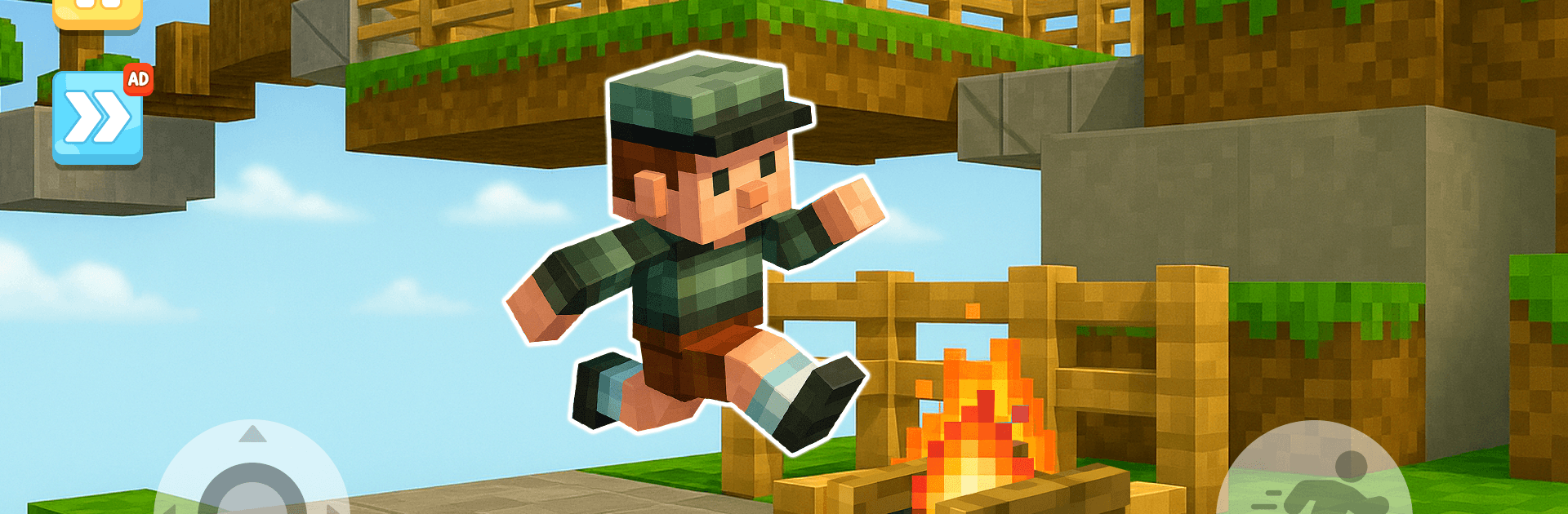
Parkour Mods: Craft Adventure

Parkour Mods: Craft Adventure

Adventure

| Amobear Game Publishing

Play on PC with BlueStacks or from our cloud

  • Overview
  • Game Features
  • How to Play

Page Modified On: May 18, 2026

Play Parkour Mods: Craft Adventure on PC or Mac

Explore a whole new adventure with Parkour Mods: Craft Adventure, a Adventure game created by Amobear Game Publishing. Experience great gameplay with BlueStacks, the most popular gaming platform to play Android games on your PC or Mac.

About the Game

Parkour Mods: Craft Adventure throws you into a fast, block-styled playground where timing and reflexes make all the difference. It’s a nimble Adventure from Amobear Game Publishing packed with tricky jumps, moving platforms, and sneaky traps that test both patience and precision. Want a bigger canvas for those wall-hops and gap-jumps? It feels great on PC with BlueStacks if you like keyboard control.

Game Features

  • Smooth Parkour Controls: Snappy, responsive movement lets you chain jumps, climbs, and tight landings without fighting the interface.
  • Hand-Built Courses: Each stage is crafted to teach a skill, then push it—expect shifting floors, narrow ledges, and clever routes that reward good timing.
  • Mods That Shake Things Up: Unlock mods and skins that refresh the look and remix layouts; some twists even change how you approach familiar obstacles. Yes, there are minecraft mods in the mix, too.
  • Clear 3D Block Aesthetic: Clean, readable environments help you focus on momentum and accuracy while still looking sharp and colorful.
  • Tough But Fair Challenges: Early tracks ease you in; later ones demand perfect runs, quick reactions, and a bit of grit.
  • Replay-Friendly Design: Chase smoother lines, shave off seconds, and experiment with alternate paths to beat your own best clears.
  • Regular Content Updates: New maps and fresh mods roll in often, keeping the parkour loop lively and giving you new reasons to jump back in.

Ready to top the leaderboard? We bet you do. Let precise controls and sharp visuals optimized on BlueStacks lead you to victory.


Game Features

Enhancements

  • Macros
  • Multi Instance
  • Multi Instance Sync
  • Script
  • Enhancements
Macros

Macros

Automate the predictable in Parkour Mods: Craft Adventure and transform your gameplay with Macros. Get access to inventive Macros in the BlueStacks Macro Community
Multi Instance

Multi Instance

Play Parkour Mods: Craft Adventure on one window. And chat with your friend on the other. Press CTRL + Shift + 8 to open the Multi-Instance Manager. And start creating fresh instances or clone an existing one.
Multi Instance Sync

Multi Instance Sync

Play Parkour Mods: Craft Adventure with the power of Multi-Instance Sync. Replicate what you are doing on the main instance on all other instances. Level up faster, play more.
Script

Script

Script your way to gaming glory in Parkour Mods: Craft Adventure with BlueStacks Script. Write and run a set of commands to automate repeated tasks. Trigger the command by assigning it to any key.
Read More

How to Download and Play Parkour Mods: Craft Adventure on PC or Mac

  • Download and install BlueStacks on your PC or Mac

  • Complete Google sign-in to access the Play Store, or do it later

  • Look for Parkour Mods: Craft Adventure in the search bar at the top right corner

  • Click to install Parkour Mods: Craft Adventure from the search results

  • Complete Google sign-in (if you skipped step 2) to install Parkour Mods: Craft Adventure

  • Click the Parkour Mods: Craft Adventure icon on the home screen to start playing

video
Watch Video

Minimum System Requirements

With BlueStacks 5, you can get started on a PC that fulfills the following requirements.

  • Operating System

    Microsoft Windows 7 or above, macOS 11 (Big Sur) or above

  • Processor

    Intel, AMD or Apple Silicon Processor

  • RAM

    at least 4GB

  • HDD

    10GB Free Disk Space

Note:

* You must be an Administrator on your PC. Up to date graphics drivers from Microsoft or the chipset vendor.

Parkour Mods: Craft Adventure - FAQs

  • How to play Parkour Mods: Craft Adventure on Windows PC & Mac?

    Play Parkour Mods: Craft Adventure on your PC or Mac by following these simple steps.

    • Click on 'Play Parkour Mods: Craft Adventure on PC’ to download BlueStacks
    • Install it and log-in to Google Play Store
    • Launch and play the game.
  • Why is BlueStacks the fastest and safest platform to play games on PC?

    BlueStacks respects your privacy and is always safe and secure to use. It does not carry any malware, spyware, or any sort of additional software that could harm your PC.

    It is engineered to optimize speed and performance for a seamless gaming experience.

  • What are Parkour Mods: Craft Adventure PC requirements?

    Minimum requirement to run Parkour Mods: Craft Adventure on your PC

    • OS: Microsoft Windows 7 or above MacOS 11 (Big Sur) or above
    • Processor: Intel, AMD or Apple Silicon Processor
    • RAM: Your PC must have at least 4GB of RAM. (Note that having 4GB or more disk space is not a substitute for RAM)
    • HDD: 10GB Free Disk Space.
    • You must be an Administrator on your PC.