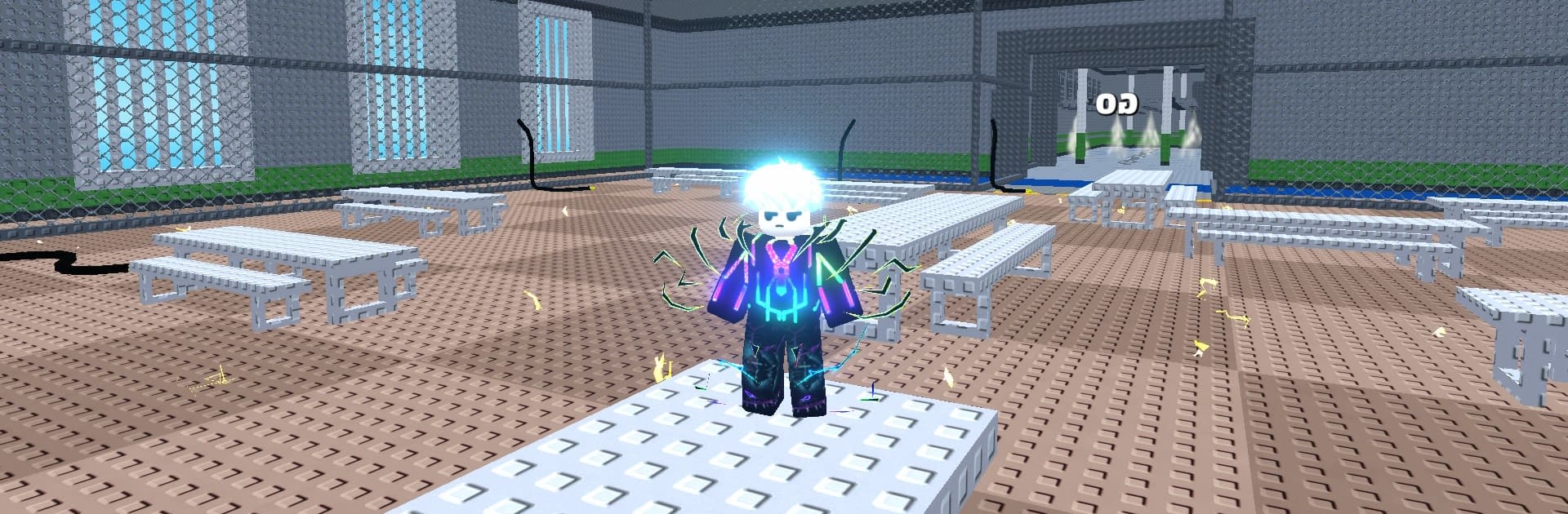
+1 Obby Speed: Prison Escape

+1 Obby Speed: Prison Escape

Adventure

| NABA TECHNOLOGY INVESTMENT JOINT STOCK COMPANY

Play on PC with BlueStacks or from our cloud

  • Overview
  • Game Features
  • How to Play

Page Modified On: August 24, 2026

Play +1 Obby Speed: Prison Escape on PC or Mac

Bring your A-game to +1 Obby Speed: Prison Escape, the Adventure game sensation from NABA TECHNOLOGY INVESTMENT JOINT STOCK COMPANY. Give your gameplay the much-needed boost with precise game controls, high FPS graphics, and top-tier features on your PC or Mac with BlueStacks.

About the Game

+1 Obby Speed: Prison Escape throws you into a locked-down maze of walls, traps, and patrolling guards where your speed climbs every single second. It’s an Adventure focused on quick reactions, tight parkour, and that satisfying rush of getting just a bit faster than the last attempt. Prefer playing on a bigger screen? It runs smoothly on PC with BlueStacks without changing the pick-up-and-play feel.

Game Features

  • Always-rising speed: Your character earns +1 Speed every second, turning early jogs into late-run sprints that push timing, angles, and nerves.
  • Prison-sized obstacle course: Navigate moving platforms, harsh gaps, guard towers, and sneaky escape routes designed to test precision at any pace.
  • Snappy parkour moves: Jump, climb, dodge, and sprint through bite-sized challenges where every input matters more as your speed snowballs.
  • Chase the freedom line: Guards and prison police keep the pressure on, so clean lines and sharp decisions are the difference between capture and a clean getaway.
  • Momentum you can feel: Each second ramps up your pace, making familiar sections feel brand-new as your speed forces new paths and bolder jumps.
  • Simple to learn, tough to master: Intuitive controls get you moving fast, while trickier layouts and faster runs keep you improving run after run.
  • Multiple ways through: Find safer routes while you’re still warming up, then switch to riskier shortcuts once your speed kicks in.
  • Built for quick retries: Miss a jump? Reset and try again in seconds, learning the rhythm of each area until it clicks.

Ready to top the leaderboard? We bet you do. Let precise controls and sharp visuals optimized on BlueStacks lead you to victory.


Game Features

Enhancements

  • Macros
  • Multi Instance
  • Multi Instance Sync
  • Script
  • Enhancements
Macros

Macros

Automate the predictable in +1 Obby Speed: Prison Escape and transform your gameplay with Macros. Get access to inventive Macros in the BlueStacks Macro Community
Multi Instance

Multi Instance

Play +1 Obby Speed: Prison Escape on one window. And chat with your friend on the other. Press CTRL + Shift + 8 to open the Multi-Instance Manager. And start creating fresh instances or clone an existing one.
Multi Instance Sync

Multi Instance Sync

Play +1 Obby Speed: Prison Escape with the power of Multi-Instance Sync. Replicate what you are doing on the main instance on all other instances. Level up faster, play more.
Script

Script

Script your way to gaming glory in +1 Obby Speed: Prison Escape with BlueStacks Script. Write and run a set of commands to automate repeated tasks. Trigger the command by assigning it to any key.
Read More

How to Download and Play +1 Obby Speed: Prison Escape on PC or Mac

  • Download and install BlueStacks on your PC or Mac

  • Complete Google sign-in to access the Play Store, or do it later

  • Look for +1 Obby Speed: Prison Escape in the search bar at the top right corner

  • Click to install +1 Obby Speed: Prison Escape from the search results

  • Complete Google sign-in (if you skipped step 2) to install +1 Obby Speed: Prison Escape

  • Click the +1 Obby Speed: Prison Escape icon on the home screen to start playing

video
Watch Video

Minimum System Requirements

With BlueStacks 5, you can get started on a PC that fulfills the following requirements.

  • Operating System

    Microsoft Windows 7 or above, macOS 11 (Big Sur) or above

  • Processor

    Intel, AMD or Apple Silicon Processor

  • RAM

    at least 4GB

  • HDD

    10GB Free Disk Space

Note:

* You must be an Administrator on your PC. Up to date graphics drivers from Microsoft or the chipset vendor.

+1 Obby Speed: Prison Escape - FAQs

  • How to play +1 Obby Speed: Prison Escape on Windows PC & Mac?

    Play +1 Obby Speed: Prison Escape on your PC or Mac by following these simple steps.

    • Click on 'Play +1 Obby Speed: Prison Escape on PC’ to download BlueStacks
    • Install it and log-in to Google Play Store
    • Launch and play the game.
  • Why is BlueStacks the fastest and safest platform to play games on PC?

    BlueStacks respects your privacy and is always safe and secure to use. It does not carry any malware, spyware, or any sort of additional software that could harm your PC.

    It is engineered to optimize speed and performance for a seamless gaming experience.

  • What are +1 Obby Speed: Prison Escape PC requirements?

    Minimum requirement to run +1 Obby Speed: Prison Escape on your PC

    • OS: Microsoft Windows 7 or above MacOS 11 (Big Sur) or above
    • Processor: Intel, AMD or Apple Silicon Processor
    • RAM: Your PC must have at least 4GB of RAM. (Note that having 4GB or more disk space is not a substitute for RAM)
    • HDD: 10GB Free Disk Space.
    • You must be an Administrator on your PC.