Rat Raid: Farm Defence

Rat Raid: Farm Defence

Adventure

| 24 HIT Riga SIA

Play on PC with BlueStacks or from our cloud

  • Overview
  • Game Features
  • How to Play

Page Modified On: September 25, 2026

Play Rat Raid: Farm Defence on PC or Mac

Bring your A-game to Rat Raid: Farm Defence, the Adventure game sensation from 24 HIT Riga SIA. Give your gameplay the much-needed boost with precise game controls, high FPS graphics, and top-tier features on your PC or Mac with BlueStacks.

About the Game

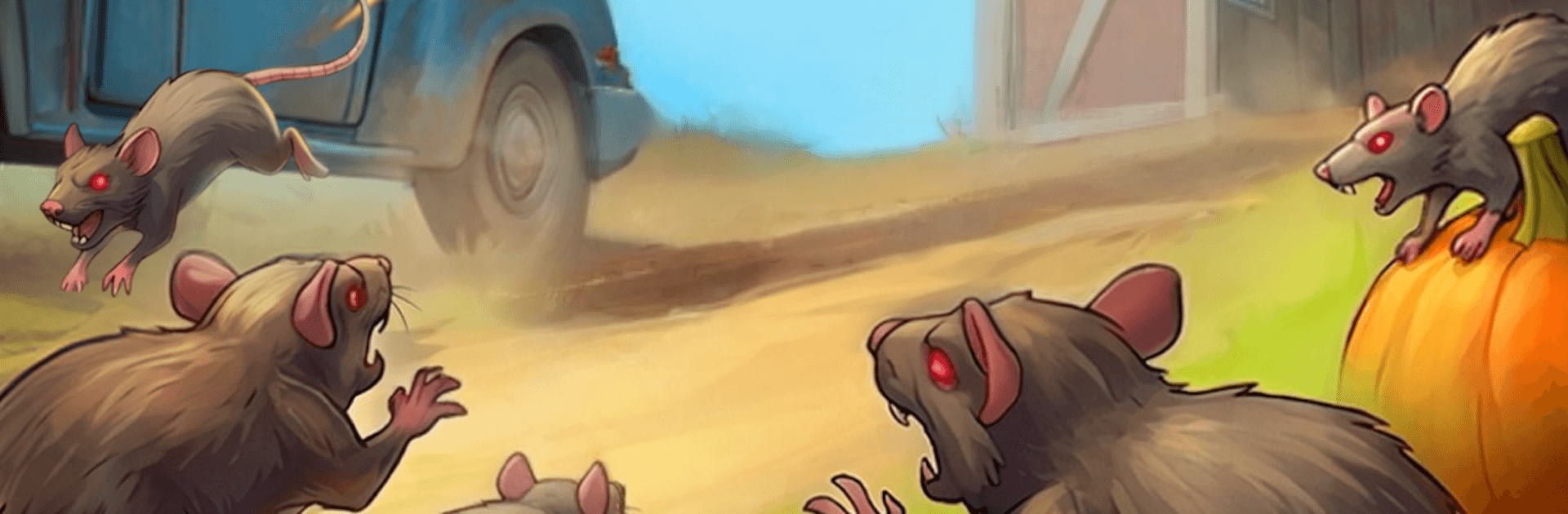
Rat Raid: Farm Defence is a scrappy, wave-based Adventure where you stand your ground against a swarm of mutant rats. You play as a determined farmer protecting her homestead, scavenging the yard for parts, and turning scrap into serious firepower. It’s all about gathering resources, crafting better gear, and steadily building up your defenses as the critters get bolder. Prefer a bigger screen? It also runs great on PC with BlueStacks.

Game Features

  • Tough Farmer, Tougher Foes: Step into the boots of a resilient farmer and take on relentless waves of mutant rats that keep ramping up the pressure.
  • Resource Hunt: Scour the farm for materials and loot between waves so you’re never caught short when the next horde hits.
  • Crafting That Matters: Turn what you collect into weapons and tools, then refine them to hit harder, last longer, and keep you in the fight.
  • Upgrades That Stick: Invest in gear and improvements that make each run feel stronger than the last, helping you push further every time.
  • Expand Your Defenses: Fortify key spots around the farm and sharpen your setup as the invasion grows more dangerous.
  • Fast, Hands-On Combat: Face the swarm head-on with snappy controls and clear, satisfying action that rewards smart movement and timing.
  • Escalating Waves: Expect bigger numbers and nastier variants as you survive longer, pushing your build and reflexes to the limit.
  • Your Strategy, Your Call: Focus on raw damage, sturdier defenses, or balanced growth—there’s room to tune your approach to how you like to play.
  • Pick-Up-and-Play Friendly: Jump in for a quick wave or settle in for a longer stand—progress feels rewarding either way.

Ready to top the leaderboard? We bet you do. Let precise controls and sharp visuals optimized on BlueStacks lead you to victory.


Game Features

Enhancements

  • Macros
  • Multi Instance
  • Multi Instance Sync
  • Script
  • Enhancements
Macros

Macros

Automate the predictable in Rat Raid: Farm Defence and transform your gameplay with Macros. Get access to inventive Macros in the BlueStacks Macro Community
Multi Instance

Multi Instance

Play Rat Raid: Farm Defence on one window. And chat with your friend on the other. Press CTRL + Shift + 8 to open the Multi-Instance Manager. And start creating fresh instances or clone an existing one.
Multi Instance Sync

Multi Instance Sync

Play Rat Raid: Farm Defence with the power of Multi-Instance Sync. Replicate what you are doing on the main instance on all other instances. Level up faster, play more.
Script

Script

Script your way to gaming glory in Rat Raid: Farm Defence with BlueStacks Script. Write and run a set of commands to automate repeated tasks. Trigger the command by assigning it to any key.
Read More

How to Download and Play Rat Raid: Farm Defence on PC or Mac

  • Download and install BlueStacks on your PC or Mac

  • Complete Google sign-in to access the Play Store, or do it later

  • Look for Rat Raid: Farm Defence in the search bar at the top right corner

  • Click to install Rat Raid: Farm Defence from the search results

  • Complete Google sign-in (if you skipped step 2) to install Rat Raid: Farm Defence

  • Click the Rat Raid: Farm Defence icon on the home screen to start playing

video
Watch Video

Minimum System Requirements

With BlueStacks 5, you can get started on a PC that fulfills the following requirements.

  • Operating System

    Microsoft Windows 7 or above, macOS 11 (Big Sur) or above

  • Processor

    Intel, AMD or Apple Silicon Processor

  • RAM

    at least 4GB

  • HDD

    10GB Free Disk Space

Note:

* You must be an Administrator on your PC. Up to date graphics drivers from Microsoft or the chipset vendor.

Rat Raid: Farm Defence - FAQs

  • How to play Rat Raid: Farm Defence on Windows PC & Mac?

    Play Rat Raid: Farm Defence on your PC or Mac by following these simple steps.

    • Click on 'Play Rat Raid: Farm Defence on PC’ to download BlueStacks
    • Install it and log-in to Google Play Store
    • Launch and play the game.
  • Why is BlueStacks the fastest and safest platform to play games on PC?

    BlueStacks respects your privacy and is always safe and secure to use. It does not carry any malware, spyware, or any sort of additional software that could harm your PC.

    It is engineered to optimize speed and performance for a seamless gaming experience.

  • What are Rat Raid: Farm Defence PC requirements?

    Minimum requirement to run Rat Raid: Farm Defence on your PC

    • OS: Microsoft Windows 7 or above MacOS 11 (Big Sur) or above
    • Processor: Intel, AMD or Apple Silicon Processor
    • RAM: Your PC must have at least 4GB of RAM. (Note that having 4GB or more disk space is not a substitute for RAM)
    • HDD: 10GB Free Disk Space.
    • You must be an Administrator on your PC.