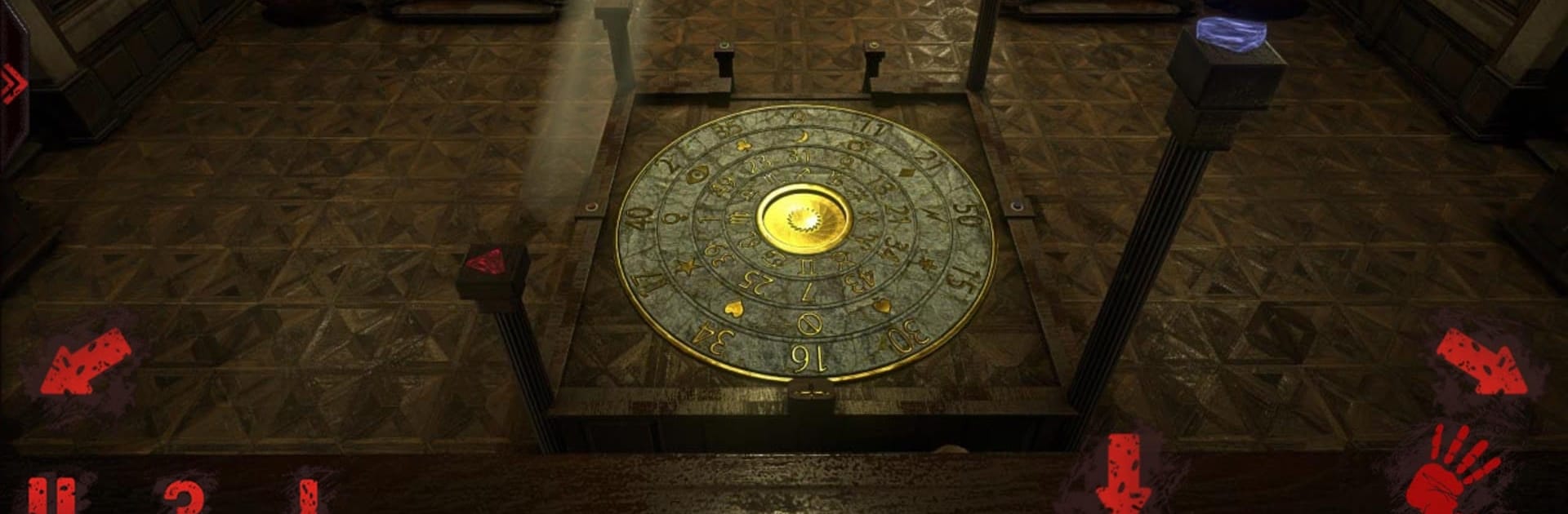
Remember: Room Escape

Remember: Room Escape

Adventure

| inDgenious

Play on PC with BlueStacks or from our cloud

  • Overview
  • Game Features
  • How to Play

Page Modified On: December 05, 2025

Play Remember: Room Escape on PC or Mac

Step into the World of Remember: Room Escape, a thrilling Adventure game from the house of inDgenious. Play this Android game on BlueStacks App Player and experience immersive gaming on PC or Mac.

Remember: Room Escape throws the player into a cold morgue with no memory and just lets the dread settle in while the pieces of the story drip in through notes, odd objects, and little environmental details. It is very much a puzzle-first horror game. Rooms look great, a touch grimy and theatrical in that horror-movie way, and the sound design does a lot of the heavy lifting. Creaks, whispers, the quiet buzz in the background, it all keeps the tension up without relying only on jump scares. The whole thing feels aimed at adults, both for the mood and because some challenges expect patience.

Puzzle variety is the hook. There are loads of brain teasers, from classic hidden-object searches to logic sequences and those fiddly interactions where timing and steady hands matter. Difficulty bounces around, so a built-in hint system keeps progress moving when something does not click. It is a full game with everything available from the start, no ads nagging, no extra purchases, which suits a long evening of getting lost in it. Just note there is an extra download for the high quality scenes, not huge but worth knowing.

On PC with BlueStacks, the mouse makes the point-and-click stuff feel natural and rotating or lining up puzzle pieces is comfortable. Movement is simple, the pace is deliberate, and the story slowly comes together as scattered clues start agreeing with each other, then not quite, then maybe again. It is creepy, clever, and occasionally a little stubborn in the best way.

Get ready for a buttery smooth, high-performance gaming action only on BlueStacks.

Game Features

Enhancements

  • Macros
  • Multi Instance
  • Multi Instance Sync
  • Script
  • Enhancements
Macros

Macros

Automate the predictable in Remember: Room Escape and transform your gameplay with Macros. Get access to inventive Macros in the BlueStacks Macro Community
Multi Instance

Multi Instance

Play Remember: Room Escape on one window. And chat with your friend on the other. Press CTRL + Shift + 8 to open the Multi-Instance Manager. And start creating fresh instances or clone an existing one.
Multi Instance Sync

Multi Instance Sync

Play Remember: Room Escape with the power of Multi-Instance Sync. Replicate what you are doing on the main instance on all other instances. Level up faster, play more.
Script

Script

Script your way to gaming glory in Remember: Room Escape with BlueStacks Script. Write and run a set of commands to automate repeated tasks. Trigger the command by assigning it to any key.
Read More

How to Download and Play Remember: Room Escape on PC or Mac

  • Download and install BlueStacks on your PC or Mac

  • Complete Google sign-in to access the Play Store, or do it later

  • Look for Remember: Room Escape in the search bar at the top right corner

  • Click to install Remember: Room Escape from the search results

  • Complete Google sign-in (if you skipped step 2) to install Remember: Room Escape

  • Click the Remember: Room Escape icon on the home screen to start playing

video
Watch Video

Minimum System Requirements

With BlueStacks 5, you can get started on a PC that fulfills the following requirements.

  • Operating System

    Microsoft Windows 7 or above, macOS 11 (Big Sur) or above

  • Processor

    Intel, AMD or Apple Silicon Processor

  • RAM

    at least 4GB

  • HDD

    10GB Free Disk Space

Note:

* You must be an Administrator on your PC. Up to date graphics drivers from Microsoft or the chipset vendor.

Remember: Room Escape - FAQs

  • How to play Remember: Room Escape on Windows PC & Mac?

    Play Remember: Room Escape on your PC or Mac by following these simple steps.

    • Click on 'Play Remember: Room Escape on PC’ to download BlueStacks
    • Install it and log-in to Google Play Store
    • Launch and play the game.
  • Why is BlueStacks the fastest and safest platform to play games on PC?

    BlueStacks respects your privacy and is always safe and secure to use. It does not carry any malware, spyware, or any sort of additional software that could harm your PC.

    It is engineered to optimize speed and performance for a seamless gaming experience.

  • What are Remember: Room Escape PC requirements?

    Minimum requirement to run Remember: Room Escape on your PC

    • OS: Microsoft Windows 7 or above MacOS 11 (Big Sur) or above
    • Processor: Intel, AMD or Apple Silicon Processor
    • RAM: Your PC must have at least 4GB of RAM. (Note that having 4GB or more disk space is not a substitute for RAM)
    • HDD: 10GB Free Disk Space.
    • You must be an Administrator on your PC.