SPONGYBLOCK CRAFT
SPONGYBLOCK CRAFT

SPONGYBLOCK CRAFT

Adventure

| KarinXtech

Play on PC with BlueStacks or from our cloud

  • Overview
  • Game Features
  • How to Play

Page Modified On: September 02, 2025

Play SPONGYBLOCK CRAFT on PC or Mac

SPONGYBLOCK CRAFT brings the Adventure genre to life, and throws up exciting challenges for gamers. Developed by KarinXtech, this Android game is best experienced on BlueStacks, the World’s #1 app player for PC and Mac users.

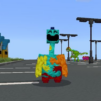
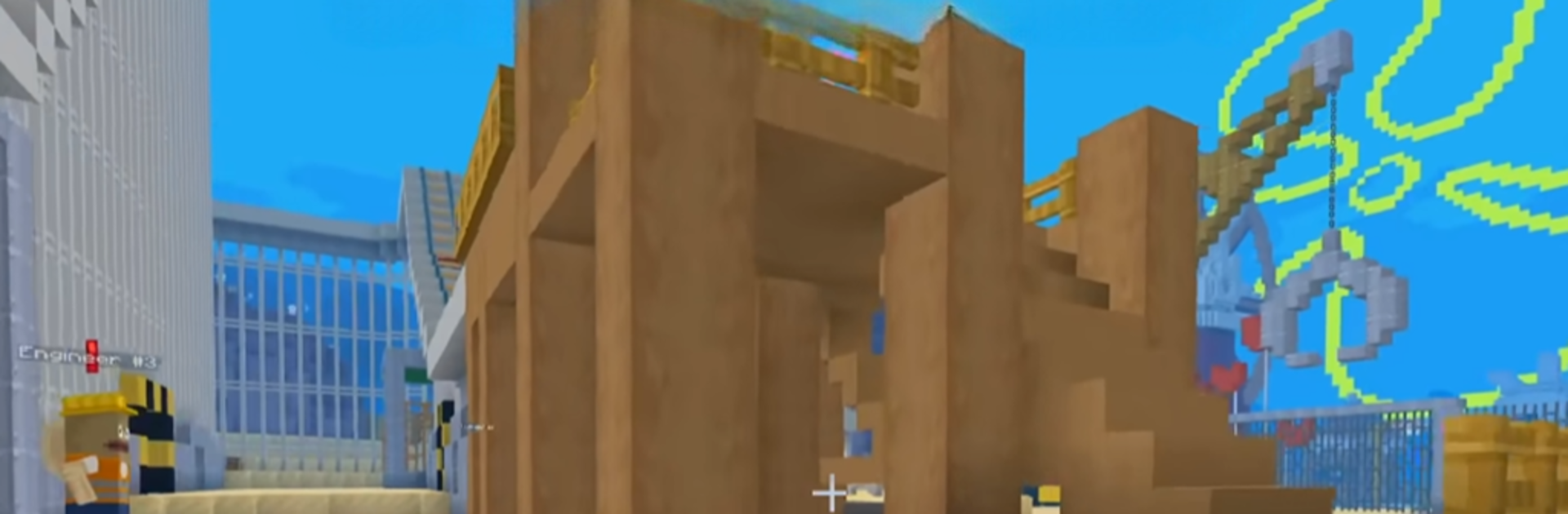
SPONGYBLOCK CRAFT feels like a relaxed sandbox where everything looks soft and a bit squishy, so building never feels heavy or serious. Blocks stack into cute houses or tall castles without fuss, and the world leans cozy rather than sharp. Biomes are colorful and calm, with spots like mushroom forests and gentle fields to wander through. Players gather sponge-like resources, craft simple tools, and drop in comfy furniture to make rooms feel lived in. There is creative mode if someone just wants endless blocks, and a survival mode that keeps things light, so there is a bit of structure without stress. No timers waiting to nag, just a peaceful day and night cycle, a few adorable creatures roaming around, and space to design a little corner that looks nice.

On PC with BlueStacks, the bigger screen and mouse aiming make placing blocks and sorting the inventory feel smoother, which helps the building flow. Movement is clean and exploration is easy to follow, with plenty of soft blocks to break and reuse. The tone stays family friendly and calm, more about decorating and exploring than min-maxing or grinding. The fun sits in shaping a spongey-looking world, laying out beds, lamps, and small touches, then wandering off to the next biome for new colors. It does not chase hard survival or complex crafting chains, and that clear focus keeps it light but still satisfying.

Slay your opponents with your epic moves. Play it your way on BlueStacks and dominate the battlefield.


Game Features

Enhancements

  • Macros
  • Multi Instance
  • Multi Instance Sync
  • Script
  • Enhancements
Macros

Macros

Automate the predictable in SPONGYBLOCK CRAFT and transform your gameplay with Macros. Get access to inventive Macros in the BlueStacks Macro Community
Multi Instance

Multi Instance

Play SPONGYBLOCK CRAFT on one window. And chat with your friend on the other. Press CTRL + Shift + 8 to open the Multi-Instance Manager. And start creating fresh instances or clone an existing one.
Multi Instance Sync

Multi Instance Sync

Play SPONGYBLOCK CRAFT with the power of Multi-Instance Sync. Replicate what you are doing on the main instance on all other instances. Level up faster, play more.
Script

Script

Script your way to gaming glory in SPONGYBLOCK CRAFT with BlueStacks Script. Write and run a set of commands to automate repeated tasks. Trigger the command by assigning it to any key.
Read More

How to Download and Play SPONGYBLOCK CRAFT on PC or Mac

  • Download and install BlueStacks on your PC or Mac

  • Complete Google sign-in to access the Play Store, or do it later

  • Look for SPONGYBLOCK CRAFT in the search bar at the top right corner

  • Click to install SPONGYBLOCK CRAFT from the search results

  • Complete Google sign-in (if you skipped step 2) to install SPONGYBLOCK CRAFT

  • Click the SPONGYBLOCK CRAFT icon on the home screen to start playing

video
Watch Video

Minimum System Requirements

With BlueStacks 5, you can get started on a PC that fulfills the following requirements.

  • Operating System

    Microsoft Windows 7 or above, macOS 11 (Big Sur) or above

  • Processor

    Intel, AMD or Apple Silicon Processor

  • RAM

    at least 4GB

  • HDD

    10GB Free Disk Space

Note:

* You must be an Administrator on your PC. Up to date graphics drivers from Microsoft or the chipset vendor.

SPONGYBLOCK CRAFT - FAQs

  • How to play SPONGYBLOCK CRAFT on Windows PC & Mac?

    Play SPONGYBLOCK CRAFT on your PC or Mac by following these simple steps.

    • Click on 'Play SPONGYBLOCK CRAFT on PC’ to download BlueStacks
    • Install it and log-in to Google Play Store
    • Launch and play the game.
  • Why is BlueStacks the fastest and safest platform to play games on PC?

    BlueStacks respects your privacy and is always safe and secure to use. It does not carry any malware, spyware, or any sort of additional software that could harm your PC.

    It is engineered to optimize speed and performance for a seamless gaming experience.

  • What are SPONGYBLOCK CRAFT PC requirements?

    Minimum requirement to run SPONGYBLOCK CRAFT on your PC

    • OS: Microsoft Windows 7 or above MacOS 11 (Big Sur) or above
    • Processor: Intel, AMD or Apple Silicon Processor
    • RAM: Your PC must have at least 4GB of RAM. (Note that having 4GB or more disk space is not a substitute for RAM)
    • HDD: 10GB Free Disk Space.
    • You must be an Administrator on your PC.