Super Hand
Super Hand

Super Hand

Adventure

| Doodleland

Play on PC with BlueStacks or from our cloud

  • Overview
  • Game Features
  • How to Play

Page Modified On: August 14, 2026

Play Super Hand on PC or Mac

Explore a whole new adventure with Super Hand, a Adventure game created by Doodleland. Experience great gameplay with BlueStacks, the most popular gaming platform to play Android games on your PC or Mac.

About the Game

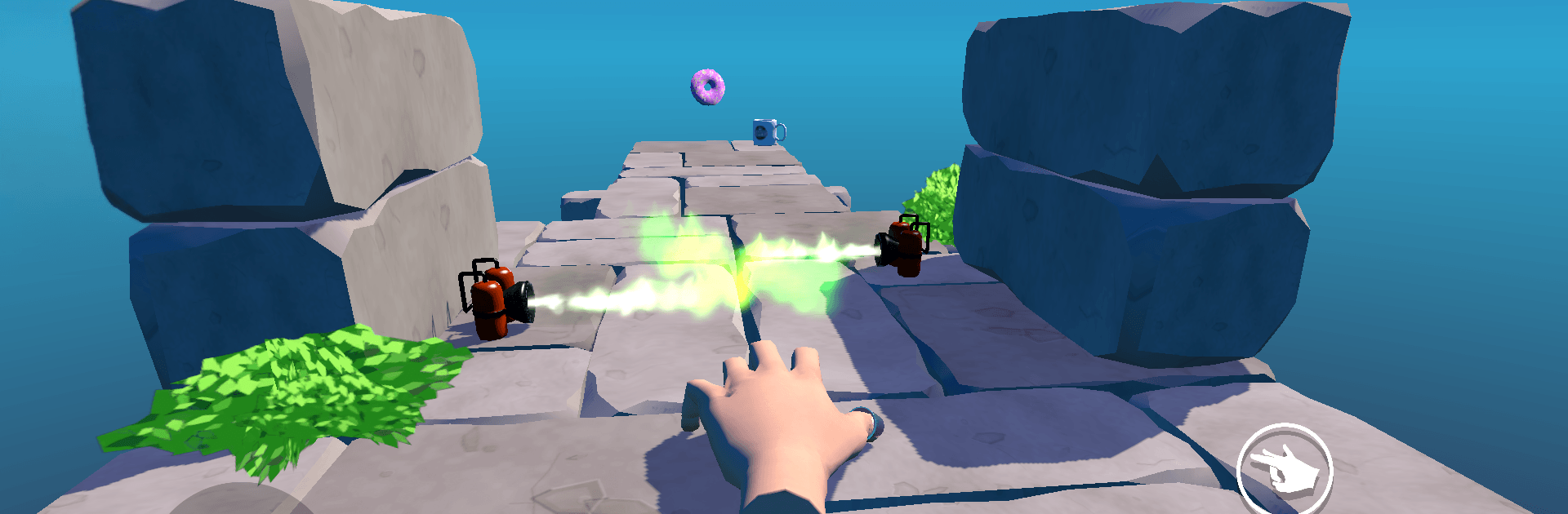
Super Hand is an Adventure about, well, a single extremely motivated hand on a sugar-fueled mission. You guide this stubborn little daredevil across tricky stages to reclaim the one donut that truly matters from a very rude pigeon—while it narrates every triumph and crash. Prefer playing at a desk? It runs smoothly on BlueStacks too.

Game Features

  • One Wild Protagonist: Play as a runaway hand with way too much personality. It quips, sighs, and throws shade at birds while you play.
  • Finger-First Movement: Crawl, cling, and fling yourself from ledge to ledge. Wall-grab, swing, and launch across gaps using momentum and timing.
  • Donut at the Finish: Every stage ends with a sweet prize. Snatch the donut, flex those knuckles, and move on to the next challenge.
  • The Pigeon Problem: A delightfully evil pigeon stole the good donut and scattered others everywhere. Track it across bizarre places and make it regret everything.
  • Hand-Painted Charm: Cozy, painterly visuals give each area a warm, storybook feel—even when you’re face-planting off a cliff.
  • Plenty of Stages: Work through a stack of crafty levels that keep mixing new layouts, hazards, and goofy surprises.
  • Constant Commentary: The hand won’t stop talking, and honestly, it’s a riot. Expect self-narration, dramatic monologues, and donut poetry.
  • Silly Story That Works: The tale is gloriously ridiculous, yet somehow heartfelt—light on logic, heavy on laughs.

Ready to top the leaderboard? We bet you do. Let precise controls and sharp visuals optimized on BlueStacks lead you to victory.


Game Features

Enhancements

  • Macros
  • Multi Instance
  • Multi Instance Sync
  • Script
  • Enhancements
Macros

Macros

Automate the predictable in Super Hand and transform your gameplay with Macros. Get access to inventive Macros in the BlueStacks Macro Community
Multi Instance

Multi Instance

Play Super Hand on one window. And chat with your friend on the other. Press CTRL + Shift + 8 to open the Multi-Instance Manager. And start creating fresh instances or clone an existing one.
Multi Instance Sync

Multi Instance Sync

Play Super Hand with the power of Multi-Instance Sync. Replicate what you are doing on the main instance on all other instances. Level up faster, play more.
Script

Script

Script your way to gaming glory in Super Hand with BlueStacks Script. Write and run a set of commands to automate repeated tasks. Trigger the command by assigning it to any key.
Read More

How to Download and Play Super Hand on PC or Mac

  • Download and install BlueStacks on your PC or Mac

  • Complete Google sign-in to access the Play Store, or do it later

  • Look for Super Hand in the search bar at the top right corner

  • Click to install Super Hand from the search results

  • Complete Google sign-in (if you skipped step 2) to install Super Hand

  • Click the Super Hand icon on the home screen to start playing

video
Watch Video

Minimum System Requirements

With BlueStacks 5, you can get started on a PC that fulfills the following requirements.

  • Operating System

    Microsoft Windows 7 or above, macOS 11 (Big Sur) or above

  • Processor

    Intel, AMD or Apple Silicon Processor

  • RAM

    at least 4GB

  • HDD

    10GB Free Disk Space

Note:

* You must be an Administrator on your PC. Up to date graphics drivers from Microsoft or the chipset vendor.

Super Hand - FAQs

  • How to play Super Hand on Windows PC & Mac?

    Play Super Hand on your PC or Mac by following these simple steps.

    • Click on 'Play Super Hand on PC’ to download BlueStacks
    • Install it and log-in to Google Play Store
    • Launch and play the game.
  • Why is BlueStacks the fastest and safest platform to play games on PC?

    BlueStacks respects your privacy and is always safe and secure to use. It does not carry any malware, spyware, or any sort of additional software that could harm your PC.

    It is engineered to optimize speed and performance for a seamless gaming experience.

  • What are Super Hand PC requirements?

    Minimum requirement to run Super Hand on your PC

    • OS: Microsoft Windows 7 or above MacOS 11 (Big Sur) or above
    • Processor: Intel, AMD or Apple Silicon Processor
    • RAM: Your PC must have at least 4GB of RAM. (Note that having 4GB or more disk space is not a substitute for RAM)
    • HDD: 10GB Free Disk Space.
    • You must be an Administrator on your PC.