Swordman: Reforged
Swordman: Reforged

Swordman: Reforged

Adventure

| GEM MOBILE SOFTWARE COMPANY LIMITED

Play on PC with BlueStacks or from our cloud

  • Overview
  • Game Features
  • How to Play

Page Modified On: December 15, 2025

Play Swordman: Reforged on PC or Mac

Join millions to experience Swordman: Reforged, an exciting Adventure game from GEM MOBILE SOFTWARE COMPANY LIMITED. With BlueStacks App Player, you are always a step ahead of your opponent, ready to outplay them with faster gameplay and better control with the mouse and keyboard on your PC or Mac.

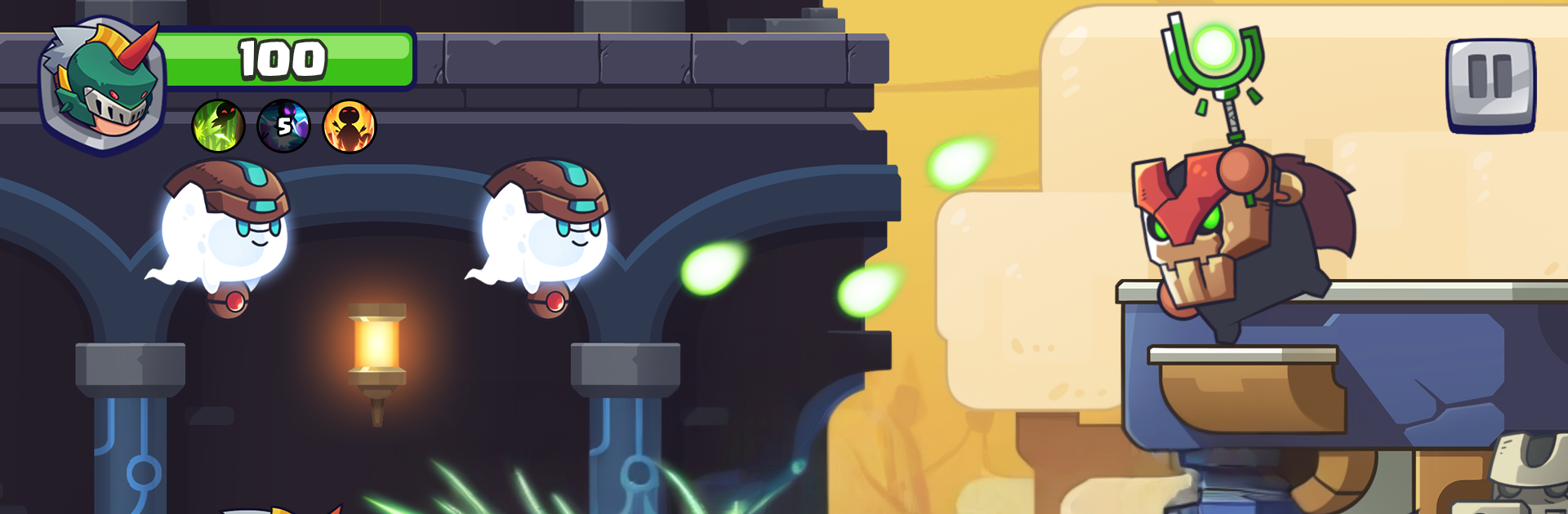
Swordman: Reforged is a side scrolling action game where a hunter roams through lively little dungeons and fights creatures that should not even be alive, like angry tools and weird gadgets that got up and walked. The tone is light and a bit silly, the UI tells the story in a clean way, and the controls are simple enough that anyone can pick it up. Jump, slash, roll, repeat, with boss rooms that ask for timing instead of button mashing. On PC with BlueStacks it runs smooth, and key mapping makes the movement feel tighter than on a phone touch screen.

The hook is the gear. Players craft swords from materials and coins, then slot in weapon spells to push a build in a certain direction. Weapons look different and play different, and swapping costume sets adds small perks, while skins just change the look. Dungeons are short and have secret areas tucked behind breakable walls or odd corners, usually paying out coins, chests, or little enemies that drop rare parts. That creates a loop of quick runs to gather stuff, unlock another sword, and try again on a tougher path. There are mini modes and new zones sprinkled in, so it does not feel stuck on the same screen forever. It is not a super deep RPG, but it has those RPG style touches that make tinkering with a loadout fun. Expect some grind, expect cute monsters, and expect boss patterns that feel fair once learned.

Slay your opponents with your epic moves. Play it your way on BlueStacks and dominate the battlefield.


Game Features

Enhancements

  • Macros
  • Multi Instance
  • Multi Instance Sync
  • Script
  • Enhancements
Macros

Macros

Automate the predictable in Swordman: Reforged and transform your gameplay with Macros. Get access to inventive Macros in the BlueStacks Macro Community
Multi Instance

Multi Instance

Play Swordman: Reforged on one window. And chat with your friend on the other. Press CTRL + Shift + 8 to open the Multi-Instance Manager. And start creating fresh instances or clone an existing one.
Multi Instance Sync

Multi Instance Sync

Play Swordman: Reforged with the power of Multi-Instance Sync. Replicate what you are doing on the main instance on all other instances. Level up faster, play more.
Script

Script

Script your way to gaming glory in Swordman: Reforged with BlueStacks Script. Write and run a set of commands to automate repeated tasks. Trigger the command by assigning it to any key.
Read More

How to Download and Play Swordman: Reforged on PC or Mac

  • Download and install BlueStacks on your PC or Mac

  • Complete Google sign-in to access the Play Store, or do it later

  • Look for Swordman: Reforged in the search bar at the top right corner

  • Click to install Swordman: Reforged from the search results

  • Complete Google sign-in (if you skipped step 2) to install Swordman: Reforged

  • Click the Swordman: Reforged icon on the home screen to start playing

video
Watch Video

Minimum System Requirements

With BlueStacks 5, you can get started on a PC that fulfills the following requirements.

  • Operating System

    Microsoft Windows 7 or above, macOS 11 (Big Sur) or above

  • Processor

    Intel, AMD or Apple Silicon Processor

  • RAM

    at least 4GB

  • HDD

    10GB Free Disk Space

Note:

* You must be an Administrator on your PC. Up to date graphics drivers from Microsoft or the chipset vendor.

Swordman: Reforged - FAQs

  • How to play Swordman: Reforged on Windows PC & Mac?

    Play Swordman: Reforged on your PC or Mac by following these simple steps.

    • Click on 'Play Swordman: Reforged on PC’ to download BlueStacks
    • Install it and log-in to Google Play Store
    • Launch and play the game.
  • Why is BlueStacks the fastest and safest platform to play games on PC?

    BlueStacks respects your privacy and is always safe and secure to use. It does not carry any malware, spyware, or any sort of additional software that could harm your PC.

    It is engineered to optimize speed and performance for a seamless gaming experience.

  • What are Swordman: Reforged PC requirements?

    Minimum requirement to run Swordman: Reforged on your PC

    • OS: Microsoft Windows 7 or above MacOS 11 (Big Sur) or above
    • Processor: Intel, AMD or Apple Silicon Processor
    • RAM: Your PC must have at least 4GB of RAM. (Note that having 4GB or more disk space is not a substitute for RAM)
    • HDD: 10GB Free Disk Space.
    • You must be an Administrator on your PC.