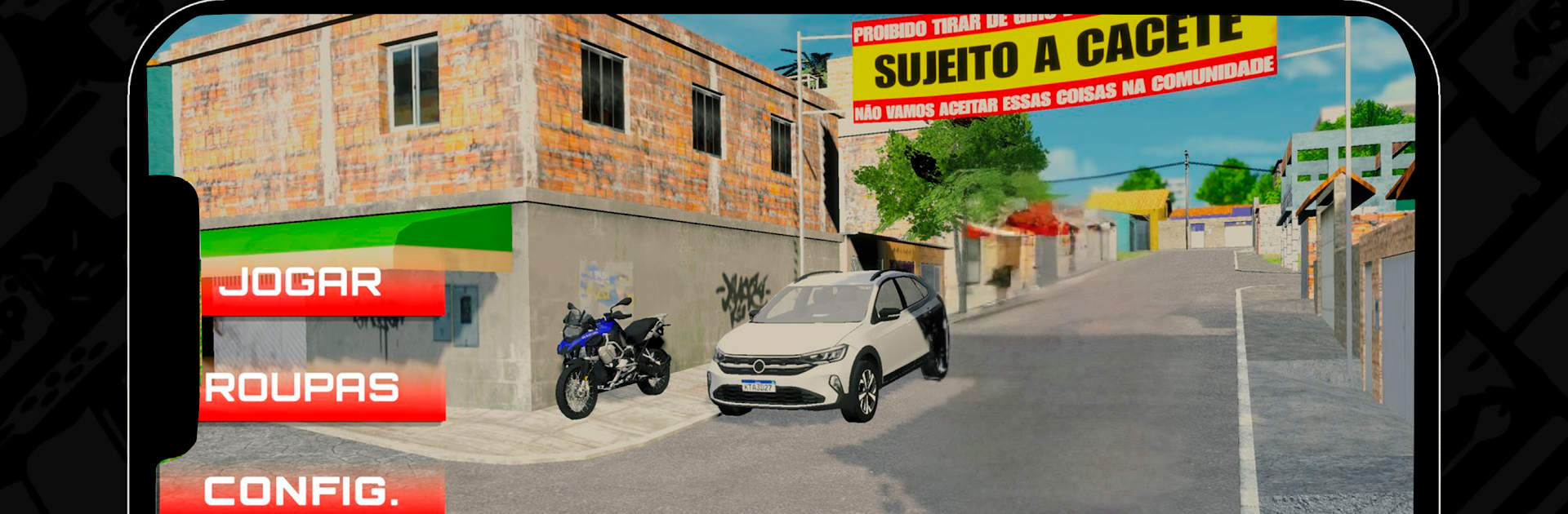
Vida Loka
Vida Loka

Vida Loka

Adventure

| Santos Games

Play on PC with BlueStacks or from our cloud

  • Overview
  • Game Features
  • How to Play

Page Modified On: December 15, 2025

Play Vida Loka on PC or Mac

Step into the World of Vida Loka, a thrilling Adventure game from the house of Santos Games. Play this Android game on BlueStacks App Player and experience immersive gaming on PC or Mac.

Vida Loka feels like a loud, messy city sandbox where players pick a side and make their own trouble. It throws everyone into the same streets and lets them choose to uphold the law or break it. As police, it is all about patrols, sirens, quick chases, cutting off escape routes, and actually cuffing people who go too far. On the criminal side, the game leans into fast money, quick getaways, and that nervous scramble after a hit on a cash machine goes wrong. The driving is arcade style, with bikes and cars that grip well enough to weave through traffic, but still skid when someone pushes too hard.

The garage is a big hook. Swapping parts, messing with paint, and squeezing more speed out of a bike makes a real difference, and showing off a clean build in a crowded server feels good. Gunfights happen often, short and punchy, and players can squad up to watch each other’s backs or pick fights with whoever is flexing too hard. The map has a bunch of streets and corners worth learning, so knowing the fast cut-throughs and safe alleys actually matters. Running it on BlueStacks helps a lot, since mouse aim and proper keys make chases and shootouts way cleaner. It is chaotic, sometimes silly, and that is the point, the whole thing breathes because other players keep the city moving.

Slay your opponents with your epic moves. Play it your way on BlueStacks and dominate the battlefield.


Game Features

Enhancements

  • Macros
  • Multi Instance
  • Multi Instance Sync
  • Script
  • Enhancements
Macros

Macros

Automate the predictable in Vida Loka and transform your gameplay with Macros. Get access to inventive Macros in the BlueStacks Macro Community
Multi Instance

Multi Instance

Play Vida Loka on one window. And chat with your friend on the other. Press CTRL + Shift + 8 to open the Multi-Instance Manager. And start creating fresh instances or clone an existing one.
Multi Instance Sync

Multi Instance Sync

Play Vida Loka with the power of Multi-Instance Sync. Replicate what you are doing on the main instance on all other instances. Level up faster, play more.
Script

Script

Script your way to gaming glory in Vida Loka with BlueStacks Script. Write and run a set of commands to automate repeated tasks. Trigger the command by assigning it to any key.
Read More

How to Download and Play Vida Loka on PC or Mac

  • Download and install BlueStacks on your PC or Mac

  • Complete Google sign-in to access the Play Store, or do it later

  • Look for Vida Loka in the search bar at the top right corner

  • Click to install Vida Loka from the search results

  • Complete Google sign-in (if you skipped step 2) to install Vida Loka

  • Click the Vida Loka icon on the home screen to start playing

video
Watch Video

Minimum System Requirements

With BlueStacks 5, you can get started on a PC that fulfills the following requirements.

  • Operating System

    Microsoft Windows 7 or above, macOS 11 (Big Sur) or above

  • Processor

    Intel, AMD or Apple Silicon Processor

  • RAM

    at least 4GB

  • HDD

    10GB Free Disk Space

Note:

* You must be an Administrator on your PC. Up to date graphics drivers from Microsoft or the chipset vendor.

Vida Loka - FAQs

  • How to play Vida Loka on Windows PC & Mac?

    Play Vida Loka on your PC or Mac by following these simple steps.

    • Click on 'Play Vida Loka on PC’ to download BlueStacks
    • Install it and log-in to Google Play Store
    • Launch and play the game.
  • Why is BlueStacks the fastest and safest platform to play games on PC?

    BlueStacks respects your privacy and is always safe and secure to use. It does not carry any malware, spyware, or any sort of additional software that could harm your PC.

    It is engineered to optimize speed and performance for a seamless gaming experience.

  • What are Vida Loka PC requirements?

    Minimum requirement to run Vida Loka on your PC

    • OS: Microsoft Windows 7 or above MacOS 11 (Big Sur) or above
    • Processor: Intel, AMD or Apple Silicon Processor
    • RAM: Your PC must have at least 4GB of RAM. (Note that having 4GB or more disk space is not a substitute for RAM)
    • HDD: 10GB Free Disk Space.
    • You must be an Administrator on your PC.