War Drone Strike 3D
War Drone Strike 3D

War Drone Strike 3D

Adventure

| Buff Games Studio

Play on PC with BlueStacks or from our cloud

  • Overview
  • Game Features
  • How to Play

Page Modified On: April 07, 2026

Play War Drone Strike 3D on PC or Mac

Join millions to experience War Drone Strike 3D, an exciting Adventure game from Buff Games Studio. With BlueStacks App Player, you are always a step ahead of your opponent, ready to outplay them with faster gameplay and better control with the mouse and keyboard on your PC or Mac.

About the Game

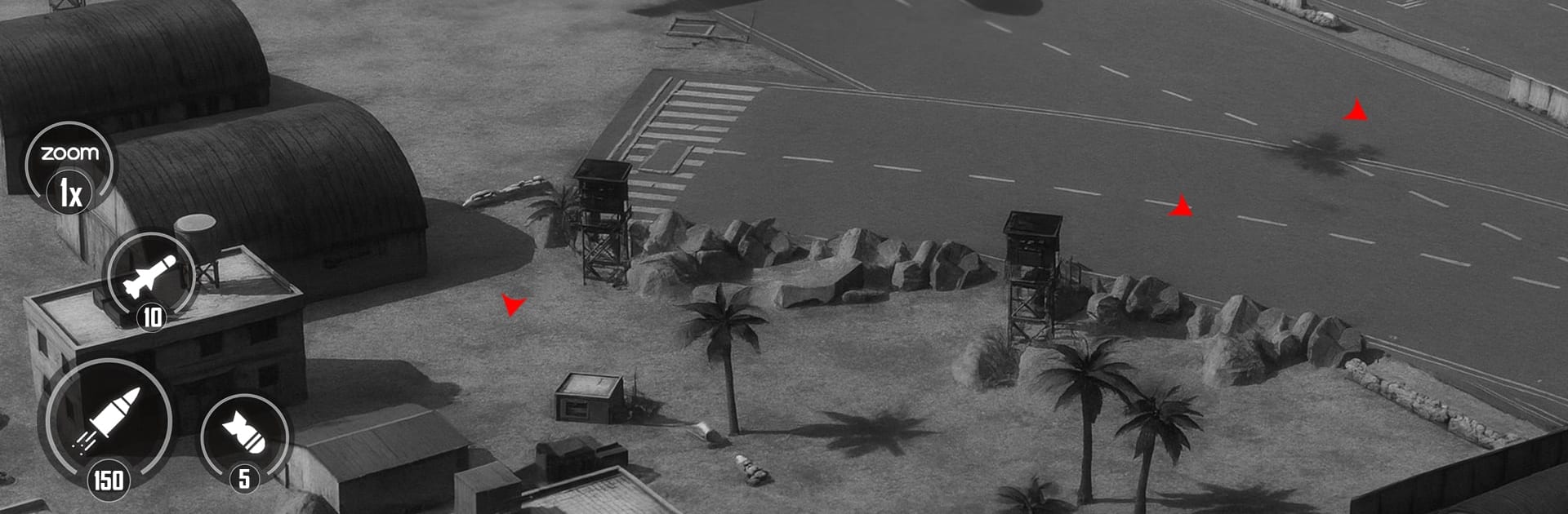
War Drone Strike 3D hands you the controls of a modern combat drone and lets you loose across hostile hot zones. You’ll scout, strike, and outmaneuver enemy forces while juggling smart tactics with quick reflexes. It’s a fast, punchy blend of precision shooting and strategic planning—made for players who like their Adventure games loud, explosive, and just a bit tactical. Play on your phone or fire it up on BlueStacks if you prefer big-screen action.

Developed by Buff Games Studio, it’s all about picking the right loadout, reading the battlefield, and making every shot count.

Game Features

  • Dynamic Missions: From dusty deserts to dense city blocks and fortified bases, each sortie throws new objectives and enemy types your way.
  • Survival and Precision Modes: Hold the line through escalating enemy waves or take on surgical strike runs where one clean hit can change everything.
  • Drone Upgrades: Earn rewards and coins to unlock tougher frames, better armor, and specialty drones with unique perks.
  • Heavy Firepower: Slot in high-tech cannons, guided missiles, and support gear to tailor your playstyle—brutal, stealthy, or somewhere in between.
  • Smooth, Responsive Controls: Snappy flight handling and quick targeting make threading shots and dodging AA fire feel natural.
  • Immersive 3D Visuals: Crisp effects, cinematic explosions, and readable battlefields help you track threats and plan your next move.
  • Smart Progression: Missions ramp up steadily, pushing you to refine tactics, sharpen your aim, and rethink how you approach each encounter.
  • Genre-Bending Adventure: A shooter at heart with a strategic twist, wrapped in the Adventure spirit of risk, reward, and discovery.

Get ready for a buttery smooth, high-performance gaming action only on BlueStacks.

Game Features

Enhancements

  • Macros
  • Multi Instance
  • Multi Instance Sync
  • Script
  • Enhancements
Macros

Macros

Automate the predictable in War Drone Strike 3D and transform your gameplay with Macros. Get access to inventive Macros in the BlueStacks Macro Community
Multi Instance

Multi Instance

Play War Drone Strike 3D on one window. And chat with your friend on the other. Press CTRL + Shift + 8 to open the Multi-Instance Manager. And start creating fresh instances or clone an existing one.
Multi Instance Sync

Multi Instance Sync

Play War Drone Strike 3D with the power of Multi-Instance Sync. Replicate what you are doing on the main instance on all other instances. Level up faster, play more.
Script

Script

Script your way to gaming glory in War Drone Strike 3D with BlueStacks Script. Write and run a set of commands to automate repeated tasks. Trigger the command by assigning it to any key.
Read More

How to Download and Play War Drone Strike 3D on PC or Mac

  • Download and install BlueStacks on your PC or Mac

  • Complete Google sign-in to access the Play Store, or do it later

  • Look for War Drone Strike 3D in the search bar at the top right corner

  • Click to install War Drone Strike 3D from the search results

  • Complete Google sign-in (if you skipped step 2) to install War Drone Strike 3D

  • Click the War Drone Strike 3D icon on the home screen to start playing

video
Watch Video

Minimum System Requirements

With BlueStacks 5, you can get started on a PC that fulfills the following requirements.

  • Operating System

    Microsoft Windows 7 or above, macOS 11 (Big Sur) or above

  • Processor

    Intel, AMD or Apple Silicon Processor

  • RAM

    at least 4GB

  • HDD

    10GB Free Disk Space

Note:

* You must be an Administrator on your PC. Up to date graphics drivers from Microsoft or the chipset vendor.

War Drone Strike 3D - FAQs

  • How to play War Drone Strike 3D on Windows PC & Mac?

    Play War Drone Strike 3D on your PC or Mac by following these simple steps.

    • Click on 'Play War Drone Strike 3D on PC’ to download BlueStacks
    • Install it and log-in to Google Play Store
    • Launch and play the game.
  • Why is BlueStacks the fastest and safest platform to play games on PC?

    BlueStacks respects your privacy and is always safe and secure to use. It does not carry any malware, spyware, or any sort of additional software that could harm your PC.

    It is engineered to optimize speed and performance for a seamless gaming experience.

  • What are War Drone Strike 3D PC requirements?

    Minimum requirement to run War Drone Strike 3D on your PC

    • OS: Microsoft Windows 7 or above MacOS 11 (Big Sur) or above
    • Processor: Intel, AMD or Apple Silicon Processor
    • RAM: Your PC must have at least 4GB of RAM. (Note that having 4GB or more disk space is not a substitute for RAM)
    • HDD: 10GB Free Disk Space.
    • You must be an Administrator on your PC.