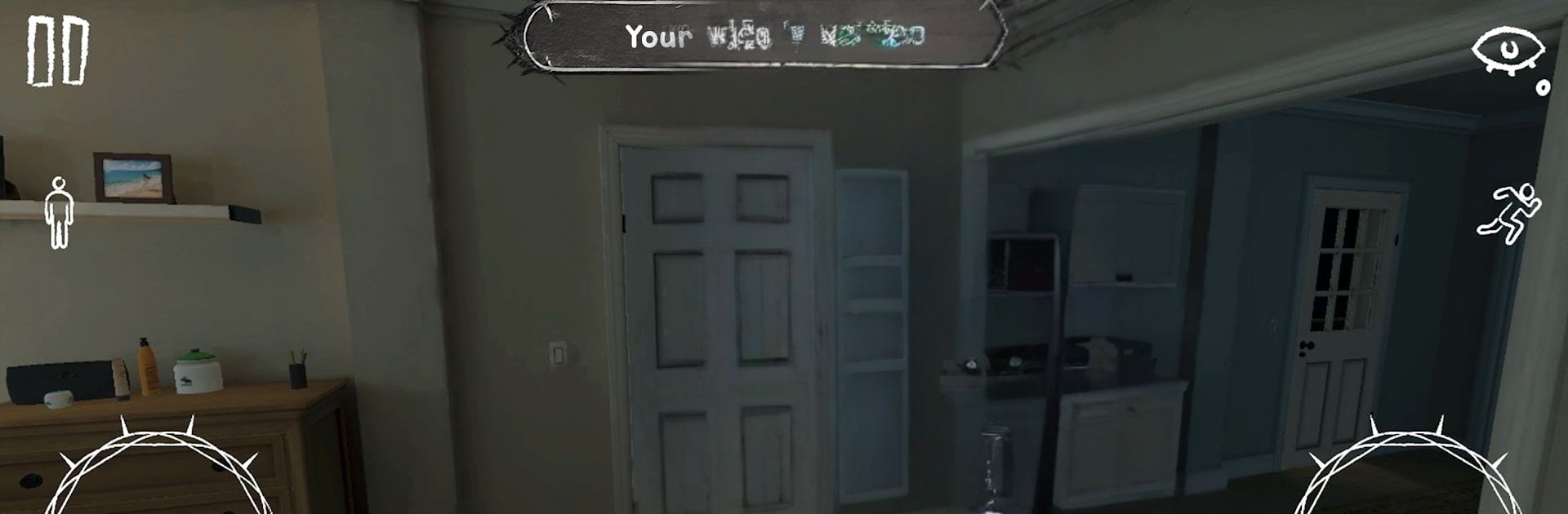
Yandere Wife: Horror – Evening

Yandere Wife: Horror – Evening

Adventure

| Scary Creepy Pasta

Play on PC with BlueStacks or from our cloud

  • Overview
  • Game Features
  • How to Play

Page Modified On: June 25, 2026

Play Yandere Wife: Horror – Evening on PC or Mac

Explore a whole new adventure with Yandere Wife: Horror – Evening, a Adventure game created by Scary Creepy Pasta. Experience great gameplay with BlueStacks, the most popular gaming platform to play Android games on your PC or Mac.

About the Game

Yandere Wife: Horror – Evening drops you into a perfectly normal house that stops feeling safe the moment you realize you’re not alone. Your partner’s affection has curdled into obsession, and every creak, whisper, and shadow feels loaded. It’s a tense, first-person Adventure where stealth, choices, and puzzle-solving decide whether you slip out the door… or get persuaded to stay.

Game Features

  • Intimate home, big chills: Wander a realistic, lived-in house that turns claustrophobic fast. Hallways feel too quiet, rooms hold secrets, and the layout slowly gets under your skin.

  • Smarter-than-you-think AI: She listens for footsteps, notices doors, and remembers what you’ve done. Stay close to calm her, or keep your distance and hope she doesn’t catch the hint.

  • Stealth that actually matters: Sound carries. Hide in closets, crouch behind furniture, and time your moves. When she’s near, you’ll know—and you’ll panic a little.

  • Puzzles under pressure: Unlock routes, find keys, and piece together clues while she patrols. Solving things buys time, but it also changes how she reacts.

  • Choices with consequences: Talk to her, placate her, or test your luck trying to leave. Your behavior nudges the story, alters her mood, and shifts the danger.

  • Not a ghost—something worse: She’s human, which makes it creepier. Love notes feel off, glances linger too long, and the line between romance and threat blurs.

  • Story-first horror: A psychological angle with an anime vibe—personal, uncomfortable, and weirdly intimate from start to finish.

  • Play your way: Prefer a PC setup? You can run it on BlueStacks for smooth controls and a clearer view of every hiding spot.

Get ready for a buttery smooth, high-performance gaming action only on BlueStacks.

Game Features

Enhancements

  • Macros
  • Multi Instance
  • Multi Instance Sync
  • Script
  • Enhancements
Macros

Macros

Automate the predictable in Yandere Wife: Horror – Evening and transform your gameplay with Macros. Get access to inventive Macros in the BlueStacks Macro Community
Multi Instance

Multi Instance

Play Yandere Wife: Horror – Evening on one window. And chat with your friend on the other. Press CTRL + Shift + 8 to open the Multi-Instance Manager. And start creating fresh instances or clone an existing one.
Multi Instance Sync

Multi Instance Sync

Play Yandere Wife: Horror – Evening with the power of Multi-Instance Sync. Replicate what you are doing on the main instance on all other instances. Level up faster, play more.
Script

Script

Script your way to gaming glory in Yandere Wife: Horror – Evening with BlueStacks Script. Write and run a set of commands to automate repeated tasks. Trigger the command by assigning it to any key.
Read More

How to Download and Play Yandere Wife: Horror – Evening on PC or Mac

  • Download and install BlueStacks on your PC or Mac

  • Complete Google sign-in to access the Play Store, or do it later

  • Look for Yandere Wife: Horror – Evening in the search bar at the top right corner

  • Click to install Yandere Wife: Horror – Evening from the search results

  • Complete Google sign-in (if you skipped step 2) to install Yandere Wife: Horror – Evening

  • Click the Yandere Wife: Horror – Evening icon on the home screen to start playing

video
Watch Video

Minimum System Requirements

With BlueStacks 5, you can get started on a PC that fulfills the following requirements.

  • Operating System

    Microsoft Windows 7 or above, macOS 11 (Big Sur) or above

  • Processor

    Intel, AMD or Apple Silicon Processor

  • RAM

    at least 4GB

  • HDD

    10GB Free Disk Space

Note:

* You must be an Administrator on your PC. Up to date graphics drivers from Microsoft or the chipset vendor.

Yandere Wife: Horror – Evening - FAQs

  • How to play Yandere Wife: Horror – Evening on Windows PC & Mac?

    Play Yandere Wife: Horror – Evening on your PC or Mac by following these simple steps.

    • Click on 'Play Yandere Wife: Horror – Evening on PC’ to download BlueStacks
    • Install it and log-in to Google Play Store
    • Launch and play the game.
  • Why is BlueStacks the fastest and safest platform to play games on PC?

    BlueStacks respects your privacy and is always safe and secure to use. It does not carry any malware, spyware, or any sort of additional software that could harm your PC.

    It is engineered to optimize speed and performance for a seamless gaming experience.

  • What are Yandere Wife: Horror – Evening PC requirements?

    Minimum requirement to run Yandere Wife: Horror – Evening on your PC

    • OS: Microsoft Windows 7 or above MacOS 11 (Big Sur) or above
    • Processor: Intel, AMD or Apple Silicon Processor
    • RAM: Your PC must have at least 4GB of RAM. (Note that having 4GB or more disk space is not a substitute for RAM)
    • HDD: 10GB Free Disk Space.
    • You must be an Administrator on your PC.