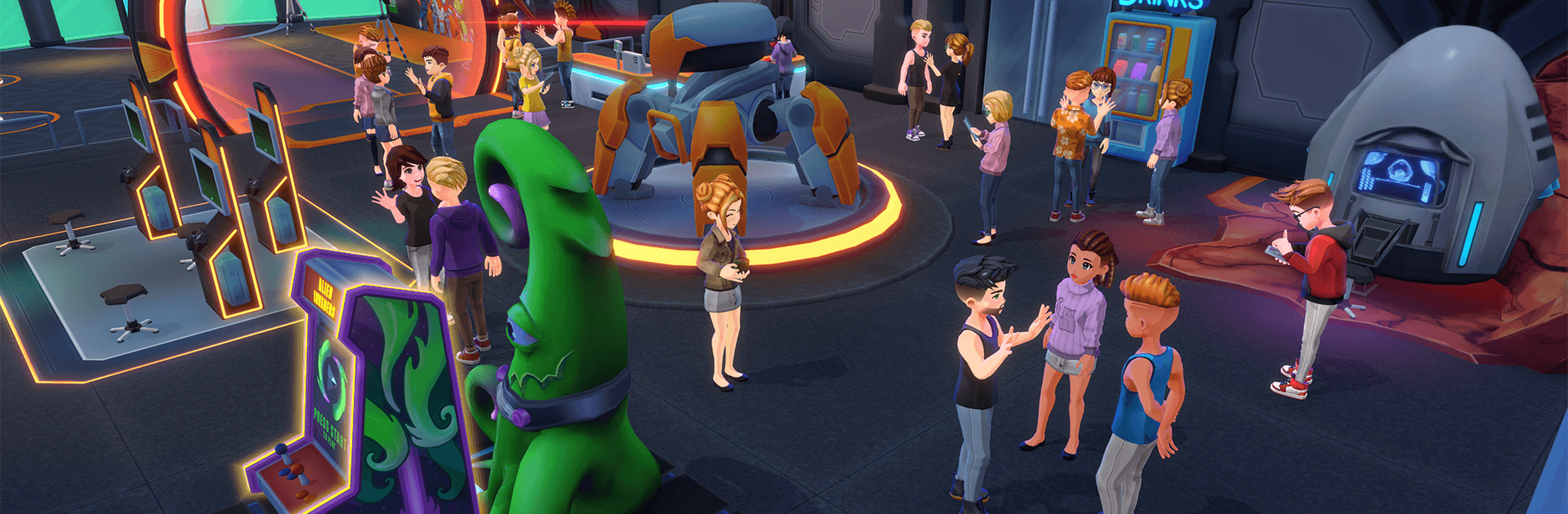
Youtubers Life 3
Youtubers Life 3

Youtubers Life 3

Adventure

| UPLAY Online

Play on PC with BlueStacks or from our cloud

  • Overview
  • Game Features
  • How to Play

Page Modified On: May 05, 2026

Play Youtubers Life 3 on PC or Mac

Youtubers Life 3 brings the Adventure genre to life, and throws up exciting challenges for gamers. Developed by UPLAY Online, this Android game is best experienced on BlueStacks, the World’s #1 app player for PC and Mac users.

About the Game

Youtubers Life 3 throws you into the creator grind with a camera, a bare room, and a head full of ideas. Record VODs, share your best moments, and turn quick posts into real momentum as you balance followers, rivals, and nonstop decisions. It’s an Adventure take on internet fame from UPLAY Online where your choices actually steer your story. Prefer playing on PC? It runs smoothly on BlueStacks too.

Game Features

  • Start from scratch: Build your channel from zero—plan content, post highlights, and grow a loyal community while handling the pressure that comes with visibility.
  • Your dream pad: Go from an empty starter room to a customized mansion with a pool, private cinema, car collection, and plenty of space for your studio setup.
  • Gear that matters: Upgrade your PC, cameras, mics, and consoles to boost production quality and results. Better tools mean stronger videos and bigger numbers.
  • Hire your crew: Bring in editors, financial pros, and even a personal trainer to keep you sharp and productive when your schedule explodes.
  • Real brand deals: As your fame rises, negotiate with top companies for sponsorships and partnerships. Aim for the best terms and make each contract count.
  • Events and exclusives: Check the calendar, RSVP to the hottest shows, and score limited items while meeting creators from around the world.
  • Rivals and relationships: Compete, collaborate, or do a bit of both. Make friends, spark connections, and see where those DMs lead.
  • Decisions with impact: Choose what to film, when to post, and how to respond when things get messy. Your path, your pace, your results.

Slay your opponents with your epic moves. Play it your way on BlueStacks and dominate the battlefield.


Game Features

Enhancements

  • Macros
  • Multi Instance
  • Multi Instance Sync
  • Script
  • Enhancements
Macros

Macros

Automate the predictable in Youtubers Life 3 and transform your gameplay with Macros. Get access to inventive Macros in the BlueStacks Macro Community
Multi Instance

Multi Instance

Play Youtubers Life 3 on one window. And chat with your friend on the other. Press CTRL + Shift + 8 to open the Multi-Instance Manager. And start creating fresh instances or clone an existing one.
Multi Instance Sync

Multi Instance Sync

Play Youtubers Life 3 with the power of Multi-Instance Sync. Replicate what you are doing on the main instance on all other instances. Level up faster, play more.
Script

Script

Script your way to gaming glory in Youtubers Life 3 with BlueStacks Script. Write and run a set of commands to automate repeated tasks. Trigger the command by assigning it to any key.
Read More

How to Download and Play Youtubers Life 3 on PC or Mac

  • Download and install BlueStacks on your PC or Mac

  • Complete Google sign-in to access the Play Store, or do it later

  • Look for Youtubers Life 3 in the search bar at the top right corner

  • Click to install Youtubers Life 3 from the search results

  • Complete Google sign-in (if you skipped step 2) to install Youtubers Life 3

  • Click the Youtubers Life 3 icon on the home screen to start playing

video
Watch Video

Minimum System Requirements

With BlueStacks 5, you can get started on a PC that fulfills the following requirements.

  • Operating System

    Microsoft Windows 7 or above, macOS 11 (Big Sur) or above

  • Processor

    Intel, AMD or Apple Silicon Processor

  • RAM

    at least 4GB

  • HDD

    10GB Free Disk Space

Note:

* You must be an Administrator on your PC. Up to date graphics drivers from Microsoft or the chipset vendor.

Youtubers Life 3 - FAQs

  • How to play Youtubers Life 3 on Windows PC & Mac?

    Play Youtubers Life 3 on your PC or Mac by following these simple steps.

    • Click on 'Play Youtubers Life 3 on PC’ to download BlueStacks
    • Install it and log-in to Google Play Store
    • Launch and play the game.
  • Why is BlueStacks the fastest and safest platform to play games on PC?

    BlueStacks respects your privacy and is always safe and secure to use. It does not carry any malware, spyware, or any sort of additional software that could harm your PC.

    It is engineered to optimize speed and performance for a seamless gaming experience.

  • What are Youtubers Life 3 PC requirements?

    Minimum requirement to run Youtubers Life 3 on your PC

    • OS: Microsoft Windows 7 or above MacOS 11 (Big Sur) or above
    • Processor: Intel, AMD or Apple Silicon Processor
    • RAM: Your PC must have at least 4GB of RAM. (Note that having 4GB or more disk space is not a substitute for RAM)
    • HDD: 10GB Free Disk Space.
    • You must be an Administrator on your PC.