Zombie Quarantine Survival

Zombie Quarantine Survival

Adventure

| PlayBucket SMC Pvt Ltd

Play on PC with BlueStacks or from our cloud

  • Overview
  • Game Features
  • How to Play

Page Modified On: May 05, 2026

Play Zombie Quarantine Survival on PC or Mac

Zombie Quarantine Survival brings the Adventure genre to life, and throws up exciting challenges for gamers. Developed by PlayBucket SMC Pvt Ltd, this Android game is best experienced on BlueStacks, the World’s #1 app player for PC and Mac users.

About the Game

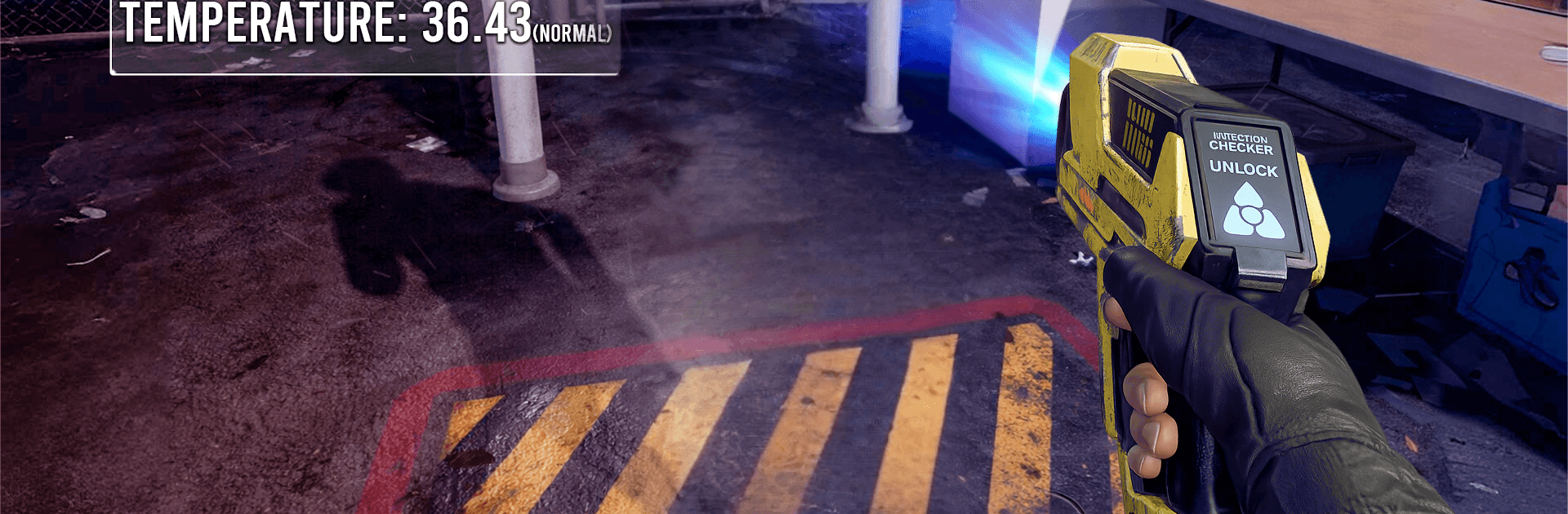
Zombie Quarantine Survival throws you into a city on the brink, where one bad call can snowball into a full-blown outbreak. You’re coordinating a quarantine effort, separating the sick from the healthy, and trying to keep panic from boiling over. It’s an Adventure experience from PlayBucket SMC Pvt Ltd that blends quick thinking with smart management—and yeah, the tension’s real. Prefer playing on PC? It works great with BlueStacks too.

Game Features

  • Outbreak Control: Spot potential carriers, isolate risks, and keep everyday civilians out of harm’s way before the infection takes off.
  • Quarantine Base Management: Build and organize a secure hub with checkpoints and holding areas that help you steer crowds, contain threats, and keep operations tidy.
  • Triage and Scanning: Check symptoms carefully, scan people, and flag suspicious cases. The more accurate your calls, the safer the streets stay.
  • Fast Decisions, High Stakes: Lines grow, pressure mounts, and hesitation costs you. Make clear calls under stress—or watch the situation spiral.
  • Protect Survivors: Prioritize the vulnerable, route them to safety, and prevent chaos while keeping infected individuals strictly contained.
  • Citywide Awareness: Keep an eye on shifting conditions and react to hotspots as they emerge so problems don’t explode into citywide crises.
  • Cause-and-Effect Gameplay: Every judgment affects what happens next; a single mistake can trigger clusters that are tough to rein in.
  • Accessible Yet Tense: Easy to grasp, challenging to master—perfect for quick sessions that still deliver that “just one more shift” pull.

Start your journey now. Download the game on BlueStacks, invite your friends, and march on a new adventure.


Game Features

Enhancements

  • Macros
  • Multi Instance
  • Multi Instance Sync
  • Script
  • Enhancements
Macros

Macros

Automate the predictable in Zombie Quarantine Survival and transform your gameplay with Macros. Get access to inventive Macros in the BlueStacks Macro Community
Multi Instance

Multi Instance

Play Zombie Quarantine Survival on one window. And chat with your friend on the other. Press CTRL + Shift + 8 to open the Multi-Instance Manager. And start creating fresh instances or clone an existing one.
Multi Instance Sync

Multi Instance Sync

Play Zombie Quarantine Survival with the power of Multi-Instance Sync. Replicate what you are doing on the main instance on all other instances. Level up faster, play more.
Script

Script

Script your way to gaming glory in Zombie Quarantine Survival with BlueStacks Script. Write and run a set of commands to automate repeated tasks. Trigger the command by assigning it to any key.
Read More

How to Download and Play Zombie Quarantine Survival on PC or Mac

  • Download and install BlueStacks on your PC or Mac

  • Complete Google sign-in to access the Play Store, or do it later

  • Look for Zombie Quarantine Survival in the search bar at the top right corner

  • Click to install Zombie Quarantine Survival from the search results

  • Complete Google sign-in (if you skipped step 2) to install Zombie Quarantine Survival

  • Click the Zombie Quarantine Survival icon on the home screen to start playing

video
Watch Video

Minimum System Requirements

With BlueStacks 5, you can get started on a PC that fulfills the following requirements.

  • Operating System

    Microsoft Windows 7 or above, macOS 11 (Big Sur) or above

  • Processor

    Intel, AMD or Apple Silicon Processor

  • RAM

    at least 4GB

  • HDD

    10GB Free Disk Space

Note:

* You must be an Administrator on your PC. Up to date graphics drivers from Microsoft or the chipset vendor.

Zombie Quarantine Survival - FAQs

  • How to play Zombie Quarantine Survival on Windows PC & Mac?

    Play Zombie Quarantine Survival on your PC or Mac by following these simple steps.

    • Click on 'Play Zombie Quarantine Survival on PC’ to download BlueStacks
    • Install it and log-in to Google Play Store
    • Launch and play the game.
  • Why is BlueStacks the fastest and safest platform to play games on PC?

    BlueStacks respects your privacy and is always safe and secure to use. It does not carry any malware, spyware, or any sort of additional software that could harm your PC.

    It is engineered to optimize speed and performance for a seamless gaming experience.

  • What are Zombie Quarantine Survival PC requirements?

    Minimum requirement to run Zombie Quarantine Survival on your PC

    • OS: Microsoft Windows 7 or above MacOS 11 (Big Sur) or above
    • Processor: Intel, AMD or Apple Silicon Processor
    • RAM: Your PC must have at least 4GB of RAM. (Note that having 4GB or more disk space is not a substitute for RAM)
    • HDD: 10GB Free Disk Space.
    • You must be an Administrator on your PC.