Atomic Bomber Full
Atomic Bomber Full

Atomic Bomber Full

Arcade

| Luke Allen

Play on PC with BlueStacks or from our cloud

  • Overview
  • Game Features
  • How to Play

Page Modified On: October 04, 2025

Play Atomic Bomber Full on PC or Mac

From the innovators and creators at Luke Allen, Atomic Bomber Full is another fun addition to the World of Arcade games. Go beyond your mobile screen and play it bigger and better on your PC or Mac. An immersive experience awaits you.

About the Game

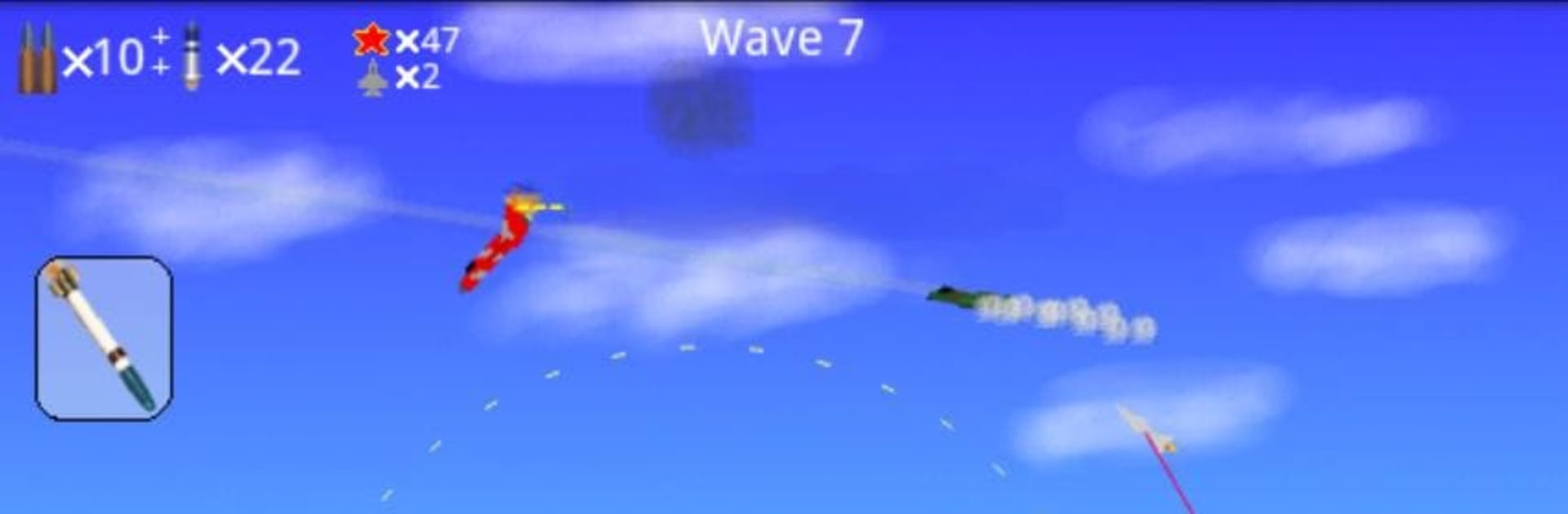
Atomic Bomber Full is a fast, retro-flavored Arcade air-combat game where you strap into a NATO ground-attack jet and try to stop a full-on invasion in Europe. Think short, punchy missions, big explosions, and that satisfying “one more run” loop. From Luke Allen, it’s straightforward to pick up but gives you plenty to manage when the sky fills with MiGs and the ground lights up with armor. Prefer playing on a bigger screen with keyboard or gamepad? It runs nicely on BlueStacks.

Game Features

  • Cold War Gone Hot: A 1970s what-if scenario where you smash advancing columns, silence artillery, and keep enemy air power off your tail.
  • A-10 Warthog Action: Unleash the Warthog’s brutal 30 mm cannon and rockets—perfect for ripping through tanks and brave enemy fighters.
  • Tactical Nukes (When It’s Dire): When things get overwhelming, authorize the big stuff and clear the map in one unforgettable strike.
  • Keep Your Upgrades: Get shot down? Your upgrades stick around, so each run makes you tougher and more capable.
  • Extra Starting Life: A little breathing room to experiment, learn attack angles, and survive those early mistakes.
  • Optional On-Screen Joystick: Tweak the controls to your liking, whether you prefer touch precision or a classic virtual stick; also plays smoothly on BlueStacks with customizable keymapping.
  • No Ads, Just Action: Nothing interrupts the rhythm—jump straight from one sortie to the next.
  • Quick, Replayable Sorties: Short missions that reward smart target selection, ammo discipline, and keeping your head when the sirens start wailing.

Start your journey now. Download the game on BlueStacks, invite your friends, and march on a new adventure.


Game Features

Enhancements

  • Macros
  • Multi Instance
  • Multi Instance Sync
  • Script
  • Enhancements
Macros

Macros

Automate the predictable in Atomic Bomber Full and transform your gameplay with Macros. Get access to inventive Macros in the BlueStacks Macro Community
Multi Instance

Multi Instance

Play Atomic Bomber Full on one window. And chat with your friend on the other. Press CTRL + Shift + 8 to open the Multi-Instance Manager. And start creating fresh instances or clone an existing one.
Multi Instance Sync

Multi Instance Sync

Play Atomic Bomber Full with the power of Multi-Instance Sync. Replicate what you are doing on the main instance on all other instances. Level up faster, play more.
Script

Script

Script your way to gaming glory in Atomic Bomber Full with BlueStacks Script. Write and run a set of commands to automate repeated tasks. Trigger the command by assigning it to any key.
Read More

How to Download and Play Atomic Bomber Full on PC or Mac

  • Download and install BlueStacks on your PC or Mac

  • Complete Google sign-in to access the Play Store, or do it later

  • Look for Atomic Bomber Full in the search bar at the top right corner

  • Click to install Atomic Bomber Full from the search results

  • Complete Google sign-in (if you skipped step 2) to install Atomic Bomber Full

  • Click the Atomic Bomber Full icon on the home screen to start playing

video
Watch Video

Minimum System Requirements

With BlueStacks 5, you can get started on a PC that fulfills the following requirements.

  • Operating System

    Microsoft Windows 7 or above, macOS 11 (Big Sur) or above

  • Processor

    Intel, AMD or Apple Silicon Processor

  • RAM

    at least 4GB

  • HDD

    10GB Free Disk Space

Note:

* You must be an Administrator on your PC. Up to date graphics drivers from Microsoft or the chipset vendor.

Atomic Bomber Full - FAQs

  • How to play Atomic Bomber Full on Windows PC & Mac?

    Play Atomic Bomber Full on your PC or Mac by following these simple steps.

    • Click on 'Play Atomic Bomber Full on PC’ to download BlueStacks
    • Install it and log-in to Google Play Store
    • Launch and play the game.
  • Why is BlueStacks the fastest and safest platform to play games on PC?

    BlueStacks respects your privacy and is always safe and secure to use. It does not carry any malware, spyware, or any sort of additional software that could harm your PC.

    It is engineered to optimize speed and performance for a seamless gaming experience.

  • What are Atomic Bomber Full PC requirements?

    Minimum requirement to run Atomic Bomber Full on your PC

    • OS: Microsoft Windows 7 or above MacOS 11 (Big Sur) or above
    • Processor: Intel, AMD or Apple Silicon Processor
    • RAM: Your PC must have at least 4GB of RAM. (Note that having 4GB or more disk space is not a substitute for RAM)
    • HDD: 10GB Free Disk Space.
    • You must be an Administrator on your PC.