Claw Machine + (Clawtopia)

Claw Machine + (Clawtopia)

Arcade

| 株式会社神成

Play on PC with BlueStacks or from our cloud

  • Overview
  • Game Features
  • How to Play

Page Modified On: April 21, 2026

Play Claw Machine + (Clawtopia) on PC or Mac

From the innovators and creators at 株式会社神成, Claw Machine + (Clawtopia) is another fun addition to the World of Arcade games. Go beyond your mobile screen and play it bigger and better on your PC or Mac. An immersive experience awaits you.

About the Game

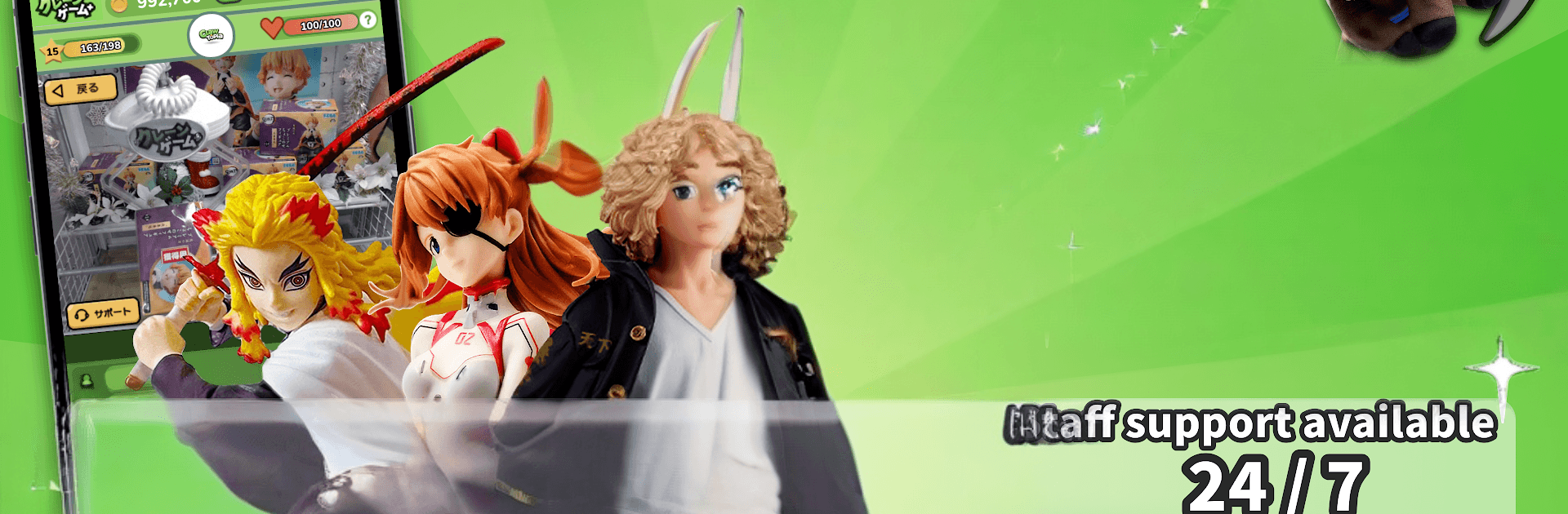
Claw Machine + (Clawtopia) turns the thrill of a real crane game into an at-home Arcade rush. You’ll remotely control actual machines, watch the action live, and go for real prizes that can be delivered to your door. It’s made by 株式会社神成 and designed for anyone who loves the satisfying clink of a perfect grab—no arcade line required.

Game Features

  • Real Machines, Real Prizes: Steer a real claw in real time and take home the rewards. What you win isn’t virtual—you can have it shipped.
  • Live Camera Views: Line up your shot with responsive controls and live video feeds that show exactly where the claw is headed.
  • Classic and Skill Modes: Try familiar setups like bridging and piling, plus trickier layouts such as cliffhanger, recoil, and wobble. Each one plays a little differently.
  • Huge Prize Pool: With thousands of items in rotation, there’s always something tempting—yes, including stuffed animals.
  • New Additions Every Day: Fresh prizes keep the booths feeling new, so browsing becomes part of the fun.
  • Practice Anytime: Hit up 30 fully functional practice booths to test angles and timing. Energy refills over time, so you can keep sharpening your aim.
  • Progress That Pays Off: Earn EXP by playing and winning; your account level grows, and achievement-style rewards are up for grabs.
  • Beginner-Friendly: The practice tables make it easy to learn without pressure, then switch to real plays when you’re ready.
  • 24/7 Support: Staff are on hand around the clock to help with questions so you can focus on the grab.
  • JOCA-Certified Service: Operate with confidence on a platform recognized by the Japan Online Crane Game Business Association.
  • Play Anywhere: Use your phone on the go, or try BlueStacks on PC if you like bigger screens and precise clicks.

Ready to top the leaderboard? We bet you do. Let precise controls and sharp visuals optimized on BlueStacks lead you to victory.


Game Features

Enhancements

  • Macros
  • Multi Instance
  • Multi Instance Sync
  • Script
  • Enhancements
Macros

Macros

Automate the predictable in Claw Machine + (Clawtopia) and transform your gameplay with Macros. Get access to inventive Macros in the BlueStacks Macro Community
Multi Instance

Multi Instance

Play Claw Machine + (Clawtopia) on one window. And chat with your friend on the other. Press CTRL + Shift + 8 to open the Multi-Instance Manager. And start creating fresh instances or clone an existing one.
Multi Instance Sync

Multi Instance Sync

Play Claw Machine + (Clawtopia) with the power of Multi-Instance Sync. Replicate what you are doing on the main instance on all other instances. Level up faster, play more.
Script

Script

Script your way to gaming glory in Claw Machine + (Clawtopia) with BlueStacks Script. Write and run a set of commands to automate repeated tasks. Trigger the command by assigning it to any key.
Read More

How to Download and Play Claw Machine + (Clawtopia) on PC or Mac

  • Download and install BlueStacks on your PC or Mac

  • Complete Google sign-in to access the Play Store, or do it later

  • Look for Claw Machine + (Clawtopia) in the search bar at the top right corner

  • Click to install Claw Machine + (Clawtopia) from the search results

  • Complete Google sign-in (if you skipped step 2) to install Claw Machine + (Clawtopia)

  • Click the Claw Machine + (Clawtopia) icon on the home screen to start playing

video
Watch Video

Minimum System Requirements

With BlueStacks 5, you can get started on a PC that fulfills the following requirements.

  • Operating System

    Microsoft Windows 7 or above, macOS 11 (Big Sur) or above

  • Processor

    Intel, AMD or Apple Silicon Processor

  • RAM

    at least 4GB

  • HDD

    10GB Free Disk Space

Note:

* You must be an Administrator on your PC. Up to date graphics drivers from Microsoft or the chipset vendor.

Claw Machine + (Clawtopia) - FAQs

  • How to play Claw Machine + (Clawtopia) on Windows PC & Mac?

    Play Claw Machine + (Clawtopia) on your PC or Mac by following these simple steps.

    • Click on 'Play Claw Machine + (Clawtopia) on PC’ to download BlueStacks
    • Install it and log-in to Google Play Store
    • Launch and play the game.
  • Why is BlueStacks the fastest and safest platform to play games on PC?

    BlueStacks respects your privacy and is always safe and secure to use. It does not carry any malware, spyware, or any sort of additional software that could harm your PC.

    It is engineered to optimize speed and performance for a seamless gaming experience.

  • What are Claw Machine + (Clawtopia) PC requirements?

    Minimum requirement to run Claw Machine + (Clawtopia) on your PC

    • OS: Microsoft Windows 7 or above MacOS 11 (Big Sur) or above
    • Processor: Intel, AMD or Apple Silicon Processor
    • RAM: Your PC must have at least 4GB of RAM. (Note that having 4GB or more disk space is not a substitute for RAM)
    • HDD: 10GB Free Disk Space.
    • You must be an Administrator on your PC.