Falling Pickaxe: Idle Miner

Falling Pickaxe: Idle Miner

Arcade

| Neurotock

Play on PC with BlueStacks or from our cloud

  • Overview
  • Game Features
  • How to Play

Page Modified On: December 15, 2025

Play Falling Pickaxe: Idle Miner on PC or Mac

Falling Pickaxe: Idle Miner brings the Arcade genre to life, and throws up exciting challenges for gamers. Developed by Neurotock, this Android game is best experienced on BlueStacks, the World’s #1 app player for PC and Mac users.

About the Game

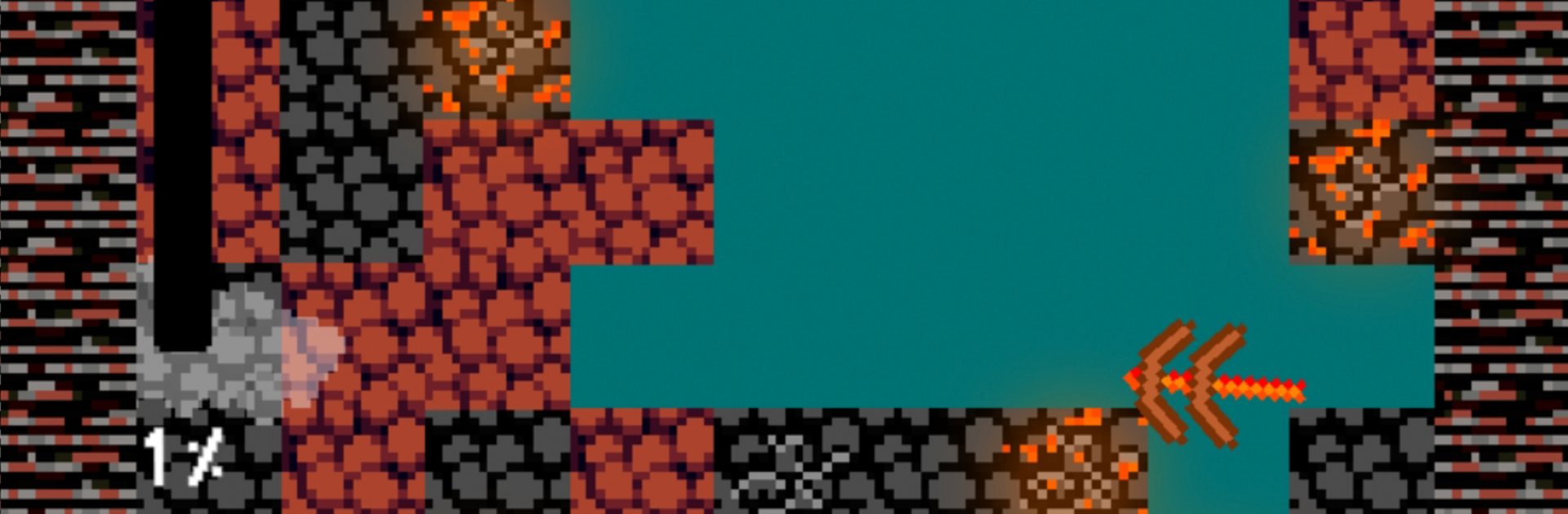
Falling Pickaxe: Idle Miner from Neurotock is an Arcade dig-and-chill mashup where a relentless pickaxe chews through layers of rock while you chase ever-better loot. It’s part satisfying idle clicker, part strategy toy box, with a cozy lofi vibe that makes long sessions feel effortless. Prefer playing on your PC? It runs smoothly on BlueStacks if you want that click-perfect comfort.

Game Features

  • Endless falling fun: Watch your pickaxe plunge through stacks of blocks while you decide when to boost, tap, or upgrade for faster breaks and bigger hauls.
  • Minerals that matter: Snag diamonds, emeralds, rubies, gold, copper, and more. Deeper zones hide rarer finds—and the good stuff hits harder.
  • Upgrades that punch: Pump up raw damage, trigger TNT bursts, and switch into fast, giant, or splitter modes to shred through thick layers in seconds.
  • Handy power-ups: Tap to smash stubborn tiles, double your damage for clutch moments, or auto-collect minerals so nothing gets left behind.
  • 100 stages + infinite mode: Work through a full set of levels, then chase distance in an endless run that keeps the rewards (and the pressure) rising.
  • Distinct biomes: New areas bring tougher blocks, higher values, and a few curveballs to keep your run interesting.
  • Throwing tools: Toss snowballs, magma balls, TNT balls, stone balls, or dirt balls—each behaves differently and can bail you out of a slow patch.
  • Goals and bragging rights: Unlock achievements and climb leaderboards to show off your best digs.
  • Chill soundscape: Clean visuals, soft effects, and lofi music set a relaxed rhythm while your pickaxe does the heavy lifting.

Start your journey now. Download the game on BlueStacks, invite your friends, and march on a new adventure.


Game Features

Enhancements

  • Macros
  • Multi Instance
  • Multi Instance Sync
  • Script
  • Enhancements
Macros

Macros

Automate the predictable in Falling Pickaxe: Idle Miner and transform your gameplay with Macros. Get access to inventive Macros in the BlueStacks Macro Community
Multi Instance

Multi Instance

Play Falling Pickaxe: Idle Miner on one window. And chat with your friend on the other. Press CTRL + Shift + 8 to open the Multi-Instance Manager. And start creating fresh instances or clone an existing one.
Multi Instance Sync

Multi Instance Sync

Play Falling Pickaxe: Idle Miner with the power of Multi-Instance Sync. Replicate what you are doing on the main instance on all other instances. Level up faster, play more.
Script

Script

Script your way to gaming glory in Falling Pickaxe: Idle Miner with BlueStacks Script. Write and run a set of commands to automate repeated tasks. Trigger the command by assigning it to any key.
Read More

How to Download and Play Falling Pickaxe: Idle Miner on PC or Mac

  • Download and install BlueStacks on your PC or Mac

  • Complete Google sign-in to access the Play Store, or do it later

  • Look for Falling Pickaxe: Idle Miner in the search bar at the top right corner

  • Click to install Falling Pickaxe: Idle Miner from the search results

  • Complete Google sign-in (if you skipped step 2) to install Falling Pickaxe: Idle Miner

  • Click the Falling Pickaxe: Idle Miner icon on the home screen to start playing

video
Watch Video

Minimum System Requirements

With BlueStacks 5, you can get started on a PC that fulfills the following requirements.

  • Operating System

    Microsoft Windows 7 or above, macOS 11 (Big Sur) or above

  • Processor

    Intel, AMD or Apple Silicon Processor

  • RAM

    at least 4GB

  • HDD

    10GB Free Disk Space

Note:

* You must be an Administrator on your PC. Up to date graphics drivers from Microsoft or the chipset vendor.

Falling Pickaxe: Idle Miner - FAQs

  • How to play Falling Pickaxe: Idle Miner on Windows PC & Mac?

    Play Falling Pickaxe: Idle Miner on your PC or Mac by following these simple steps.

    • Click on 'Play Falling Pickaxe: Idle Miner on PC’ to download BlueStacks
    • Install it and log-in to Google Play Store
    • Launch and play the game.
  • Why is BlueStacks the fastest and safest platform to play games on PC?

    BlueStacks respects your privacy and is always safe and secure to use. It does not carry any malware, spyware, or any sort of additional software that could harm your PC.

    It is engineered to optimize speed and performance for a seamless gaming experience.

  • What are Falling Pickaxe: Idle Miner PC requirements?

    Minimum requirement to run Falling Pickaxe: Idle Miner on your PC

    • OS: Microsoft Windows 7 or above MacOS 11 (Big Sur) or above
    • Processor: Intel, AMD or Apple Silicon Processor
    • RAM: Your PC must have at least 4GB of RAM. (Note that having 4GB or more disk space is not a substitute for RAM)
    • HDD: 10GB Free Disk Space.
    • You must be an Administrator on your PC.