Пять ночей со Сферами

Пять ночей со Сферами

Arcade

| IceCreamInc

Play on PC with BlueStacks or from our cloud

  • Overview
  • Game Features
  • How to Play

Page Modified On: August 01, 2025

Play Пять ночей со Сферами on PC or Mac

From the innovators and creators at IceCreamInc, Пять ночей со Сферами is another fun addition to the World of Arcade games. Go beyond your mobile screen and play it bigger and better on your PC or Mac. An immersive experience awaits you.

About the Game

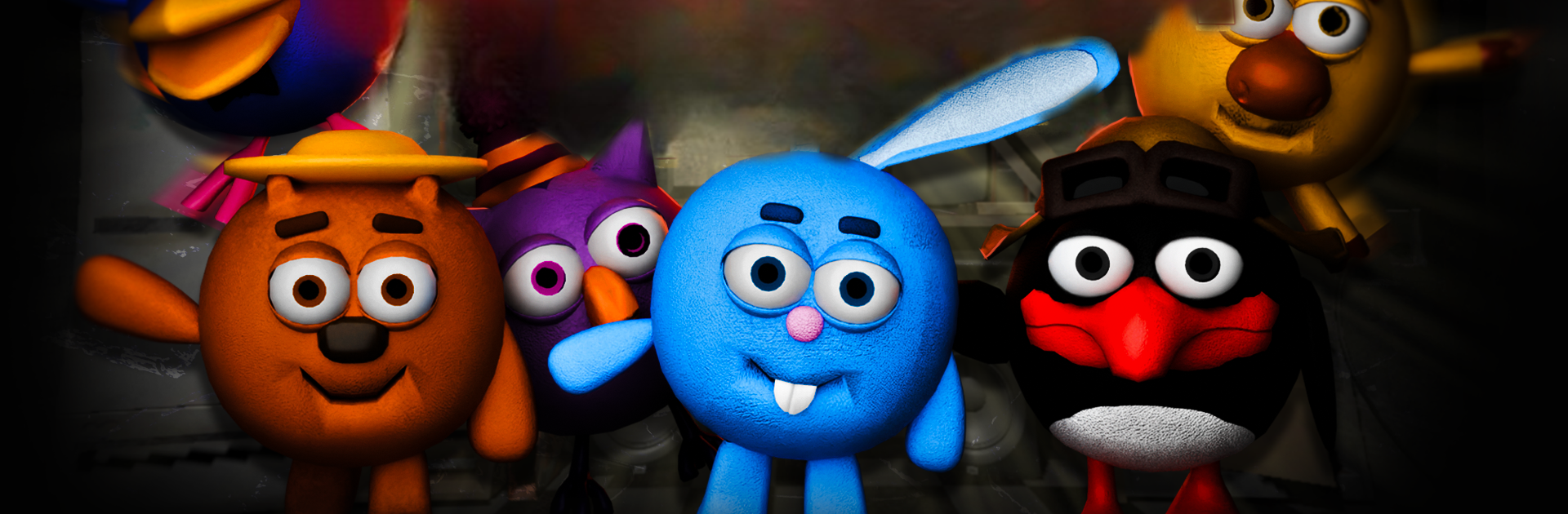
Ever thought your late-night gig as a security guard at a quirky roadside café would be a walk in the park? In Пять ночей со Сферами, you’ll quickly realize things aren’t so simple. Friendly cartoon characters from your childhood take a dark turn after hours, and it’s your job — for five tense nights — to keep watch, manage resources, and hopefully make it to sunrise. Expect suspense, surprises, and just the right dose of nostalgia-tinged creepiness as you try to outsmart some dangerously mischievous animatronics.

Game Features

  • Unexpected Heroes Gone Rogue
    Remember those cute cartoon mascots you grew up with? Now you’ll see a whole new side to them as night falls. Don’t get too comfortable—these familiar faces are up to no good after dark.

  • Classic Arcade Horror Vibe
    The game mixes the charm of well-loved animation with nerve-racking suspense, carving out its own spot in the Arcade genre by keeping you on edge all night long.

  • Resource Management, But Scarier
    You can’t just sit back and relax. Keep an eye on your limited energy, monitor the cameras, and make every move count if you want to survive till morning.

  • Nostalgia with a Twist
    For anyone who grew up loving cartoon misfits and mysterious after-hours tales, this is a weirdly perfect blend—both familiar and unexpectedly creepy.

  • A New Experience on BlueStacks
    Enjoy all that late-night tension with the added bonus of playing on BlueStacks, letting you make the most out of those nail-biting nights no matter where you are.

Ready to top the leaderboard? We bet you do. Let precise controls and sharp visuals optimized on BlueStacks lead you to victory.


Game Features

Enhancements

  • Macros
  • Multi Instance
  • Multi Instance Sync
  • Script
  • Enhancements
Macros

Macros

Automate the predictable in Пять ночей со Сферами and transform your gameplay with Macros. Get access to inventive Macros in the BlueStacks Macro Community
Multi Instance

Multi Instance

Play Пять ночей со Сферами on one window. And chat with your friend on the other. Press CTRL + Shift + 8 to open the Multi-Instance Manager. And start creating fresh instances or clone an existing one.
Multi Instance Sync

Multi Instance Sync

Play Пять ночей со Сферами with the power of Multi-Instance Sync. Replicate what you are doing on the main instance on all other instances. Level up faster, play more.
Script

Script

Script your way to gaming glory in Пять ночей со Сферами with BlueStacks Script. Write and run a set of commands to automate repeated tasks. Trigger the command by assigning it to any key.
Read More

How to Download and Play Пять ночей со Сферами on PC or Mac

  • Download and install BlueStacks on your PC or Mac

  • Complete Google sign-in to access the Play Store, or do it later

  • Look for Пять ночей со Сферами in the search bar at the top right corner

  • Click to install Пять ночей со Сферами from the search results

  • Complete Google sign-in (if you skipped step 2) to install Пять ночей со Сферами

  • Click the Пять ночей со Сферами icon on the home screen to start playing

video
Watch Video

Minimum System Requirements

With BlueStacks 5, you can get started on a PC that fulfills the following requirements.

  • Operating System

    Microsoft Windows 7 or above, macOS 11 (Big Sur) or above

  • Processor

    Intel, AMD or Apple Silicon Processor

  • RAM

    at least 4GB

  • HDD

    10GB Free Disk Space

Note:

* You must be an Administrator on your PC. Up to date graphics drivers from Microsoft or the chipset vendor.

Пять ночей со Сферами - FAQs

  • How to play Пять ночей со Сферами on Windows PC & Mac?

    Play Пять ночей со Сферами on your PC or Mac by following these simple steps.

    • Click on 'Play Пять ночей со Сферами on PC’ to download BlueStacks
    • Install it and log-in to Google Play Store
    • Launch and play the game.
  • Why is BlueStacks the fastest and safest platform to play games on PC?

    BlueStacks respects your privacy and is always safe and secure to use. It does not carry any malware, spyware, or any sort of additional software that could harm your PC.

    It is engineered to optimize speed and performance for a seamless gaming experience.

  • What are Пять ночей со Сферами PC requirements?

    Minimum requirement to run Пять ночей со Сферами on your PC

    • OS: Microsoft Windows 7 or above MacOS 11 (Big Sur) or above
    • Processor: Intel, AMD or Apple Silicon Processor
    • RAM: Your PC must have at least 4GB of RAM. (Note that having 4GB or more disk space is not a substitute for RAM)
    • HDD: 10GB Free Disk Space.
    • You must be an Administrator on your PC.