Galaxy Force
Galaxy Force

Galaxy Force

Arcade

| Viva Games Studios

Play on PC with BlueStacks or from our cloud

  • Overview
  • Game Features
  • How to Play

Page Modified On: July 27, 2026

Play Galaxy Force on PC or Mac

Galaxy Force by Viva Games Studios has plenty to keep you busy. BlueStacks lets you play it on PC or Mac with more screen space, better control, and fewer mobile limits.

About the Game

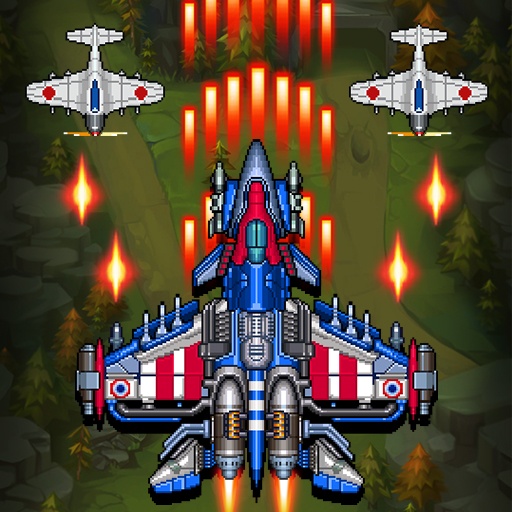
Galaxy Force is a fast, thumb-twitching Arcade space shooter that drops you right into the middle of an alien onslaught. You pilot a nimble starfighter through storms of glowing projectiles, carving out tiny safe lanes while keeping the pressure on every enemy in sight. It’s all quick reads, tight dodges, and the pure satisfaction of watching a boss explode after a perfectly timed skill.

Game Features

  • Pick-up-and-play controls: Drag to steer while your guns handle the firing. Your job is to read the chaos, thread the needle, and stay alive.
  • Bullet patterns that keep you guessing: Swarms arrive with distinct shot patterns—spirals, fans, laser walls—so every wave feels fresh and a little bit risky.
  • Big, mean boss battles: Go head-to-head with screen-filling machines, including a gold-clad behemoth that demands patience, positioning, and smart timing.
  • Skills you can shape: Unlock and upgrade special abilities—think shields, beam bursts, or screen-clearing blasts—and build a loadout that matches your playstyle.
  • Mid-battle power-ups: Snag temporary boosts to toughen your shields or supercharge your firepower without breaking the flow.
  • Rising challenge: Each wave ramps the heat, rewarding sharp reflexes and steady nerves. Hitting Wave 20? That’s bragging rights.
  • Slick sci-fi style: Neon tracers, chunky explosions, and clean effects make every dodge and takedown pop.
  • Flexible setup: Play on your phone for quick runs, or hop onto BlueStacks for a bigger view and tighter control with keyboard and mouse.

Start playing Galaxy Force on BlueStacks and get a smoother, more comfortable PC or Mac setup.

Game Features

Enhancements

  • Macros
  • Multi Instance
  • Multi Instance Sync
  • Script
  • Enhancements
Macros

Macros

Automate the predictable in Galaxy Force and transform your gameplay with Macros. Get access to inventive Macros in the BlueStacks Macro Community
Multi Instance

Multi Instance

Play Galaxy Force on one window. And chat with your friend on the other. Press CTRL + Shift + 8 to open the Multi-Instance Manager. And start creating fresh instances or clone an existing one.
Multi Instance Sync

Multi Instance Sync

Play Galaxy Force with the power of Multi-Instance Sync. Replicate what you are doing on the main instance on all other instances. Level up faster, play more.
Script

Script

Script your way to gaming glory in Galaxy Force with BlueStacks Script. Write and run a set of commands to automate repeated tasks. Trigger the command by assigning it to any key.
Read More

How to Download and Play Galaxy Force on PC or Mac

  • Download and install BlueStacks on your PC or Mac

  • Complete Google sign-in to access the Play Store, or do it later

  • Look for Galaxy Force in the search bar at the top right corner

  • Click to install Galaxy Force from the search results

  • Complete Google sign-in (if you skipped step 2) to install Galaxy Force

  • Click the Galaxy Force icon on the home screen to start playing

video
Watch Video

Minimum System Requirements

With BlueStacks 5, you can get started on a PC that fulfills the following requirements.

  • Operating System

    Microsoft Windows 7 or above, macOS 11 (Big Sur) or above

  • Processor

    Intel, AMD or Apple Silicon Processor

  • RAM

    at least 4GB

  • HDD

    10GB Free Disk Space

Note:

* You must be an Administrator on your PC. Up to date graphics drivers from Microsoft or the chipset vendor.

Galaxy Force - FAQs

  • How to play Galaxy Force on Windows PC & Mac?

    Play Galaxy Force on your PC or Mac by following these simple steps.

    • Click on 'Play Galaxy Force on PC’ to download BlueStacks
    • Install it and log-in to Google Play Store
    • Launch and play the game.
  • Why is BlueStacks the fastest and safest platform to play games on PC?

    BlueStacks respects your privacy and is always safe and secure to use. It does not carry any malware, spyware, or any sort of additional software that could harm your PC.

    It is engineered to optimize speed and performance for a seamless gaming experience.

  • What are Galaxy Force PC requirements?

    Minimum requirement to run Galaxy Force on your PC

    • OS: Microsoft Windows 7 or above MacOS 11 (Big Sur) or above
    • Processor: Intel, AMD or Apple Silicon Processor
    • RAM: Your PC must have at least 4GB of RAM. (Note that having 4GB or more disk space is not a substitute for RAM)
    • HDD: 10GB Free Disk Space.
    • You must be an Administrator on your PC.