Granny House 3D
Granny House 3D

Granny House 3D

Arcade

| Play Pulse

Play on PC with BlueStacks or from our cloud

  • Overview
  • Game Features
  • How to Play

Page Modified On: July 27, 2026

Play Granny House 3D on PC or Mac

Step into the World of Granny House 3D, a thrilling Arcade game from the house of Play Pulse. Play this Android game on BlueStacks App Player and experience immersive gaming on PC or Mac.

About the Game

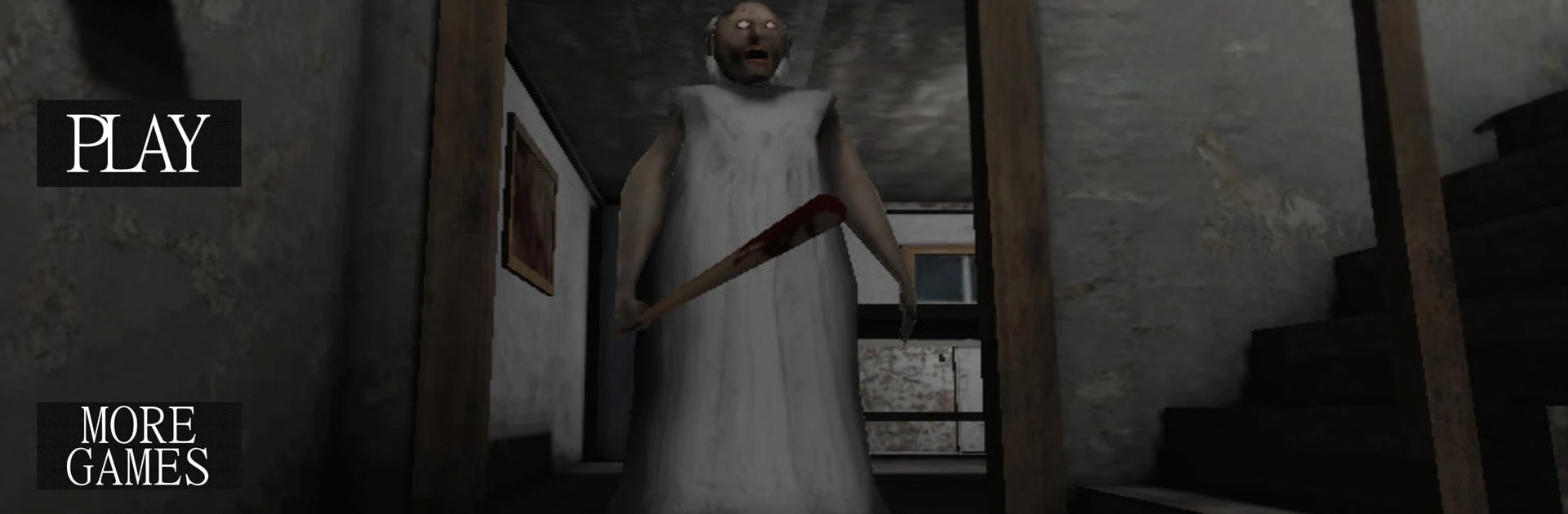
Granny House 3D is a tense, first-person Arcade escape experience where every footstep matters. You’re stuck in a creaky old mansion with unfriendly residents and a few things that go bump in the night. Expect nerve-wracking stealth, clever puzzles, and that delicious “did something just move?” feeling as you hunt for a way out.

Game Features

  • Stealth Survival: Stay low, keep quiet, and use cover to slip past danger. Loud moves get noticed fast, and getting spotted isn’t pretty.
  • Two Hunters, One House: Granny’s sharp hearing and Grandpa’s relentless patrols mean you’re never fully safe. Mess up, and they’ll close in from different angles.
  • A Haunting Presence: Just when you think you’ve got a route, Slendrina can make an unexpected appearance that forces you to rethink your plan.
  • Keys, Tools, and Clues: Scour drawers, closets, and dusty corners for items that unlock doors, fix blocked paths, and reveal hidden shortcuts.
  • Mansion-Sized Puzzle Box: Every room feels like a mini challenge—locked cabinets, coded hints, odd mechanisms—each piece pulling you closer to freedom.
  • Real 3D Atmosphere: Moody lighting, creepy sound cues, and sudden jump scares work together to keep your heart rate slightly above normal.
  • Time Pressure, Big Payoff: There’s an urgency to each run. Do you risk a noisy shortcut or play it safe and slow? Your call, your outcome.
  • Pick-Up-and-Play Controls: Simple to learn and snappy to respond, with the option to enjoy it on BlueStacks if you like a bigger screen and tighter aiming.
  • For Horror Fans: If Scary Games, Haunted House Games, Escape Games, Survival Horror Games—and yes, Granny 3–style thrills—are your thing, this one hits the spot.

Get ready for a buttery smooth, high-performance gaming action only on BlueStacks.

Game Features

Enhancements

  • Macros
  • Multi Instance
  • Multi Instance Sync
  • Script
  • Enhancements
Macros

Macros

Automate the predictable in Granny House 3D and transform your gameplay with Macros. Get access to inventive Macros in the BlueStacks Macro Community
Multi Instance

Multi Instance

Play Granny House 3D on one window. And chat with your friend on the other. Press CTRL + Shift + 8 to open the Multi-Instance Manager. And start creating fresh instances or clone an existing one.
Multi Instance Sync

Multi Instance Sync

Play Granny House 3D with the power of Multi-Instance Sync. Replicate what you are doing on the main instance on all other instances. Level up faster, play more.
Script

Script

Script your way to gaming glory in Granny House 3D with BlueStacks Script. Write and run a set of commands to automate repeated tasks. Trigger the command by assigning it to any key.
Read More

How to Download and Play Granny House 3D on PC or Mac

  • Download and install BlueStacks on your PC or Mac

  • Complete Google sign-in to access the Play Store, or do it later

  • Look for Granny House 3D in the search bar at the top right corner

  • Click to install Granny House 3D from the search results

  • Complete Google sign-in (if you skipped step 2) to install Granny House 3D

  • Click the Granny House 3D icon on the home screen to start playing

video
Watch Video

Minimum System Requirements

With BlueStacks 5, you can get started on a PC that fulfills the following requirements.

  • Operating System

    Microsoft Windows 7 or above, macOS 11 (Big Sur) or above

  • Processor

    Intel, AMD or Apple Silicon Processor

  • RAM

    at least 4GB

  • HDD

    10GB Free Disk Space

Note:

* You must be an Administrator on your PC. Up to date graphics drivers from Microsoft or the chipset vendor.

Granny House 3D - FAQs

  • How to play Granny House 3D on Windows PC & Mac?

    Play Granny House 3D on your PC or Mac by following these simple steps.

    • Click on 'Play Granny House 3D on PC’ to download BlueStacks
    • Install it and log-in to Google Play Store
    • Launch and play the game.
  • Why is BlueStacks the fastest and safest platform to play games on PC?

    BlueStacks respects your privacy and is always safe and secure to use. It does not carry any malware, spyware, or any sort of additional software that could harm your PC.

    It is engineered to optimize speed and performance for a seamless gaming experience.

  • What are Granny House 3D PC requirements?

    Minimum requirement to run Granny House 3D on your PC

    • OS: Microsoft Windows 7 or above MacOS 11 (Big Sur) or above
    • Processor: Intel, AMD or Apple Silicon Processor
    • RAM: Your PC must have at least 4GB of RAM. (Note that having 4GB or more disk space is not a substitute for RAM)
    • HDD: 10GB Free Disk Space.
    • You must be an Administrator on your PC.