Idle Axe Thrower
Idle Axe Thrower

Idle Axe Thrower

Arcade

| Daedalus Lab LLC

Play on PC with BlueStacks or from our cloud

  • Overview
  • Game Features
  • How to Play

Page Modified On: April 24, 2026

Play Idle Axe Thrower on PC or Mac

Step into the World of Idle Axe Thrower, a thrilling Arcade game from the house of Daedalus Lab LLC. Play this Android game on BlueStacks App Player and experience immersive gaming on PC or Mac.

About the Game

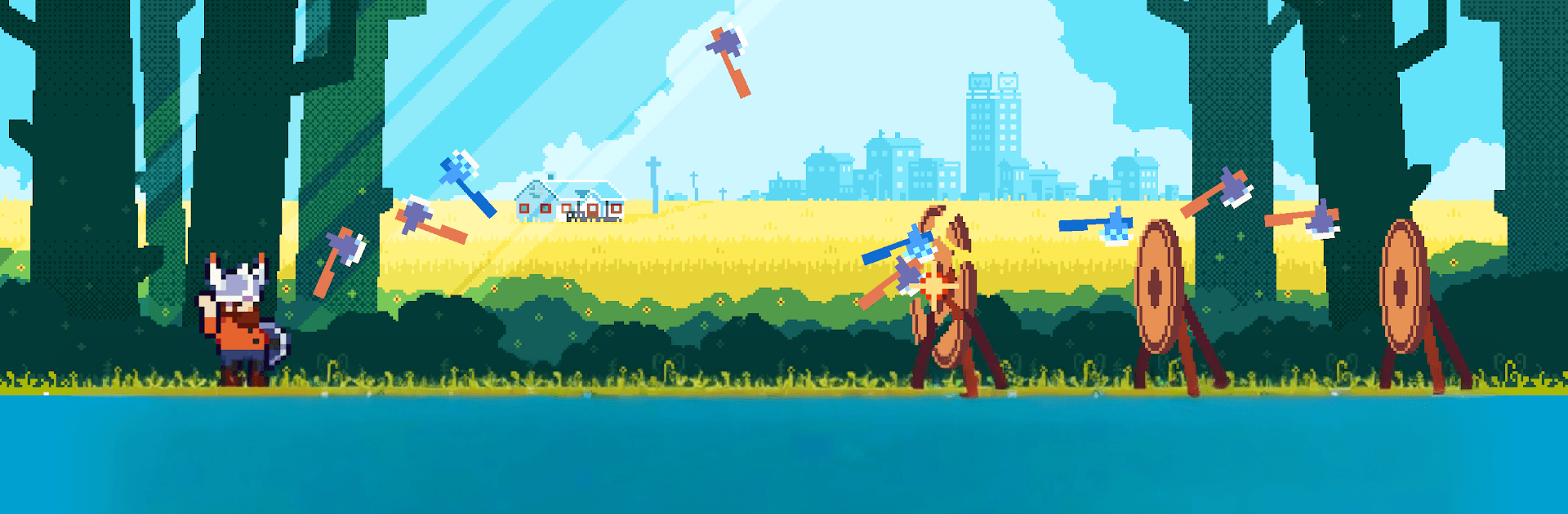
Idle Axe Thrower is an easygoing Arcade climb from Daedalus Lab LLC where a burned-out office worker discovers a surprisingly soothing talent: hurling axes for glory. You’ll start in a scruffy local league, tune your throws, and watch that underdog story snowball into full-on celebrity status. It’s snappy to play, oddly relaxing to watch, and feels great in short bursts or long chill sessions. Prefer a bigger screen? It runs smoothly on PC with BlueStacks.

Game Features

  • Chill idle action: Set up your throws, watch the points roll in, and tweak your build as progress stacks up without constant tapping.
  • Quests with personality: Offbeat challenges hand out hefty rewards while nudging you along the hero’s journey from nobody to name everyone knows.
  • Zen perks and sharp skills: Mix mindful boosts with active abilities to create a flow that feels calm yet surprisingly powerful.
  • Axes with attitude: Flame-scorched, frost-slick, portal-bending—collect wild blades and upgrade them into real crowd-pleasers.
  • From backroom boards to bright lights: Start in small-town brackets, then push into glitzier venues and big-audience showdowns.
  • Quick to learn, satisfying to master: Simple aiming and timing at first, with plenty of room to refine your rhythm and rack up ridiculous scores.
  • Progress that feels good: Short sessions still move the needle, and longer runs let your earnings and upgrades stack in a very satisfying way.

Get ready for a buttery smooth, high-performance gaming action only on BlueStacks.

Game Features

Enhancements

  • Macros
  • Multi Instance
  • Multi Instance Sync
  • Script
  • Enhancements
Macros

Macros

Automate the predictable in Idle Axe Thrower and transform your gameplay with Macros. Get access to inventive Macros in the BlueStacks Macro Community
Multi Instance

Multi Instance

Play Idle Axe Thrower on one window. And chat with your friend on the other. Press CTRL + Shift + 8 to open the Multi-Instance Manager. And start creating fresh instances or clone an existing one.
Multi Instance Sync

Multi Instance Sync

Play Idle Axe Thrower with the power of Multi-Instance Sync. Replicate what you are doing on the main instance on all other instances. Level up faster, play more.
Script

Script

Script your way to gaming glory in Idle Axe Thrower with BlueStacks Script. Write and run a set of commands to automate repeated tasks. Trigger the command by assigning it to any key.
Read More

How to Download and Play Idle Axe Thrower on PC or Mac

  • Download and install BlueStacks on your PC or Mac

  • Complete Google sign-in to access the Play Store, or do it later

  • Look for Idle Axe Thrower in the search bar at the top right corner

  • Click to install Idle Axe Thrower from the search results

  • Complete Google sign-in (if you skipped step 2) to install Idle Axe Thrower

  • Click the Idle Axe Thrower icon on the home screen to start playing

video
Watch Video

Minimum System Requirements

With BlueStacks 5, you can get started on a PC that fulfills the following requirements.

  • Operating System

    Microsoft Windows 7 or above, macOS 11 (Big Sur) or above

  • Processor

    Intel, AMD or Apple Silicon Processor

  • RAM

    at least 4GB

  • HDD

    10GB Free Disk Space

Note:

* You must be an Administrator on your PC. Up to date graphics drivers from Microsoft or the chipset vendor.

Idle Axe Thrower - FAQs

  • How to play Idle Axe Thrower on Windows PC & Mac?

    Play Idle Axe Thrower on your PC or Mac by following these simple steps.

    • Click on 'Play Idle Axe Thrower on PC’ to download BlueStacks
    • Install it and log-in to Google Play Store
    • Launch and play the game.
  • Why is BlueStacks the fastest and safest platform to play games on PC?

    BlueStacks respects your privacy and is always safe and secure to use. It does not carry any malware, spyware, or any sort of additional software that could harm your PC.

    It is engineered to optimize speed and performance for a seamless gaming experience.

  • What are Idle Axe Thrower PC requirements?

    Minimum requirement to run Idle Axe Thrower on your PC

    • OS: Microsoft Windows 7 or above MacOS 11 (Big Sur) or above
    • Processor: Intel, AMD or Apple Silicon Processor
    • RAM: Your PC must have at least 4GB of RAM. (Note that having 4GB or more disk space is not a substitute for RAM)
    • HDD: 10GB Free Disk Space.
    • You must be an Administrator on your PC.