Pavement Surfer
Pavement Surfer

Pavement Surfer

Arcade

| sugarfree

Play on PC with BlueStacks or from our cloud

  • Overview
  • Game Features
  • How to Play

Page Modified On: May 05, 2026

Play Pavement Surfer on PC or Mac

Pavement Surfer brings the Arcade genre to life, and throws up exciting challenges for gamers. Developed by sugarfree, this Android game is best experienced on BlueStacks, the World’s #1 app player for PC and Mac users.

About the Game

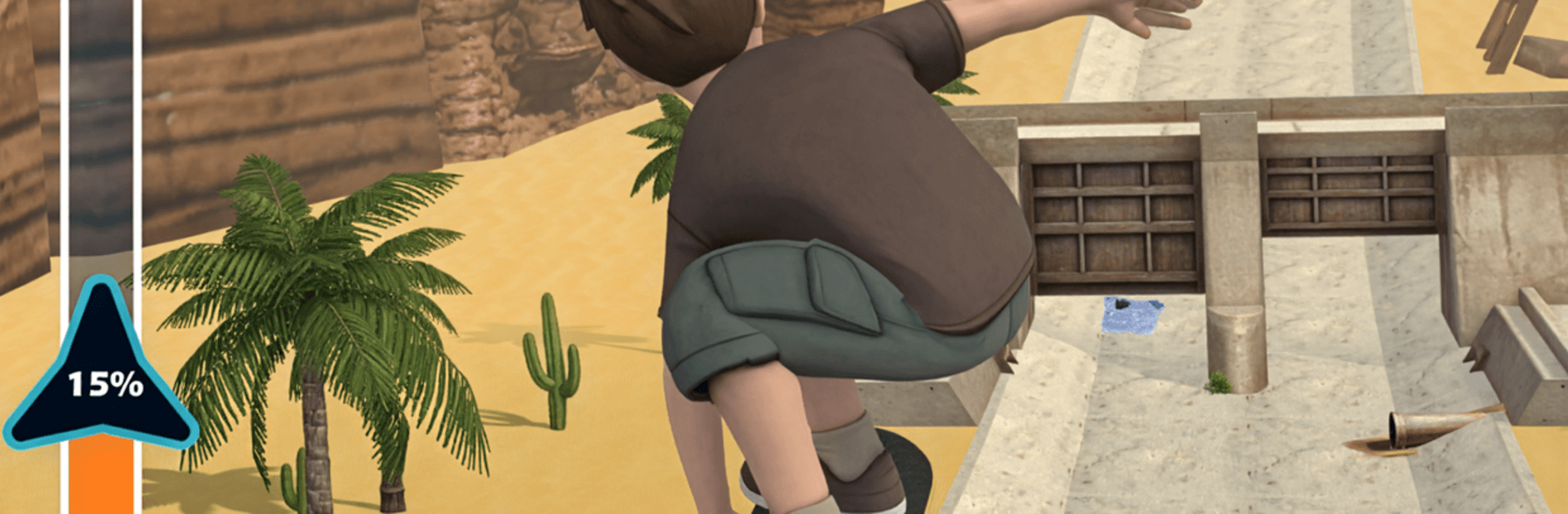
Pavement Surfer is a fast, stylish downhill ride through sunbaked storm drains and concrete spillways, built for quick reflexes and big scores. This Arcade rush from sugarfree blends clean 3D visuals with tight, momentum-driven skating so every carve, grind, and jump feels snappy. Expect a lean, skill-first experience where one more run turns into five.

Game Features

  • High-Speed Ditch Runs: Thread your way through banked walls, rocky channels, shallow streams, and sudden drops. Hop water gaps, dodge stray tires, and lock onto rails to keep your speed alive.
  • Clean 3D Look: A crisp, polished art style with bright desert tones and a distant city skyline. Smooth skater animations make tricks read clearly without messy visual clutter.
  • Endless Score Chasing: Survive as long as you can to push distance and rack up points. Smarter lines and gutsier grinds mean bigger numbers—if you can stay upright.
  • Progression That Matters: Snag coins and gems during your runs to open the Pro Shop.
  • New Decks: Fresh boards with stronger overall stats.
  • Pro Wheels: Quicker acceleration for snap-out sprints.
  • Heavy Duty Trucks: Added stability and cleaner handling at speed.
  • Intuitive Touch Controls: Simple tap-and-hold inputs focus on timing and flow. Easy to pick up, with plenty of headroom to master tight corners and tricky transfers.
  • Real Momentum, Real Flow: Carry speed through bowls and angles, feel the weight on landings, and chain grinds to stay in the groove.
  • Looks Sharp Everywhere: Built for mobile with a clean “pop” to the visuals. Prefer a bigger screen? It also plays smoothly on PC with BlueStacks without getting in the way of the action.

Slay your opponents with your epic moves. Play it your way on BlueStacks and dominate the battlefield.


Game Features

Enhancements

  • Macros
  • Multi Instance
  • Multi Instance Sync
  • Script
  • Enhancements
Macros

Macros

Automate the predictable in Pavement Surfer and transform your gameplay with Macros. Get access to inventive Macros in the BlueStacks Macro Community
Multi Instance

Multi Instance

Play Pavement Surfer on one window. And chat with your friend on the other. Press CTRL + Shift + 8 to open the Multi-Instance Manager. And start creating fresh instances or clone an existing one.
Multi Instance Sync

Multi Instance Sync

Play Pavement Surfer with the power of Multi-Instance Sync. Replicate what you are doing on the main instance on all other instances. Level up faster, play more.
Script

Script

Script your way to gaming glory in Pavement Surfer with BlueStacks Script. Write and run a set of commands to automate repeated tasks. Trigger the command by assigning it to any key.
Read More

How to Download and Play Pavement Surfer on PC or Mac

  • Download and install BlueStacks on your PC or Mac

  • Complete Google sign-in to access the Play Store, or do it later

  • Look for Pavement Surfer in the search bar at the top right corner

  • Click to install Pavement Surfer from the search results

  • Complete Google sign-in (if you skipped step 2) to install Pavement Surfer

  • Click the Pavement Surfer icon on the home screen to start playing

video
Watch Video

Minimum System Requirements

With BlueStacks 5, you can get started on a PC that fulfills the following requirements.

  • Operating System

    Microsoft Windows 7 or above, macOS 11 (Big Sur) or above

  • Processor

    Intel, AMD or Apple Silicon Processor

  • RAM

    at least 4GB

  • HDD

    10GB Free Disk Space

Note:

* You must be an Administrator on your PC. Up to date graphics drivers from Microsoft or the chipset vendor.

Pavement Surfer - FAQs

  • How to play Pavement Surfer on Windows PC & Mac?

    Play Pavement Surfer on your PC or Mac by following these simple steps.

    • Click on 'Play Pavement Surfer on PC’ to download BlueStacks
    • Install it and log-in to Google Play Store
    • Launch and play the game.
  • Why is BlueStacks the fastest and safest platform to play games on PC?

    BlueStacks respects your privacy and is always safe and secure to use. It does not carry any malware, spyware, or any sort of additional software that could harm your PC.

    It is engineered to optimize speed and performance for a seamless gaming experience.

  • What are Pavement Surfer PC requirements?

    Minimum requirement to run Pavement Surfer on your PC

    • OS: Microsoft Windows 7 or above MacOS 11 (Big Sur) or above
    • Processor: Intel, AMD or Apple Silicon Processor
    • RAM: Your PC must have at least 4GB of RAM. (Note that having 4GB or more disk space is not a substitute for RAM)
    • HDD: 10GB Free Disk Space.
    • You must be an Administrator on your PC.