Petocask
Petocask

Petocask

Arcade

| OPPBTP

Play on PC with BlueStacks or from our cloud

  • Overview
  • Game Features
  • How to Play

Page Modified On: September 02, 2025

Play Petocask on PC or Mac

Step into the World of Petocask, a thrilling Arcade game from the house of OPPBTP. Play this Android game on BlueStacks App Player and experience immersive gaming on PC or Mac.

About the Game

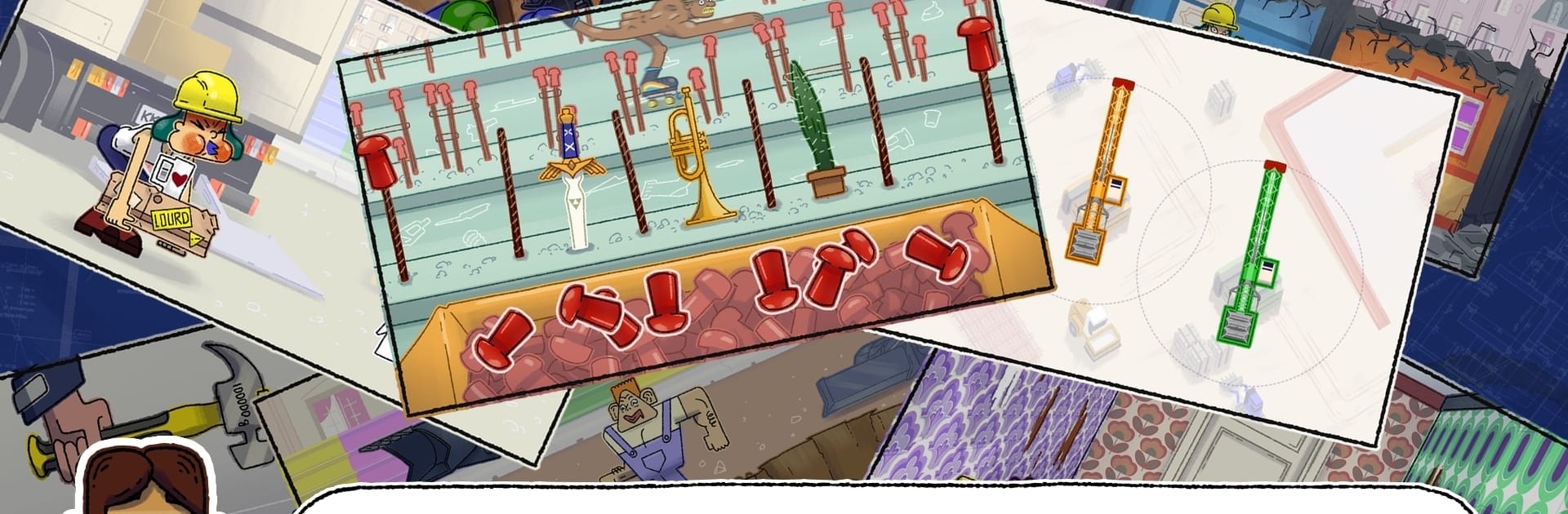
Petocask is a cheeky Arcade mashup where construction-site chaos turns into quick, skill-based challenges. You’ll build a crew, tackle bite-sized tasks, and push for bigger scores while trying not to get anyone hurt, canned, or… y’know, worse. It’s fast, a little reckless, and surprisingly strategic—classic OPPBTP energy, and it plays great on BlueStacks if you like crisp timing.

Game Features

  • Rapid-Fire Mini-Games: Hammer through snappy challenges that test reflexes and common sense—knock down the right wall (not the load-bearing one), duck a swinging wrecking ball, gear up with proper PPE, and secure hazards before they turn ugly.

  • Risky Team Management: Put together a squad and keep them alive and employed. Every mistake has bite: injuries, firings, or a total wipe that sends you back to square one.

  • Boss Shifts: Longer, tougher sequences that crank up the pressure and reward tight execution. Think of them as endurance tests for your thumbs.

  • Multiple Ways to Play: Unlock Story for a guided romp, Endless for pure score-chasing, and Sudden Death when you want zero safety net.

  • Collectible Avatars: Earn quirky, pop-culture-flavored characters with wink-wink names and big personality. It’s cosmetic fun with bragging rights.

  • Build Big Wonders: Tackle showpiece projects and (re)create icons like France’s national stadium, Paris’s most famous tower, and the Great Pyramid.

  • Score Chasing, Your Way: Go for personal bests or just survive another shift. The learning curve’s playful, but the stakes feel real.

  • Smooth on BlueStacks: Prefer precise inputs? Playing on BlueStacks makes timing-based mini-games feel extra sharp without changing the pick-up-and-play vibe.

Get ready for a buttery smooth, high-performance gaming action only on BlueStacks.

Game Features

Enhancements

  • Macros
  • Multi Instance
  • Multi Instance Sync
  • Script
  • Enhancements
Macros

Macros

Automate the predictable in Petocask and transform your gameplay with Macros. Get access to inventive Macros in the BlueStacks Macro Community
Multi Instance

Multi Instance

Play Petocask on one window. And chat with your friend on the other. Press CTRL + Shift + 8 to open the Multi-Instance Manager. And start creating fresh instances or clone an existing one.
Multi Instance Sync

Multi Instance Sync

Play Petocask with the power of Multi-Instance Sync. Replicate what you are doing on the main instance on all other instances. Level up faster, play more.
Script

Script

Script your way to gaming glory in Petocask with BlueStacks Script. Write and run a set of commands to automate repeated tasks. Trigger the command by assigning it to any key.
Read More

How to Download and Play Petocask on PC or Mac

  • Download and install BlueStacks on your PC or Mac

  • Complete Google sign-in to access the Play Store, or do it later

  • Look for Petocask in the search bar at the top right corner

  • Click to install Petocask from the search results

  • Complete Google sign-in (if you skipped step 2) to install Petocask

  • Click the Petocask icon on the home screen to start playing

video
Watch Video

Minimum System Requirements

With BlueStacks 5, you can get started on a PC that fulfills the following requirements.

  • Operating System

    Microsoft Windows 7 or above, macOS 11 (Big Sur) or above

  • Processor

    Intel, AMD or Apple Silicon Processor

  • RAM

    at least 4GB

  • HDD

    10GB Free Disk Space

Note:

* You must be an Administrator on your PC. Up to date graphics drivers from Microsoft or the chipset vendor.

Petocask - FAQs

  • How to play Petocask on Windows PC & Mac?

    Play Petocask on your PC or Mac by following these simple steps.

    • Click on 'Play Petocask on PC’ to download BlueStacks
    • Install it and log-in to Google Play Store
    • Launch and play the game.
  • Why is BlueStacks the fastest and safest platform to play games on PC?

    BlueStacks respects your privacy and is always safe and secure to use. It does not carry any malware, spyware, or any sort of additional software that could harm your PC.

    It is engineered to optimize speed and performance for a seamless gaming experience.

  • What are Petocask PC requirements?

    Minimum requirement to run Petocask on your PC

    • OS: Microsoft Windows 7 or above MacOS 11 (Big Sur) or above
    • Processor: Intel, AMD or Apple Silicon Processor
    • RAM: Your PC must have at least 4GB of RAM. (Note that having 4GB or more disk space is not a substitute for RAM)
    • HDD: 10GB Free Disk Space.
    • You must be an Administrator on your PC.