PortalOne Arcade
PortalOne Arcade

PortalOne Arcade

Arcade

| PortalOne Inc.

Play on PC with BlueStacks or from our cloud

  • Overview
  • Game Features
  • How to Play

Page Modified On: November 10, 2025

Play PortalOne Arcade on PC or Mac

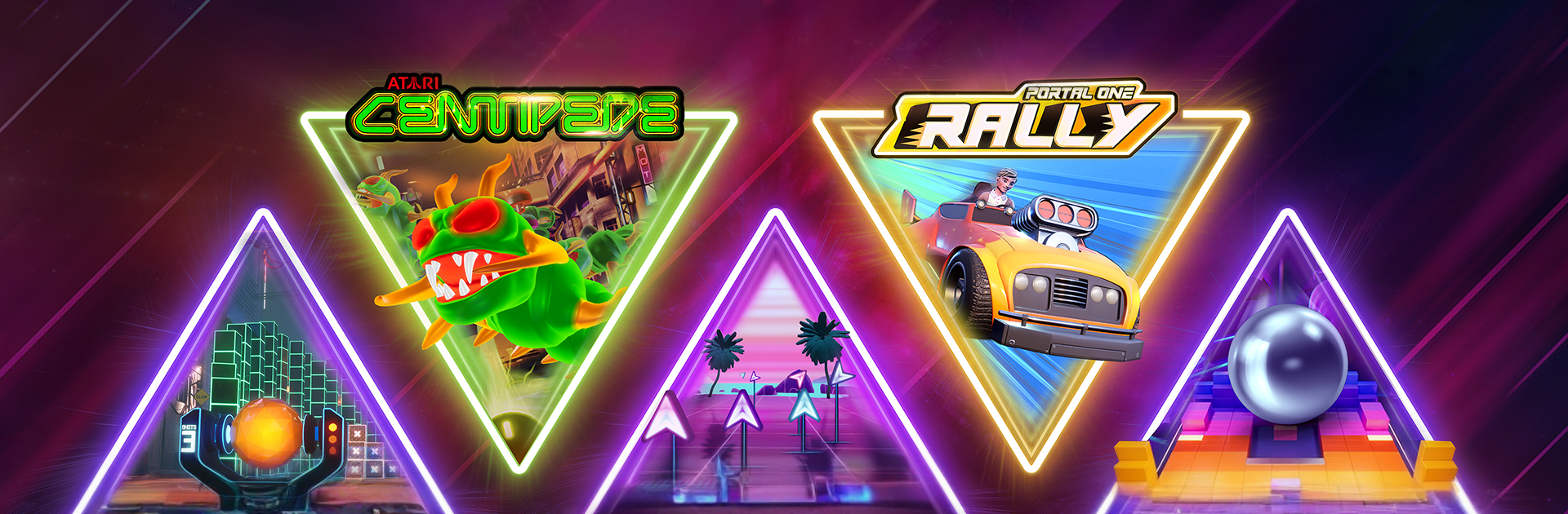
From the innovators and creators at PortalOne Inc., PortalOne Arcade is another fun addition to the World of Arcade games. Go beyond your mobile screen and play it bigger and better on your PC or Mac. An immersive experience awaits you.

PortalOne Arcade mixes quick-fire mini games with a live show format, so it feels half arcade cabinet, half game night on TV. Sessions are short, the rules are clear, and the pressure is the scoreboard. Players hop into 24 hour tournaments, stack points, and move through Rookie, Bronze, Silver, then Gold leagues. The game list swings from twitchy action to light strategy and puzzle stuff, so there is always another angle to try. Controls are simple, but chasing a cleaner run and learning how to squeeze a few more points is where it hooks people.

There is a nightly live show at 9 PM ET or CET where a guest jumps in and the whole crowd tries to beat their score in real time. Or skip the clock and watch on-demand, then play the same challenge whenever life allows. Tickets earned across the day roll into bigger season rewards, and there are extra perks for league winners, lucky draws, even a bonus for beating the guest. It is all free to enter, which keeps it low stress, just competitive enough to get the hands a bit sweat y. On PC with BlueStacks it plays nicely on a bigger screen, mouse or keys feel tight, and swapping between games is quick. Someone who enjoys leaderboards, small wins, and that show-like energy will get alot out of it, while anyone looking for a long story or deep builds will probably bounce off.

Get ready for a buttery smooth, high-performance gaming action only on BlueStacks.

Game Features

Enhancements

  • Macros
  • Multi Instance
  • Multi Instance Sync
  • Script
  • Enhancements
Macros

Macros

Automate the predictable in PortalOne Arcade and transform your gameplay with Macros. Get access to inventive Macros in the BlueStacks Macro Community
Multi Instance

Multi Instance

Play PortalOne Arcade on one window. And chat with your friend on the other. Press CTRL + Shift + 8 to open the Multi-Instance Manager. And start creating fresh instances or clone an existing one.
Multi Instance Sync

Multi Instance Sync

Play PortalOne Arcade with the power of Multi-Instance Sync. Replicate what you are doing on the main instance on all other instances. Level up faster, play more.
Script

Script

Script your way to gaming glory in PortalOne Arcade with BlueStacks Script. Write and run a set of commands to automate repeated tasks. Trigger the command by assigning it to any key.
Read More

How to Download and Play PortalOne Arcade on PC or Mac

  • Download and install BlueStacks on your PC or Mac

  • Complete Google sign-in to access the Play Store, or do it later

  • Look for PortalOne Arcade in the search bar at the top right corner

  • Click to install PortalOne Arcade from the search results

  • Complete Google sign-in (if you skipped step 2) to install PortalOne Arcade

  • Click the PortalOne Arcade icon on the home screen to start playing

video
Watch Video

Minimum System Requirements

With BlueStacks 5, you can get started on a PC that fulfills the following requirements.

  • Operating System

    Microsoft Windows 7 or above, macOS 11 (Big Sur) or above

  • Processor

    Intel, AMD or Apple Silicon Processor

  • RAM

    at least 4GB

  • HDD

    10GB Free Disk Space

Note:

* You must be an Administrator on your PC. Up to date graphics drivers from Microsoft or the chipset vendor.

PortalOne Arcade - FAQs

  • How to play PortalOne Arcade on Windows PC & Mac?

    Play PortalOne Arcade on your PC or Mac by following these simple steps.

    • Click on 'Play PortalOne Arcade on PC’ to download BlueStacks
    • Install it and log-in to Google Play Store
    • Launch and play the game.
  • Why is BlueStacks the fastest and safest platform to play games on PC?

    BlueStacks respects your privacy and is always safe and secure to use. It does not carry any malware, spyware, or any sort of additional software that could harm your PC.

    It is engineered to optimize speed and performance for a seamless gaming experience.

  • What are PortalOne Arcade PC requirements?

    Minimum requirement to run PortalOne Arcade on your PC

    • OS: Microsoft Windows 7 or above MacOS 11 (Big Sur) or above
    • Processor: Intel, AMD or Apple Silicon Processor
    • RAM: Your PC must have at least 4GB of RAM. (Note that having 4GB or more disk space is not a substitute for RAM)
    • HDD: 10GB Free Disk Space.
    • You must be an Administrator on your PC.