Powerpuff Girls: Mojo Madness

Powerpuff Girls: Mojo Madness

Arcade

| GlobalFun Games

Play on PC with BlueStacks or from our cloud

  • Overview
  • Game Features
  • How to Play

Page Modified On: September 07, 2026

Play Powerpuff Girls: Mojo Madness on PC or Mac

Step into the World of Powerpuff Girls: Mojo Madness, a thrilling Arcade game from the house of GlobalFun Games. Play this Android game on BlueStacks App Player and experience immersive gaming on PC or Mac.

About the Game

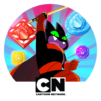
Powerpuff Girls: Mojo Madness is a fast, fizzy Arcade chase where Blossom, Bubbles, and Buttercup take on Mojo Jojo’s latest world-wrecking scheme. He’s cranked out a contraption that turns people into chattering monkeys, and it’s chaos unless you step in. Expect quick bursts of action, snappy flights across the globe, and plenty of cartoon trouble—play as usual or kick back on PC with BlueStacks if you want more room to see the mayhem.

Game Features

  • Play the trio: Switch between Blossom, Bubbles, and Buttercup and bring their signature attitude to every challenge.
  • World-spanning chase: Glide over city skylines, frozen peaks, dusty deserts, and lush jungles while hunting down Mojo Jojo.
  • Intuitive flight controls: Simple, responsive movement makes dodging, weaving, and blasting feel smooth right from the start.
  • Tricky hazards and foes: Thread past lasers, traps, and swarms of mischievous monkey minions trying to block your path.
  • Power-ups and boosts: Scoop up bonuses that add shields, extra punch, or score surges when the action heats up.
  • Boss face-offs: Clash with Mojo Jojo in tense encounters that test timing, reflexes, and a little bit of nerve.
  • Score-chasing runs: Replay stages to sharpen your lines, grab more goodies, and push your best totals higher.
  • Bold cartoon style: Bright colors, zippy animations, and classic Saturday-morning energy keep every run lively.

BlueStacks gives you more room to focus on the game and less time adjusting around mobile limitations.


Game Features

Enhancements

  • Macros
  • Multi Instance
  • Multi Instance Sync
  • Script
  • Enhancements
Macros

Macros

Automate the predictable in Powerpuff Girls: Mojo Madness and transform your gameplay with Macros. Get access to inventive Macros in the BlueStacks Macro Community
Multi Instance

Multi Instance

Play Powerpuff Girls: Mojo Madness on one window. And chat with your friend on the other. Press CTRL + Shift + 8 to open the Multi-Instance Manager. And start creating fresh instances or clone an existing one.
Multi Instance Sync

Multi Instance Sync

Play Powerpuff Girls: Mojo Madness with the power of Multi-Instance Sync. Replicate what you are doing on the main instance on all other instances. Level up faster, play more.
Script

Script

Script your way to gaming glory in Powerpuff Girls: Mojo Madness with BlueStacks Script. Write and run a set of commands to automate repeated tasks. Trigger the command by assigning it to any key.
Read More

How to Download and Play Powerpuff Girls: Mojo Madness on PC or Mac

  • Download and install BlueStacks on your PC or Mac

  • Complete Google sign-in to access the Play Store, or do it later

  • Look for Powerpuff Girls: Mojo Madness in the search bar at the top right corner

  • Click to install Powerpuff Girls: Mojo Madness from the search results

  • Complete Google sign-in (if you skipped step 2) to install Powerpuff Girls: Mojo Madness

  • Click the Powerpuff Girls: Mojo Madness icon on the home screen to start playing

video
Watch Video

Minimum System Requirements

With BlueStacks 5, you can get started on a PC that fulfills the following requirements.

  • Operating System

    Microsoft Windows 7 or above, macOS 11 (Big Sur) or above

  • Processor

    Intel, AMD or Apple Silicon Processor

  • RAM

    at least 4GB

  • HDD

    10GB Free Disk Space

Note:

* You must be an Administrator on your PC. Up to date graphics drivers from Microsoft or the chipset vendor.

Powerpuff Girls: Mojo Madness - FAQs

  • How to play Powerpuff Girls: Mojo Madness on Windows PC & Mac?

    Play Powerpuff Girls: Mojo Madness on your PC or Mac by following these simple steps.

    • Click on 'Play Powerpuff Girls: Mojo Madness on PC’ to download BlueStacks
    • Install it and log-in to Google Play Store
    • Launch and play the game.
  • Why is BlueStacks the fastest and safest platform to play games on PC?

    BlueStacks respects your privacy and is always safe and secure to use. It does not carry any malware, spyware, or any sort of additional software that could harm your PC.

    It is engineered to optimize speed and performance for a seamless gaming experience.

  • What are Powerpuff Girls: Mojo Madness PC requirements?

    Minimum requirement to run Powerpuff Girls: Mojo Madness on your PC

    • OS: Microsoft Windows 7 or above MacOS 11 (Big Sur) or above
    • Processor: Intel, AMD or Apple Silicon Processor
    • RAM: Your PC must have at least 4GB of RAM. (Note that having 4GB or more disk space is not a substitute for RAM)
    • HDD: 10GB Free Disk Space.
    • You must be an Administrator on your PC.