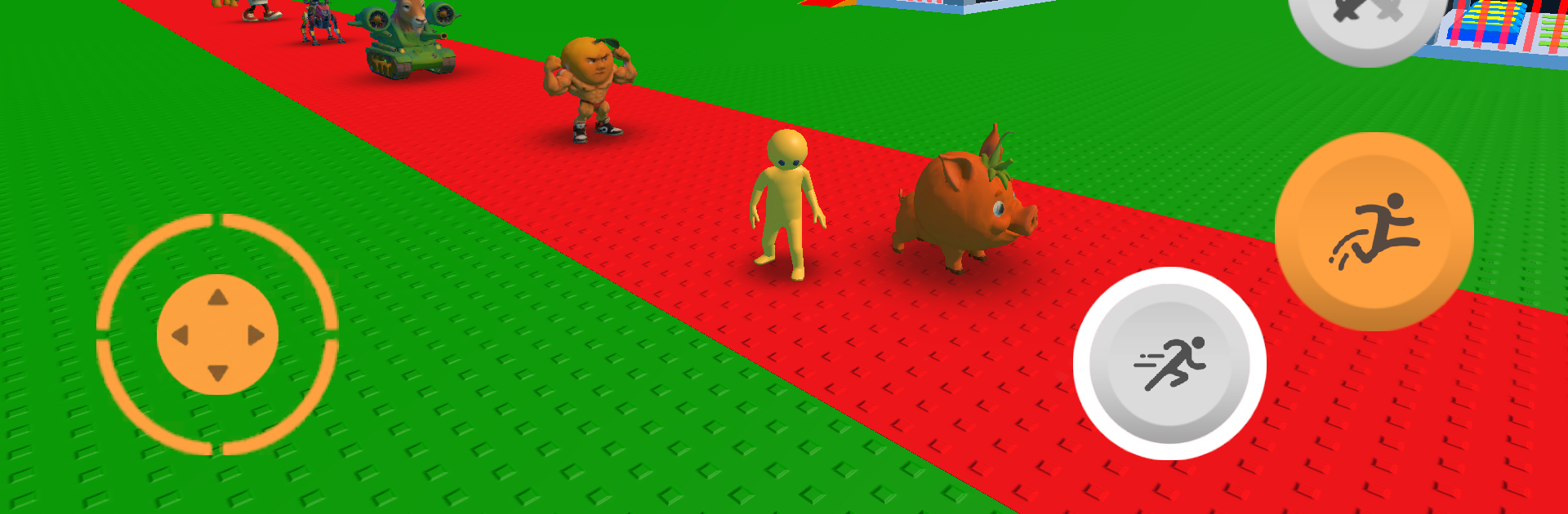
Steal a meme: Italian Brainrot

Steal a meme: Italian Brainrot

Arcade

| Anrum GE

Play on PC with BlueStacks or from our cloud

  • Overview
  • Game Features
  • How to Play

Page Modified On: October 24, 2025

Play Steal a meme: Italian Brainrot on PC or Mac

Step into the World of Steal a meme: Italian Brainrot, a thrilling Arcade game from the house of Anrum GE. Play this Android game on BlueStacks App Player and experience immersive gaming on PC or Mac.

Steal a meme: Italian Brainrot plays like a chaotic mix of idle tycoon and playground trolling. Players buy their first goofy creation, let it print cash on its own, then wander around trying to swipe other people’s stuff while guarding their own stash. The stealing is the heart of it. There is a lot of sneaking, short chases, quick slap hits, little moments where someone gets stunned and their collection spills. It feels silly more than mean, like a cartoon scuffle that never takes itself too seriously. The creatures and viral bits are weird on purpose, so the whole map looks like a meme zoo that keeps changing.

Progress is all about stacking passive income, grabbing upgrades, then doing a rebirth to unlock stronger boosts. That reset loop is fast and punchy, with new gear that makes trolling and defense smarter the next run. Players experiment with decoys, shields, and slap power to either protect their album or poke holes in someone else’s. It has that social arena feel people know from Roblox style games, but it stays focused on quick steals, quick payoffs, repeat. On PC with BlueStacks, the mouse clicks and keybinds make dodging and swapping gear feel cleaner, and the bigger screen helps track who is about to yoink a prized meme. Great for short bursts, and it snowballs into longer sessions when the upgrades start stacking, since every minute there is another surprise or petty revenge to chase.

Get ready for a buttery smooth, high-performance gaming action only on BlueStacks.

Game Features

Enhancements

  • Macros
  • Multi Instance
  • Multi Instance Sync
  • Script
  • Enhancements
Macros

Macros

Automate the predictable in Steal a meme: Italian Brainrot and transform your gameplay with Macros. Get access to inventive Macros in the BlueStacks Macro Community
Multi Instance

Multi Instance

Play Steal a meme: Italian Brainrot on one window. And chat with your friend on the other. Press CTRL + Shift + 8 to open the Multi-Instance Manager. And start creating fresh instances or clone an existing one.
Multi Instance Sync

Multi Instance Sync

Play Steal a meme: Italian Brainrot with the power of Multi-Instance Sync. Replicate what you are doing on the main instance on all other instances. Level up faster, play more.
Script

Script

Script your way to gaming glory in Steal a meme: Italian Brainrot with BlueStacks Script. Write and run a set of commands to automate repeated tasks. Trigger the command by assigning it to any key.
Read More

How to Download and Play Steal a meme: Italian Brainrot on PC or Mac

  • Download and install BlueStacks on your PC or Mac

  • Complete Google sign-in to access the Play Store, or do it later

  • Look for Steal a meme: Italian Brainrot in the search bar at the top right corner

  • Click to install Steal a meme: Italian Brainrot from the search results

  • Complete Google sign-in (if you skipped step 2) to install Steal a meme: Italian Brainrot

  • Click the Steal a meme: Italian Brainrot icon on the home screen to start playing

video
Watch Video

Minimum System Requirements

With BlueStacks 5, you can get started on a PC that fulfills the following requirements.

  • Operating System

    Microsoft Windows 7 or above, macOS 11 (Big Sur) or above

  • Processor

    Intel, AMD or Apple Silicon Processor

  • RAM

    at least 4GB

  • HDD

    10GB Free Disk Space

Note:

* You must be an Administrator on your PC. Up to date graphics drivers from Microsoft or the chipset vendor.

Steal a meme: Italian Brainrot - FAQs

  • How to play Steal a meme: Italian Brainrot on Windows PC & Mac?

    Play Steal a meme: Italian Brainrot on your PC or Mac by following these simple steps.

    • Click on 'Play Steal a meme: Italian Brainrot on PC’ to download BlueStacks
    • Install it and log-in to Google Play Store
    • Launch and play the game.
  • Why is BlueStacks the fastest and safest platform to play games on PC?

    BlueStacks respects your privacy and is always safe and secure to use. It does not carry any malware, spyware, or any sort of additional software that could harm your PC.

    It is engineered to optimize speed and performance for a seamless gaming experience.

  • What are Steal a meme: Italian Brainrot PC requirements?

    Minimum requirement to run Steal a meme: Italian Brainrot on your PC

    • OS: Microsoft Windows 7 or above MacOS 11 (Big Sur) or above
    • Processor: Intel, AMD or Apple Silicon Processor
    • RAM: Your PC must have at least 4GB of RAM. (Note that having 4GB or more disk space is not a substitute for RAM)
    • HDD: 10GB Free Disk Space.
    • You must be an Administrator on your PC.