Drynk: Board and Drinking Game

Drynk: Board and Drinking Game

Board

| Siwalu Software GmbH

Play on PC with BlueStacks or from our cloud

  • Overview
  • Game Features
  • How to Play

Page Modified On: June 13, 2025

Play Drynk: Board and Drinking Game on PC or Mac

Explore a whole new adventure with Drynk: Board and Drinking Game, a Board game created by Siwalu Software GmbH. Experience great gameplay with BlueStacks, the most popular gaming platform to play Android games on your PC or Mac.

About the Game

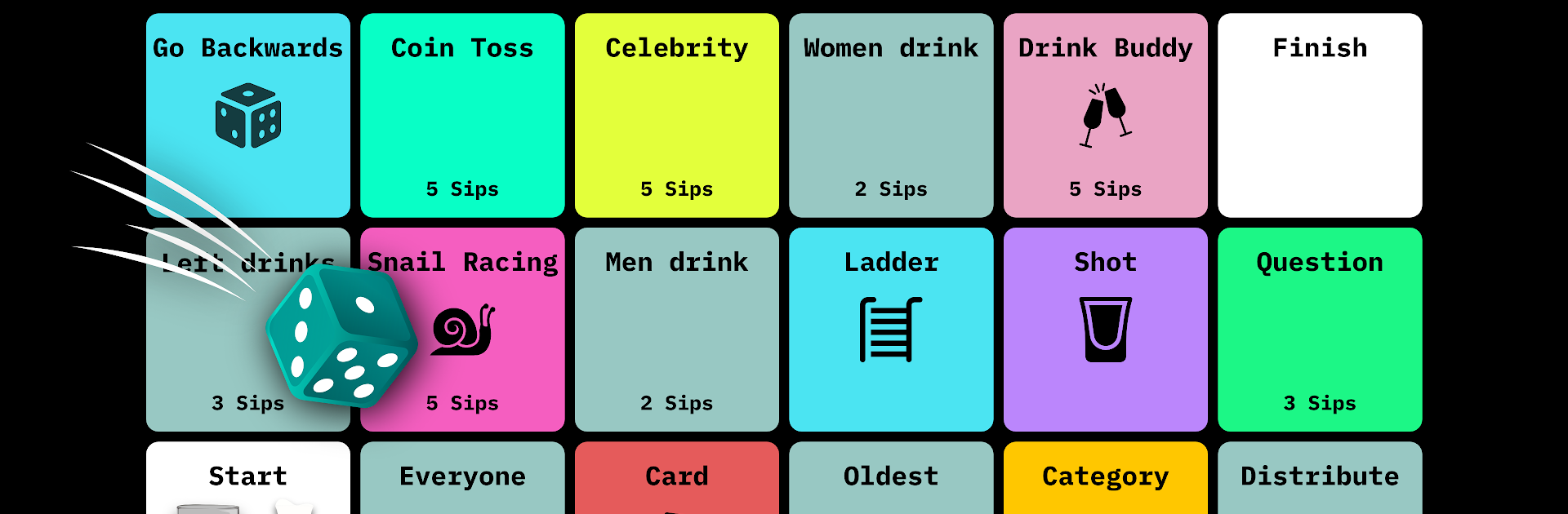
Grab some friends (or find new ones online), pour your favorite drink, and let Drynk: Board and Drinking Game shake up your next party night. This playful board experience from Siwalu Software GmbH turns any get-together into a hilarious challenge, packed with unpredictable tasks and sometimes even stranger dares. Whether you’re hanging with your crew in person or connecting with folks on the web, you’ll be rolling dice, drawing cards, and maybe revealing way too much—all in the name of fun.

Game Features

  • Offline & Online Modes
    Got a full house, a couple pals, or just feeling social online? Drynk: Board and Drinking Game makes it super easy to play in your living room or jump into online sessions. There’s something for every vibe.

  • Themed Boards
    If you’re tired of the same ol’ scenes, Switch to Sports, Hot, or Christmas themes for fresh mini games and totally different challenges. It’s like season passes for your party routine.

  • Massive Variety of Challenges
    Over 40 wacky fields, each bringing a new kind of dare, quiz, or quick-fire contest. Ever tried snail racing to decide who takes a drink? Or found yourself guessing which celebrity is Insta-famous? Drynk keeps everyone on their toes.

  • Mini Games Galore
    Go from coin tosses and pantomime tasks (“Mime”) to knowledge bids, classic guessing games (“20 Questions”), and wild imagination rounds like “If I Were You.” Some are pure luck, some test your trivia, and a few are sure to cause fits of laughter (and sips).

  • Events and Surprises
    The board itself likes to mess with players—land on an event space and you might skip ahead, fall back, or be forced to sit out a round. Never take your position for granted.

  • Responsible Fun
    Drynk: Board and Drinking Game reminds you to take it easy and watch your limits. The app even gives notifications if things are getting a little too wild.

  • Easy Setup, No Mess
    No complicated setup—just launch on your device, even on BlueStacks, and you’re ready for game night with zero cleanup after.

  • Make New Connections
    Join online lobbies, challenge strangers, or stick with your group. Either way, Drynk makes every round feel fresh, unpredictable, and a tad chaotic—the way a good party game should be.

Make your gaming sessions memorable with precise controls that give you an edge in close combats and visuals that pop up, bringing every character to life.


Game Features

Enhancements

  • Macros
  • Multi Instance
  • Multi Instance Sync
  • Script
  • Enhancements
Macros

Macros

Automate the predictable in Drynk: Board and Drinking Game and transform your gameplay with Macros. Get access to inventive Macros in the BlueStacks Macro Community
Multi Instance

Multi Instance

Play Drynk: Board and Drinking Game on one window. And chat with your friend on the other. Press CTRL + Shift + 8 to open the Multi-Instance Manager. And start creating fresh instances or clone an existing one.
Multi Instance Sync

Multi Instance Sync

Play Drynk: Board and Drinking Game with the power of Multi-Instance Sync. Replicate what you are doing on the main instance on all other instances. Level up faster, play more.
Script

Script

Script your way to gaming glory in Drynk: Board and Drinking Game with BlueStacks Script. Write and run a set of commands to automate repeated tasks. Trigger the command by assigning it to any key.
Read More

How to Download and Play Drynk: Board and Drinking Game on PC or Mac

  • Download and install BlueStacks on your PC or Mac

  • Complete Google sign-in to access the Play Store, or do it later

  • Look for Drynk: Board and Drinking Game in the search bar at the top right corner

  • Click to install Drynk: Board and Drinking Game from the search results

  • Complete Google sign-in (if you skipped step 2) to install Drynk: Board and Drinking Game

  • Click the Drynk: Board and Drinking Game icon on the home screen to start playing

video
Watch Video

Minimum System Requirements

With BlueStacks 5, you can get started on a PC that fulfills the following requirements.

  • Operating System

    Microsoft Windows 7 or above, macOS 11 (Big Sur) or above

  • Processor

    Intel, AMD or Apple Silicon Processor

  • RAM

    at least 4GB

  • HDD

    10GB Free Disk Space

Note:

* You must be an Administrator on your PC. Up to date graphics drivers from Microsoft or the chipset vendor.

Drynk: Board and Drinking Game - FAQs

  • How to play Drynk: Board and Drinking Game on Windows PC & Mac?

    Play Drynk: Board and Drinking Game on your PC or Mac by following these simple steps.

    • Click on 'Play Drynk: Board and Drinking Game on PC’ to download BlueStacks
    • Install it and log-in to Google Play Store
    • Launch and play the game.
  • Why is BlueStacks the fastest and safest platform to play games on PC?

    BlueStacks respects your privacy and is always safe and secure to use. It does not carry any malware, spyware, or any sort of additional software that could harm your PC.

    It is engineered to optimize speed and performance for a seamless gaming experience.

  • What are Drynk: Board and Drinking Game PC requirements?

    Minimum requirement to run Drynk: Board and Drinking Game on your PC

    • OS: Microsoft Windows 7 or above MacOS 11 (Big Sur) or above
    • Processor: Intel, AMD or Apple Silicon Processor
    • RAM: Your PC must have at least 4GB of RAM. (Note that having 4GB or more disk space is not a substitute for RAM)
    • HDD: 10GB Free Disk Space.
    • You must be an Administrator on your PC.