Go GridMaster (free)

Go GridMaster (free)

Board

| Erik van der Werf

Play on PC with BlueStacks or from our cloud

  • Overview
  • Game Features
  • How to Play

Page Modified On: August 19, 2025

Play Go GridMaster (free) on PC or Mac

From the innovators and creators at Erik van der Werf, Go GridMaster (free) is another fun addition to the World of Board games. Go beyond your mobile screen and play it bigger and better on your PC or Mac. An immersive experience awaits you.

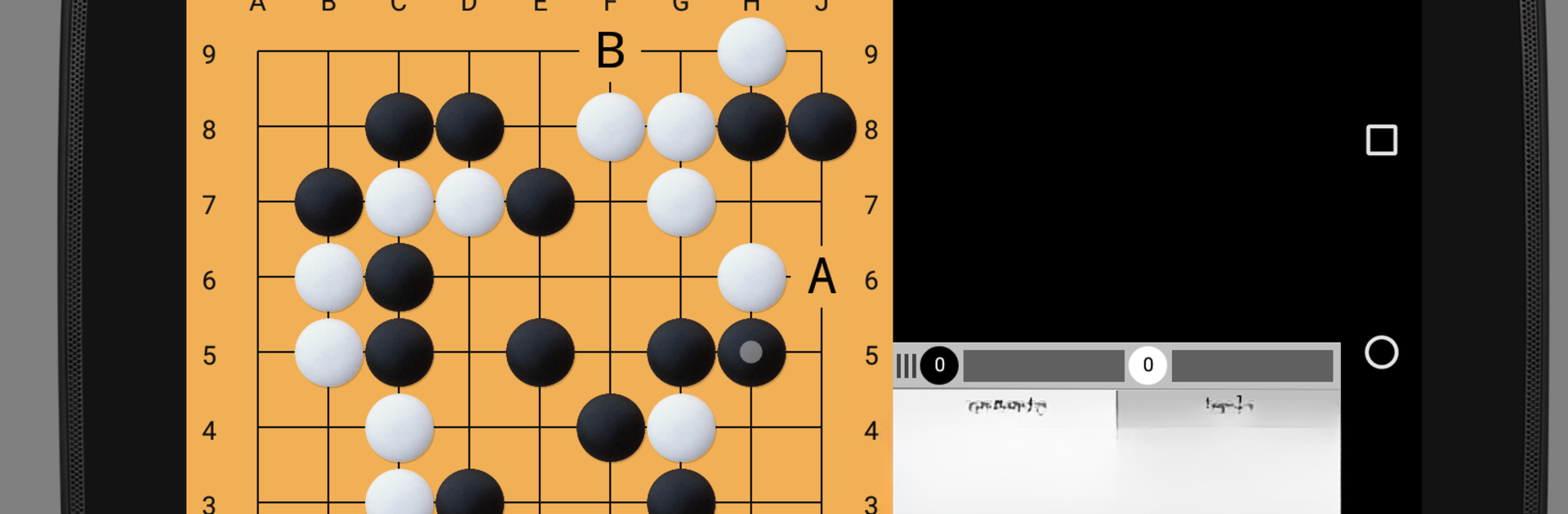
So, Go GridMaster is basically a super handy app for anyone into Go, whether just learning or looking to play smarter. The first thing that stands out is how much control it gives over the game setup—almost any board size you can think of, up to some truly massive ones, and you can even set up weird or non-standard positions if you want to try out a situation you saw online or need to demo something. It’s not just for playing, either; you get all these tools to review games, add comments, make diagrams, or even share your favorite match records with friends. It supports SGF files fully, so opening up big game records (like those huge joseki collections) is no hassle, and you can copy, paste, and send game variations around without dealing with file headaches.

It does come with its own AI opponent—tough enough to give you a challenge, but the cool thing is you can actually connect it with other popular Go engines, so if you want something stronger or just different, it’s totally possible. Adjusting the AI level or even plugging in stuff like Leela Zero or GnuGo isn’t difficult, and there are clear instructions laid out in-app. For anyone who wants to study, replaying games is easy, and things like automatic replays, move navigation, and boards that zoom or pan help a lot, especially on PC with BlueStacks and a mouse. Even though it was made for mobile, everything translates well on a computer—fast controls and plenty of settings to tweak how it looks or sounds, from rulesets to game timing. For folks who are new, there’s a clear intro and plenty of help included, and all of it’s in easy-to-read English. All in all, it’s a flexible and feature-rich tool for playing, studying, or just experimenting with Go, no pressure to pay, no ads popping up, and it stays fun whether you’re sharpening your skills or just exploring cool board positions.

Start your journey now. Download the game on BlueStacks, invite your friends, and march on a new adventure.


Game Features

Enhancements

  • Macros
  • Multi Instance
  • Multi Instance Sync
  • Script
  • Enhancements
Macros

Macros

Automate the predictable in Go GridMaster (free) and transform your gameplay with Macros. Get access to inventive Macros in the BlueStacks Macro Community
Multi Instance

Multi Instance

Play Go GridMaster (free) on one window. And chat with your friend on the other. Press CTRL + Shift + 8 to open the Multi-Instance Manager. And start creating fresh instances or clone an existing one.
Multi Instance Sync

Multi Instance Sync

Play Go GridMaster (free) with the power of Multi-Instance Sync. Replicate what you are doing on the main instance on all other instances. Level up faster, play more.
Script

Script

Script your way to gaming glory in Go GridMaster (free) with BlueStacks Script. Write and run a set of commands to automate repeated tasks. Trigger the command by assigning it to any key.
Read More

How to Download and Play Go GridMaster (free) on PC or Mac

  • Download and install BlueStacks on your PC or Mac

  • Complete Google sign-in to access the Play Store, or do it later

  • Look for Go GridMaster (free) in the search bar at the top right corner

  • Click to install Go GridMaster (free) from the search results

  • Complete Google sign-in (if you skipped step 2) to install Go GridMaster (free)

  • Click the Go GridMaster (free) icon on the home screen to start playing

video
Watch Video

Minimum System Requirements

With BlueStacks 5, you can get started on a PC that fulfills the following requirements.

  • Operating System

    Microsoft Windows 7 or above, macOS 11 (Big Sur) or above

  • Processor

    Intel, AMD or Apple Silicon Processor

  • RAM

    at least 4GB

  • HDD

    10GB Free Disk Space

Note:

* You must be an Administrator on your PC. Up to date graphics drivers from Microsoft or the chipset vendor.

Go GridMaster (free) - FAQs

  • How to play Go GridMaster (free) on Windows PC & Mac?

    Play Go GridMaster (free) on your PC or Mac by following these simple steps.

    • Click on 'Play Go GridMaster (free) on PC’ to download BlueStacks
    • Install it and log-in to Google Play Store
    • Launch and play the game.
  • Why is BlueStacks the fastest and safest platform to play games on PC?

    BlueStacks respects your privacy and is always safe and secure to use. It does not carry any malware, spyware, or any sort of additional software that could harm your PC.

    It is engineered to optimize speed and performance for a seamless gaming experience.

  • What are Go GridMaster (free) PC requirements?

    Minimum requirement to run Go GridMaster (free) on your PC

    • OS: Microsoft Windows 7 or above MacOS 11 (Big Sur) or above
    • Processor: Intel, AMD or Apple Silicon Processor
    • RAM: Your PC must have at least 4GB of RAM. (Note that having 4GB or more disk space is not a substitute for RAM)
    • HDD: 10GB Free Disk Space.
    • You must be an Administrator on your PC.