한방맞고: 묻고 떠블 고스톱
한방맞고: 묻고 떠블 고스톱

한방맞고: 묻고 떠블 고스톱

Board

| Lunosoft

Play on PC with BlueStacks or from our cloud

  • Overview
  • Game Features
  • How to Play

Page Modified On: August 17, 2026

Play 한방맞고: 묻고 떠블 고스톱 on PC or Mac

한방맞고: 묻고 떠블 고스톱 by Lunosoft has plenty to keep you busy. BlueStacks lets you play it on PC or Mac with more screen space, better control, and fewer mobile limits.

About the Game

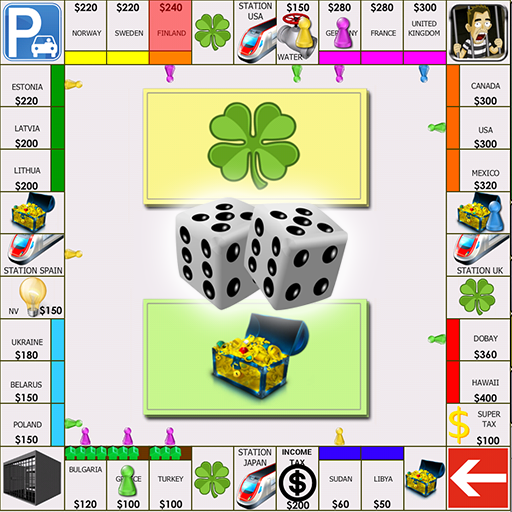
한방맞고: 묻고 떠블 고스톱 is a fast, cheeky take on Go-Stop where a single good hand can snowball into outrageous winnings. It’s a Board game built for quick sessions, punchy action, and that satisfying “one more round” itch. Prefer playing on a bigger screen? It also plays smoothly on PC with BlueStacks.

Game Features

  • World Tour Stages: Play through themed locations from Asia to Europe, each with its own look, stage goals, and a steady ramp in challenge and rewards.
  • Huge Multipliers: Go from 2x to a wild 1024x when the cards align. It’s high-risk vibes without the stress of losing everything in one unlucky swing.
  • Satisfying Hit Feedback: Crisp animations and punchy sound effects make every slap, draw, and score feel extra sharp—yes, you’ll want the sound on.
  • Lucky Boxes Every Round: Each match can drop a Lucky Box with surprise boosts and chances at big payouts. It keeps even short sessions exciting.
  • Stamp Collection & Gold Cards: Fill a passport with stamps from different regions to complete collections and unlock juicy rewards. Finish missions to earn Gold Cards and trade them for premium items.
  • Rankings with Friends: Compare bankrolls, show off win streaks, and climb leaderboards against friends and family. Bragging rights included.
  • Generous Economy: Play boldly without the usual all-in anxiety—there are plenty of ways to recover and keep the momentum going.
  • Character Costumes: Dress up your avatar with fun outfits and accessories to match your play style or mood.

Get ready for a buttery smooth, high-performance gaming action only on BlueStacks.

Game Features

Enhancements

  • Macros
  • Multi Instance
  • Multi Instance Sync
  • Script
  • Enhancements
Macros

Macros

Automate the predictable in 한방맞고: 묻고 떠블 고스톱 and transform your gameplay with Macros. Get access to inventive Macros in the BlueStacks Macro Community
Multi Instance

Multi Instance

Play 한방맞고: 묻고 떠블 고스톱 on one window. And chat with your friend on the other. Press CTRL + Shift + 8 to open the Multi-Instance Manager. And start creating fresh instances or clone an existing one.
Multi Instance Sync

Multi Instance Sync

Play 한방맞고: 묻고 떠블 고스톱 with the power of Multi-Instance Sync. Replicate what you are doing on the main instance on all other instances. Level up faster, play more.
Script

Script

Script your way to gaming glory in 한방맞고: 묻고 떠블 고스톱 with BlueStacks Script. Write and run a set of commands to automate repeated tasks. Trigger the command by assigning it to any key.
Read More

How to Download and Play 한방맞고: 묻고 떠블 고스톱 on PC or Mac

  • Download and install BlueStacks on your PC or Mac

  • Complete Google sign-in to access the Play Store, or do it later

  • Look for 한방맞고: 묻고 떠블 고스톱 in the search bar at the top right corner

  • Click to install 한방맞고: 묻고 떠블 고스톱 from the search results

  • Complete Google sign-in (if you skipped step 2) to install 한방맞고: 묻고 떠블 고스톱

  • Click the 한방맞고: 묻고 떠블 고스톱 icon on the home screen to start playing

video
Watch Video

Minimum System Requirements

With BlueStacks 5, you can get started on a PC that fulfills the following requirements.

  • Operating System

    Microsoft Windows 7 or above, macOS 11 (Big Sur) or above

  • Processor

    Intel, AMD or Apple Silicon Processor

  • RAM

    at least 4GB

  • HDD

    10GB Free Disk Space

Note:

* You must be an Administrator on your PC. Up to date graphics drivers from Microsoft or the chipset vendor.

한방맞고: 묻고 떠블 고스톱 - FAQs

  • How to play 한방맞고: 묻고 떠블 고스톱 on Windows PC & Mac?

    Play 한방맞고: 묻고 떠블 고스톱 on your PC or Mac by following these simple steps.

    • Click on 'Play 한방맞고: 묻고 떠블 고스톱 on PC’ to download BlueStacks
    • Install it and log-in to Google Play Store
    • Launch and play the game.
  • Why is BlueStacks the fastest and safest platform to play games on PC?

    BlueStacks respects your privacy and is always safe and secure to use. It does not carry any malware, spyware, or any sort of additional software that could harm your PC.

    It is engineered to optimize speed and performance for a seamless gaming experience.

  • What are 한방맞고: 묻고 떠블 고스톱 PC requirements?

    Minimum requirement to run 한방맞고: 묻고 떠블 고스톱 on your PC

    • OS: Microsoft Windows 7 or above MacOS 11 (Big Sur) or above
    • Processor: Intel, AMD or Apple Silicon Processor
    • RAM: Your PC must have at least 4GB of RAM. (Note that having 4GB or more disk space is not a substitute for RAM)
    • HDD: 10GB Free Disk Space.
    • You must be an Administrator on your PC.