Ludo Wala: 3D, Online, Offline

Ludo Wala: 3D, Online, Offline

Board

| ikiik

Play on PC with BlueStacks or from our cloud

  • Overview
  • Game Features
  • How to Play

Page Modified On: September 18, 2026

Play Ludo Wala: 3D, Online, Offline on PC or Mac

Bring your A-game to Ludo Wala: 3D, Online, Offline, the Board game sensation from ikiik. Give your gameplay the much-needed boost with precise game controls, high FPS graphics, and top-tier features on your PC or Mac with BlueStacks.

About the Game

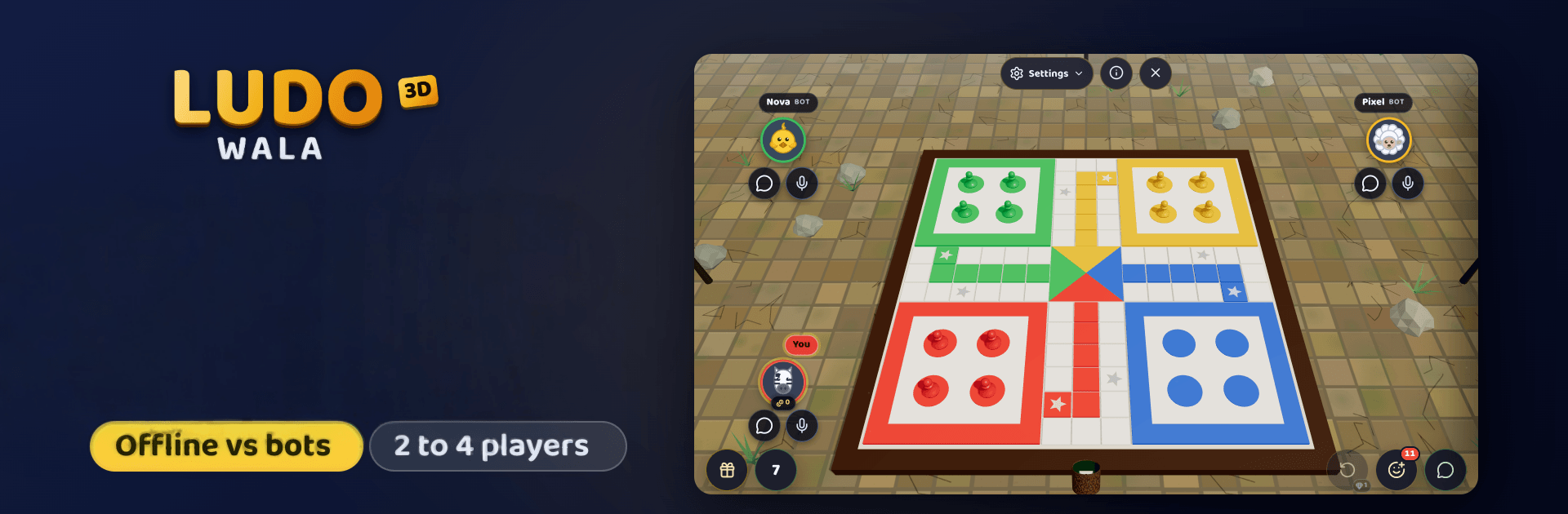
Ludo Wala: 3D, Online, Offline brings the classic Board favorite into a lively 3D table where dice actually roll and tokens zip around the board. It’s fast to start, easy to learn, and surprisingly competitive—great for quick rounds or long sessions with family and friends. Prefer a bigger display and comfy controls? Fire it up on PC with BlueStacks and keep the action smooth.

Game Features

  • Real 3D Tabletop Feel: Watch chunky dice tumble, hear them clack, and follow your tokens as they race home—way more satisfying than a flat picture.
  • Instant Play, No Accounts: Open the game, tap Play, and you’re in. No sign-ups, no email stuff, just ludo.
  • Private Online Rooms: Create a room, share a short code, and get everyone onto the same board—no random opponents or lobby hassle.
  • Chat, Emoji, and GIFs: Keep the banter flowing with quick chat, emoji, and GIF reactions so your crew can celebrate every six (or roast your bad luck).
  • Drop and Rejoin: Connection wobbly? Hop back into the exact match and move where you left off.
  • Offline vs Smart Bots: Meet Rex, Nova, Pixel, and Turbo—AI opponents that actually think, so a win feels earned.
  • Pass-and-Play on One Screen: Seat up to four around a single screen, mix humans and bots, name each player, and let the board rotate to your side.
  • Two to Four Players Everywhere: Whether online, offline, or local, pick your squad size and roll.
  • Optional Turn Timers: Set turns to 15, 30, or 60 seconds to keep slowpokes honest.
  • Auto-Save and Resume: Close the app mid-game and come back later without losing progress.
  • Pick Your Color and Seat: Claim your favorite color and spot before the first roll.
  • No Interrupting Ads: Play without pop-ups; watch an ad only if you want a few free gems.
  • Optional Coins and Gems: Grab packs if you’d rather not wait—totally optional.
  • Classic Rules, Zero Confusion: Roll a six to leave base, tag rivals to send them home, safe stars protect you, exact count to finish, three sixes in a row ends your turn.

Ready to top the leaderboard? We bet you do. Let precise controls and sharp visuals optimized on BlueStacks lead you to victory.


Game Features

Enhancements

  • Macros
  • Multi Instance
  • Multi Instance Sync
  • Script
  • Enhancements
Macros

Macros

Automate the predictable in Ludo Wala: 3D, Online, Offline and transform your gameplay with Macros. Get access to inventive Macros in the BlueStacks Macro Community
Multi Instance

Multi Instance

Play Ludo Wala: 3D, Online, Offline on one window. And chat with your friend on the other. Press CTRL + Shift + 8 to open the Multi-Instance Manager. And start creating fresh instances or clone an existing one.
Multi Instance Sync

Multi Instance Sync

Play Ludo Wala: 3D, Online, Offline with the power of Multi-Instance Sync. Replicate what you are doing on the main instance on all other instances. Level up faster, play more.
Script

Script

Script your way to gaming glory in Ludo Wala: 3D, Online, Offline with BlueStacks Script. Write and run a set of commands to automate repeated tasks. Trigger the command by assigning it to any key.
Read More

How to Download and Play Ludo Wala: 3D, Online, Offline on PC or Mac

  • Download and install BlueStacks on your PC or Mac

  • Complete Google sign-in to access the Play Store, or do it later

  • Look for Ludo Wala: 3D, Online, Offline in the search bar at the top right corner

  • Click to install Ludo Wala: 3D, Online, Offline from the search results

  • Complete Google sign-in (if you skipped step 2) to install Ludo Wala: 3D, Online, Offline

  • Click the Ludo Wala: 3D, Online, Offline icon on the home screen to start playing

video
Watch Video

Minimum System Requirements

With BlueStacks 5, you can get started on a PC that fulfills the following requirements.

  • Operating System

    Microsoft Windows 7 or above, macOS 11 (Big Sur) or above

  • Processor

    Intel, AMD or Apple Silicon Processor

  • RAM

    at least 4GB

  • HDD

    10GB Free Disk Space

Note:

* You must be an Administrator on your PC. Up to date graphics drivers from Microsoft or the chipset vendor.

Ludo Wala: 3D, Online, Offline - FAQs

  • How to play Ludo Wala: 3D, Online, Offline on Windows PC & Mac?

    Play Ludo Wala: 3D, Online, Offline on your PC or Mac by following these simple steps.

    • Click on 'Play Ludo Wala: 3D, Online, Offline on PC’ to download BlueStacks
    • Install it and log-in to Google Play Store
    • Launch and play the game.
  • Why is BlueStacks the fastest and safest platform to play games on PC?

    BlueStacks respects your privacy and is always safe and secure to use. It does not carry any malware, spyware, or any sort of additional software that could harm your PC.

    It is engineered to optimize speed and performance for a seamless gaming experience.

  • What are Ludo Wala: 3D, Online, Offline PC requirements?

    Minimum requirement to run Ludo Wala: 3D, Online, Offline on your PC

    • OS: Microsoft Windows 7 or above MacOS 11 (Big Sur) or above
    • Processor: Intel, AMD or Apple Silicon Processor
    • RAM: Your PC must have at least 4GB of RAM. (Note that having 4GB or more disk space is not a substitute for RAM)
    • HDD: 10GB Free Disk Space.
    • You must be an Administrator on your PC.