Sea Battle
Sea Battle

Sea Battle

Board

| Byril

Play on PC with BlueStacks or from our cloud

  • Overview
  • Game Features
  • How to Play

Page Modified On: December 24, 2025

Play Sea Battle on PC or Mac

Join millions to experience Sea Battle, an exciting Board game from Byril. With BlueStacks App Player, you are always a step ahead of your opponent, ready to outplay them with faster gameplay and better control with the mouse and keyboard on your PC or Mac.

About the Game

Remember those notebook battleship games you’d play in school? Sea Battle from Byril brings that nostalgic fun to your fingertips, only now things are much bigger, louder, and packed with options. Whether you’re up for a quick duel with friends or want to square off against challengers from all over the world, this Board game lets you plot, strategize, and outsmart your opponents in a classic game with modern twists. Old school meets new school here—and it’s never been more satisfying to watch that last ship sink.

Game Features

  • Online Battles
    Take your tactics online! Face off against players from across the world in real-time matches. Not sure how your strategies stack up? There’s always someone out there ready to test you.
  • Play With Friends
    Feel like a friendly rivalry? Send your friends an invite and see who’s the real Sea Battle champ. It’s your classic board game showdown—no paper necessary.
  • Diverse Arsenal
    Ships aren’t your only tools now. Mix things up with bombers, mines, radars, destroyers, and even anti-aircraft defenses. Experimenting with different setups can lead to some pretty wild victories.
  • Local Matches on One Device
    Sometimes, sharing a screen is just easier. Set your fleet and let your buddy do the same—pass the device back and forth and bring that in-person competition to life, just like the old days.
  • Bluetooth Play
    Got friends close by but not too close? Pair up over Bluetooth and settle the score without needing an internet connection.
  • Solo Versus Bot
    No one else around? No problem. Challenge the computer at various difficulty levels, rack up some points, and sharpen those skills.
  • Points and Upgrades
    Win battles to earn points, then spend them on cool new gear for your fleet. Your arsenal, your rules—switch things up as much as you like.
  • Classic and Advanced Modes
    Choose between keeping it old school or diving into newer, feature-loaded twists. Change up the rules and try out different strategies.
  • Notebook-Style Graphics
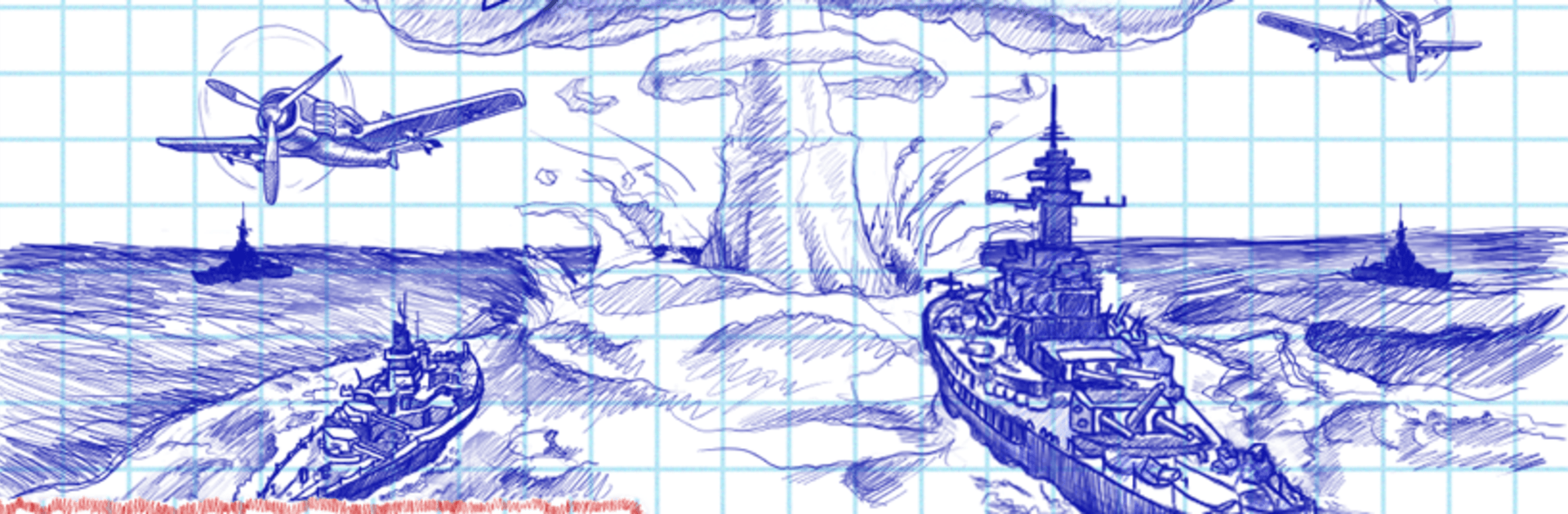
    Everything’s drawn in that familiar squared-paper look, complete with simple yet charming effects. It’s all about keeping the spirit of those childhood games alive.
  • Leaderboards
    Want some bragging rights? Climb the global rankings and see how your record holds up against the world.
  • Easy On BlueStacks
    If you’d rather play Sea Battle on your PC or Mac, BlueStacks has your back—just saying.

No tricky in-app purchases here; you get the full Sea Battle experience, ready to play however you want.

Start your journey now. Download the game on BlueStacks, invite your friends, and march on a new adventure.


Game Features

Enhancements

  • Macros
  • Multi Instance
  • Multi Instance Sync
  • Script
  • Enhancements
Macros

Macros

Automate the predictable in Sea Battle and transform your gameplay with Macros. Get access to inventive Macros in the BlueStacks Macro Community
Multi Instance

Multi Instance

Play Sea Battle on one window. And chat with your friend on the other. Press CTRL + Shift + 8 to open the Multi-Instance Manager. And start creating fresh instances or clone an existing one.
Multi Instance Sync

Multi Instance Sync

Play Sea Battle with the power of Multi-Instance Sync. Replicate what you are doing on the main instance on all other instances. Level up faster, play more.
Script

Script

Script your way to gaming glory in Sea Battle with BlueStacks Script. Write and run a set of commands to automate repeated tasks. Trigger the command by assigning it to any key.
Read More

How to Download and Play Sea Battle on PC or Mac

  • Download and install BlueStacks on your PC or Mac

  • Complete Google sign-in to access the Play Store, or do it later

  • Look for Sea Battle in the search bar at the top right corner

  • Click to install Sea Battle from the search results

  • Complete Google sign-in (if you skipped step 2) to install Sea Battle

  • Click the Sea Battle icon on the home screen to start playing

video
Watch Video

Minimum System Requirements

With BlueStacks 5, you can get started on a PC that fulfills the following requirements.

  • Operating System

    Microsoft Windows 7 or above, macOS 11 (Big Sur) or above

  • Processor

    Intel, AMD or Apple Silicon Processor

  • RAM

    at least 4GB

  • HDD

    10GB Free Disk Space

Note:

* You must be an Administrator on your PC. Up to date graphics drivers from Microsoft or the chipset vendor.

Sea Battle - FAQs

  • How to play Sea Battle on Windows PC & Mac?

    Play Sea Battle on your PC or Mac by following these simple steps.

    • Click on 'Play Sea Battle on PC’ to download BlueStacks
    • Install it and log-in to Google Play Store
    • Launch and play the game.
  • Why is BlueStacks the fastest and safest platform to play games on PC?

    BlueStacks respects your privacy and is always safe and secure to use. It does not carry any malware, spyware, or any sort of additional software that could harm your PC.

    It is engineered to optimize speed and performance for a seamless gaming experience.

  • What are Sea Battle PC requirements?

    Minimum requirement to run Sea Battle on your PC

    • OS: Microsoft Windows 7 or above MacOS 11 (Big Sur) or above
    • Processor: Intel, AMD or Apple Silicon Processor
    • RAM: Your PC must have at least 4GB of RAM. (Note that having 4GB or more disk space is not a substitute for RAM)
    • HDD: 10GB Free Disk Space.
    • You must be an Administrator on your PC.