CarBox - Cars Collector Game

CarBox - Cars Collector Game

Card

| Yellow Umbrella

Play on PC with BlueStacks or from our cloud

  • Overview
  • Game Features
  • How to Play

Page Modified On: August 24, 2026

Play CarBox - Cars Collector Game on PC or Mac

Step into the World of CarBox – Cars Collector Game, a thrilling Card game from the house of Yellow Umbrella. Play this Android game on BlueStacks App Player and experience immersive gaming on PC or Mac.

About the Game

CarBox – Cars Collector Game hands you a stack of mystery boxes and the keys to a growing garage. It’s a Card game with a collector’s heart: crack boxes, stash new rides, and chase the ones you’re still missing. Love the thrill of the reveal? This nails that feeling, and it’s easy to enjoy on BlueStacks if you like playing on a larger screen.

Game Features

  • Mystery Boxes: Pop open boxes to uncover cars ranging from everyday cruisers to ultra-rare showpieces.
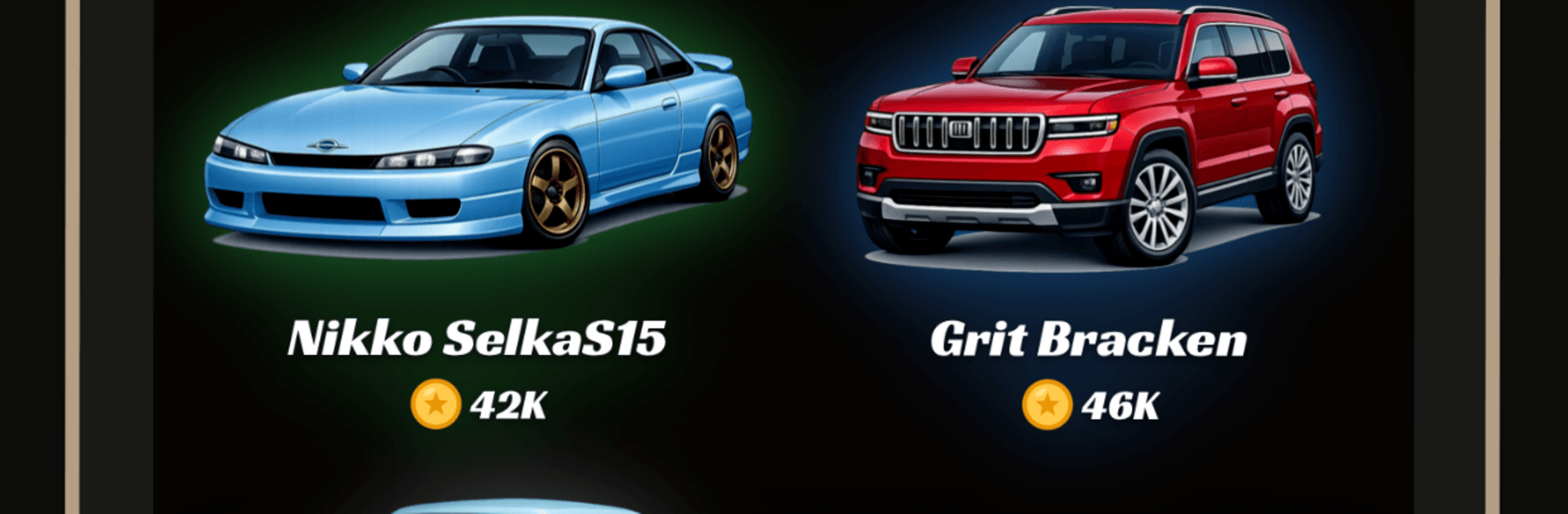
  • Expanding Garage: Organize, admire, and compare rides across fictional brands with their own looks, vibes, values, and stats.
  • Rarity Hunt: Track down everything from Common to Legendary (and beyond), filling gaps in your collection one pull at a time.
  • Collection Upgrades: Power up your garage to boost earnings and turn a good lineup into something special.
  • Marketplace Trading: Buy, sell, and trade to snag elusive models, offload dupes, and keep your roster fresh.
  • Mini-Games & Perks: Jump into quick mini-games for extra rewards that keep the box-opening streak rolling.
  • Tap-To-Earn Gameplay: Tap, stack up cash, and funnel your winnings back into more boxes and bigger hauls.
  • Limited & Ultra-Rare Finds: Keep your eyes peeled for scarce drops that become instant centerpieces.
  • Wide Car Variety: Supercars, classics, sports cars, off-roaders, luxury rides—there’s a lane for every taste.
  • Completion Goals: Finish brand lines, polish sets, and shape your dream garage the way you want.

Ready to top the leaderboard? We bet you do. Let precise controls and sharp visuals optimized on BlueStacks lead you to victory.


Game Features

Enhancements

  • Macros
  • Multi Instance
  • Multi Instance Sync
  • Script
  • Enhancements
Macros

Macros

Automate the predictable in CarBox - Cars Collector Game and transform your gameplay with Macros. Get access to inventive Macros in the BlueStacks Macro Community
Multi Instance

Multi Instance

Play CarBox - Cars Collector Game on one window. And chat with your friend on the other. Press CTRL + Shift + 8 to open the Multi-Instance Manager. And start creating fresh instances or clone an existing one.
Multi Instance Sync

Multi Instance Sync

Play CarBox - Cars Collector Game with the power of Multi-Instance Sync. Replicate what you are doing on the main instance on all other instances. Level up faster, play more.
Script

Script

Script your way to gaming glory in CarBox - Cars Collector Game with BlueStacks Script. Write and run a set of commands to automate repeated tasks. Trigger the command by assigning it to any key.
Read More

How to Download and Play CarBox - Cars Collector Game on PC or Mac

  • Download and install BlueStacks on your PC or Mac

  • Complete Google sign-in to access the Play Store, or do it later

  • Look for CarBox - Cars Collector Game in the search bar at the top right corner

  • Click to install CarBox - Cars Collector Game from the search results

  • Complete Google sign-in (if you skipped step 2) to install CarBox - Cars Collector Game

  • Click the CarBox - Cars Collector Game icon on the home screen to start playing

video
Watch Video

Minimum System Requirements

With BlueStacks 5, you can get started on a PC that fulfills the following requirements.

  • Operating System

    Microsoft Windows 7 or above, macOS 11 (Big Sur) or above

  • Processor

    Intel, AMD or Apple Silicon Processor

  • RAM

    at least 4GB

  • HDD

    10GB Free Disk Space

Note:

* You must be an Administrator on your PC. Up to date graphics drivers from Microsoft or the chipset vendor.

CarBox - Cars Collector Game - FAQs

  • How to play CarBox - Cars Collector Game on Windows PC & Mac?

    Play CarBox - Cars Collector Game on your PC or Mac by following these simple steps.

    • Click on 'Play CarBox - Cars Collector Game on PC’ to download BlueStacks
    • Install it and log-in to Google Play Store
    • Launch and play the game.
  • Why is BlueStacks the fastest and safest platform to play games on PC?

    BlueStacks respects your privacy and is always safe and secure to use. It does not carry any malware, spyware, or any sort of additional software that could harm your PC.

    It is engineered to optimize speed and performance for a seamless gaming experience.

  • What are CarBox - Cars Collector Game PC requirements?

    Minimum requirement to run CarBox - Cars Collector Game on your PC

    • OS: Microsoft Windows 7 or above MacOS 11 (Big Sur) or above
    • Processor: Intel, AMD or Apple Silicon Processor
    • RAM: Your PC must have at least 4GB of RAM. (Note that having 4GB or more disk space is not a substitute for RAM)
    • HDD: 10GB Free Disk Space.
    • You must be an Administrator on your PC.