Eldritch Deck: Card Battle CCG

Eldritch Deck: Card Battle CCG

Card

| Splash Moon

Play on PC with BlueStacks or from our cloud

  • Overview
  • Game Features
  • How to Play

Page Modified On: August 14, 2026

Play Eldritch Deck: Card Battle CCG on PC or Mac

Play Eldritch Deck: Card Battle CCG by Splash Moon on PC or Mac with BlueStacks. Use a bigger screen, mouse and keyboard controls, and smoother performance while you play.

About the Game

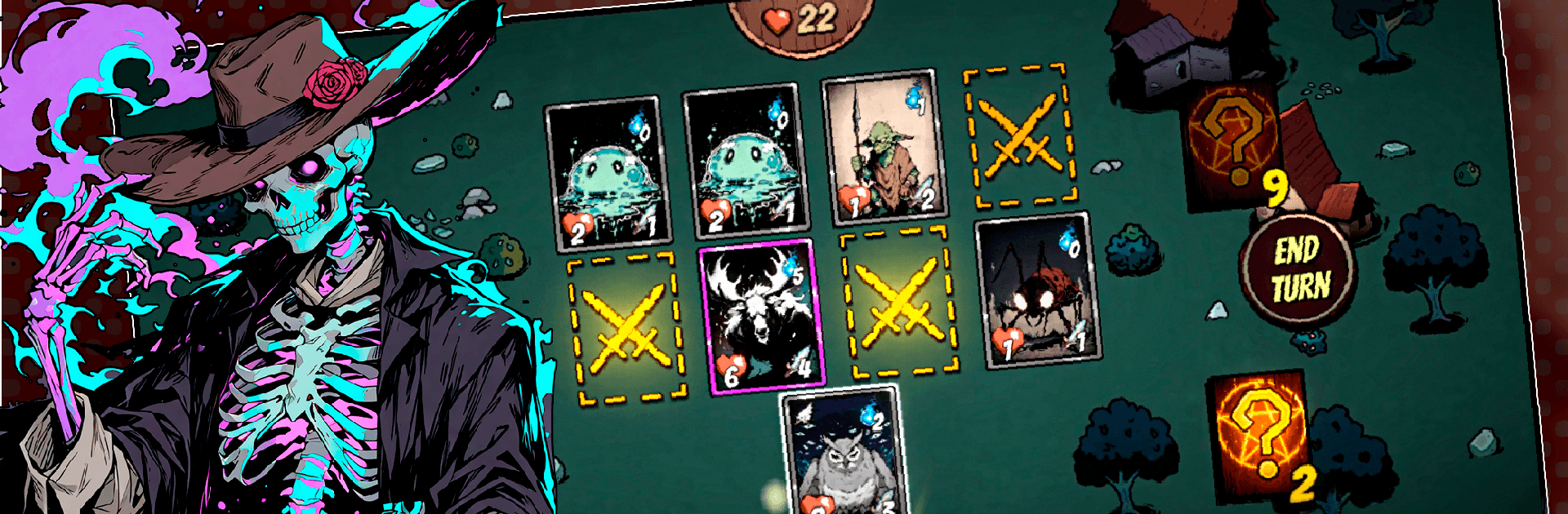
Eldritch Deck: Card Battle CCG throws you into a bleak, rule-bending world where smart choices matter more than luck. It’s a tactical Card experience built around careful deck-crafting, tense showdowns, and bosses that change how you think about each turn. Prefer a bigger screen and smoother controls? It plays comfortably on BlueStacks, too.

Game Features

  • Rule-Twisting Regions: Each area plays by its own strange laws. The forsaken Village, shadowy Forest, and toxic Swamp all introduce unique modifiers and end with nasty boss encounters that force you to adapt.
  • Build, Tweak, Perfect: Expand your deck with dozens of distinctive abilities and rarities, then shape tight synergies—burst damage, control, or a slow grind—to fit your favorite style.
  • Fights With Real Stakes: Enemies hit hard, and reckless turns get punished. Plan lines ahead, control the tempo, and turn close calls into clutch victories.
  • Meaningful Progress: Win battles to earn coins and diamonds. Use them to unlock new stages, discover rare additions for your deck, and steadily push into tougher challenges.
  • Learnable, Then Lethal: Friendly onboarding makes the basics click quickly, while layered mechanics and combo potential keep theorycrafters busy for the long haul.
  • Every Turn Counts: Positioning your plays, timing your power spikes, and reading enemy patterns matters just as much as what’s in your hand—one mistake can snowball, but a clever pivot can save the run.

Get ready for a buttery smooth, high-performance gaming action only on BlueStacks.

Game Features

Enhancements

  • Macros
  • Multi Instance
  • Multi Instance Sync
  • Script
  • Enhancements
Macros

Macros

Automate the predictable in Eldritch Deck: Card Battle CCG and transform your gameplay with Macros. Get access to inventive Macros in the BlueStacks Macro Community
Multi Instance

Multi Instance

Play Eldritch Deck: Card Battle CCG on one window. And chat with your friend on the other. Press CTRL + Shift + 8 to open the Multi-Instance Manager. And start creating fresh instances or clone an existing one.
Multi Instance Sync

Multi Instance Sync

Play Eldritch Deck: Card Battle CCG with the power of Multi-Instance Sync. Replicate what you are doing on the main instance on all other instances. Level up faster, play more.
Script

Script

Script your way to gaming glory in Eldritch Deck: Card Battle CCG with BlueStacks Script. Write and run a set of commands to automate repeated tasks. Trigger the command by assigning it to any key.
Read More

How to Download and Play Eldritch Deck: Card Battle CCG on PC or Mac

  • Download and install BlueStacks on your PC or Mac

  • Complete Google sign-in to access the Play Store, or do it later

  • Look for Eldritch Deck: Card Battle CCG in the search bar at the top right corner

  • Click to install Eldritch Deck: Card Battle CCG from the search results

  • Complete Google sign-in (if you skipped step 2) to install Eldritch Deck: Card Battle CCG

  • Click the Eldritch Deck: Card Battle CCG icon on the home screen to start playing

video
Watch Video

Minimum System Requirements

With BlueStacks 5, you can get started on a PC that fulfills the following requirements.

  • Operating System

    Microsoft Windows 7 or above, macOS 11 (Big Sur) or above

  • Processor

    Intel, AMD or Apple Silicon Processor

  • RAM

    at least 4GB

  • HDD

    10GB Free Disk Space

Note:

* You must be an Administrator on your PC. Up to date graphics drivers from Microsoft or the chipset vendor.

Eldritch Deck: Card Battle CCG - FAQs

  • How to play Eldritch Deck: Card Battle CCG on Windows PC & Mac?

    Play Eldritch Deck: Card Battle CCG on your PC or Mac by following these simple steps.

    • Click on 'Play Eldritch Deck: Card Battle CCG on PC’ to download BlueStacks
    • Install it and log-in to Google Play Store
    • Launch and play the game.
  • Why is BlueStacks the fastest and safest platform to play games on PC?

    BlueStacks respects your privacy and is always safe and secure to use. It does not carry any malware, spyware, or any sort of additional software that could harm your PC.

    It is engineered to optimize speed and performance for a seamless gaming experience.

  • What are Eldritch Deck: Card Battle CCG PC requirements?

    Minimum requirement to run Eldritch Deck: Card Battle CCG on your PC

    • OS: Microsoft Windows 7 or above MacOS 11 (Big Sur) or above
    • Processor: Intel, AMD or Apple Silicon Processor
    • RAM: Your PC must have at least 4GB of RAM. (Note that having 4GB or more disk space is not a substitute for RAM)
    • HDD: 10GB Free Disk Space.
    • You must be an Administrator on your PC.