Favorite Games
Favorite Games

Favorite Games

Card

| Favorite Games LTD

Play on PC with BlueStacks or from our cloud

  • Overview
  • Game Features
  • How to Play

Page Modified On: June 18, 2025

Play Favorite Games on PC or Mac

Bring your A-game to Favorite Games, the Card game sensation from Favorite Games LTD. Give your gameplay the much-needed boost with precise game controls, high FPS graphics, and top-tier features on your PC or Mac with BlueStacks.

About the Game

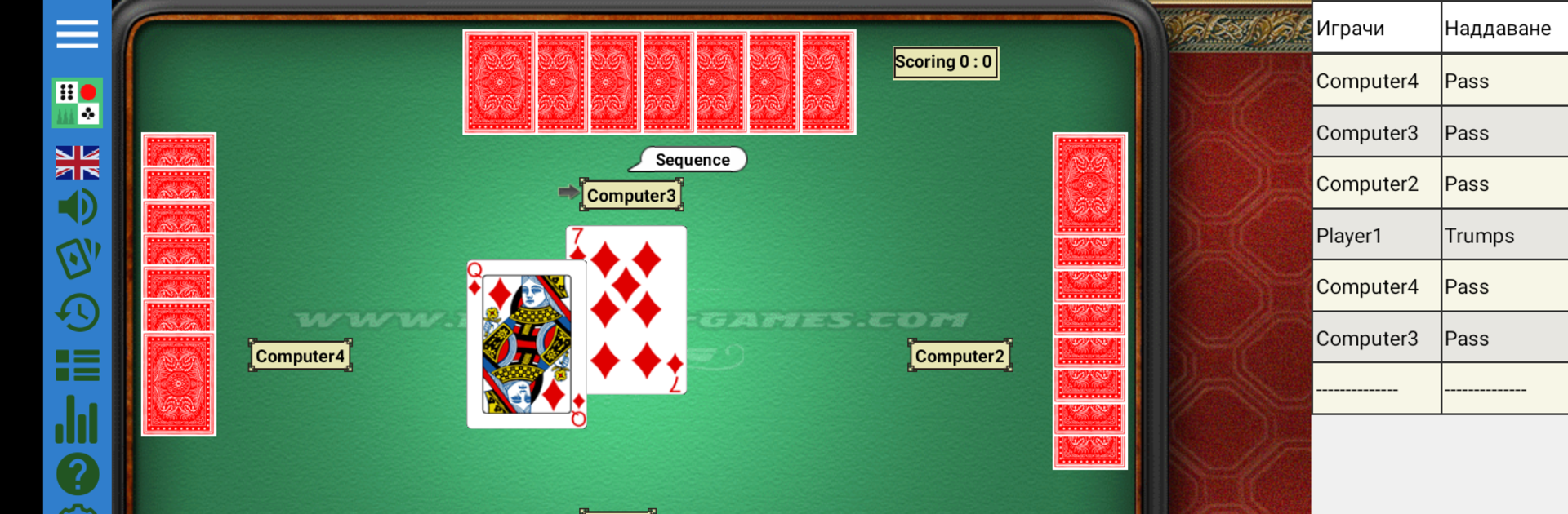
Looking for a way to keep your favorite classic card and board games all in one spot? Favorite Games has you covered. This collection pulls together a sweet lineup of familiar games, letting you jump between them whenever the mood strikes. Whether you’re flying solo, playing with friends, or squaring off against other folks online, there’s always something fresh to try. Plus, setting things up just how you like—down to the look of your cards and table—is a breeze.

Game Features

  • Seven Games in One Place
    Belote, Ludo, Bridge Rubber, Backgammon—and more. Switch up the fun without switching apps.

  • Smart Computer Opponents
    Don’t feel like waiting for real opponents? The AI here isn’t half-bad and will definitely keep you on your toes.

  • Customizable Experience
    Pick your favorite card faces, backs, and even the style of your gaming table. Make it look and feel right for you.

  • Multilingual Interface
    Whether you’re most comfortable in Bulgarian or over 20 other languages, you’re covered.

  • Lively Sound Effects
    Want some atmosphere? The game chatters back, with talking opponents and a bunch of different fun sounds.

  • Online Play & Tournaments
    Face off against real players, watch how others handle the table, or even hop into monthly tournaments if you’re feeling competitive.

  • Multiple Devices Supported
    On the move? Favorite Games plays nicely with both tablets and phones running Android.

  • Custom Settings
    Tweak things until everything feels just right, from visual preferences to gameplay settings.

With Favorite Games, you can enjoy your go-to card favorites or learn something new—all in one simple spot. And if you ever want to enjoy this collection on a bigger screen, BlueStacks has your back.

Start your journey now. Download the game on BlueStacks, invite your friends, and march on a new adventure.


Game Features

Enhancements

  • Macros
  • Multi Instance
  • Multi Instance Sync
  • Script
  • Enhancements
Macros

Macros

Automate the predictable in Favorite Games and transform your gameplay with Macros. Get access to inventive Macros in the BlueStacks Macro Community
Multi Instance

Multi Instance

Play Favorite Games on one window. And chat with your friend on the other. Press CTRL + Shift + 8 to open the Multi-Instance Manager. And start creating fresh instances or clone an existing one.
Multi Instance Sync

Multi Instance Sync

Play Favorite Games with the power of Multi-Instance Sync. Replicate what you are doing on the main instance on all other instances. Level up faster, play more.
Script

Script

Script your way to gaming glory in Favorite Games with BlueStacks Script. Write and run a set of commands to automate repeated tasks. Trigger the command by assigning it to any key.
Read More

How to Download and Play Favorite Games on PC or Mac

  • Download and install BlueStacks on your PC or Mac

  • Complete Google sign-in to access the Play Store, or do it later

  • Look for Favorite Games in the search bar at the top right corner

  • Click to install Favorite Games from the search results

  • Complete Google sign-in (if you skipped step 2) to install Favorite Games

  • Click the Favorite Games icon on the home screen to start playing

video
Watch Video

Minimum System Requirements

With BlueStacks 5, you can get started on a PC that fulfills the following requirements.

  • Operating System

    Microsoft Windows 7 or above, macOS 11 (Big Sur) or above

  • Processor

    Intel, AMD or Apple Silicon Processor

  • RAM

    at least 4GB

  • HDD

    10GB Free Disk Space

Note:

* You must be an Administrator on your PC. Up to date graphics drivers from Microsoft or the chipset vendor.

Favorite Games - FAQs

  • How to play Favorite Games on Windows PC & Mac?

    Play Favorite Games on your PC or Mac by following these simple steps.

    • Click on 'Play Favorite Games on PC’ to download BlueStacks
    • Install it and log-in to Google Play Store
    • Launch and play the game.
  • Why is BlueStacks the fastest and safest platform to play games on PC?

    BlueStacks respects your privacy and is always safe and secure to use. It does not carry any malware, spyware, or any sort of additional software that could harm your PC.

    It is engineered to optimize speed and performance for a seamless gaming experience.

  • What are Favorite Games PC requirements?

    Minimum requirement to run Favorite Games on your PC

    • OS: Microsoft Windows 7 or above MacOS 11 (Big Sur) or above
    • Processor: Intel, AMD or Apple Silicon Processor
    • RAM: Your PC must have at least 4GB of RAM. (Note that having 4GB or more disk space is not a substitute for RAM)
    • HDD: 10GB Free Disk Space.
    • You must be an Administrator on your PC.