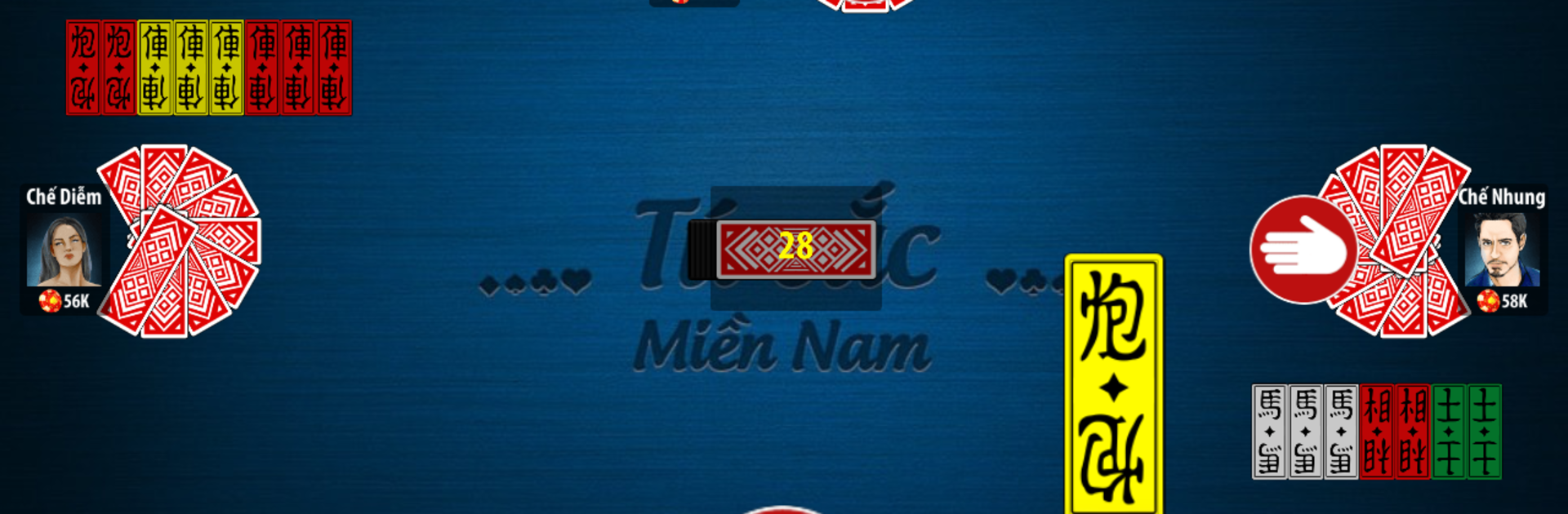
Tứ sắc - Four Color - Tu sac

Tứ sắc - Four Color - Tu sac

Card

| BAI OFFLINE VUI

Play on PC with BlueStacks or from our cloud

  • Overview
  • Game Features
  • How to Play

Page Modified On: November 10, 2025

Play Tứ sắc - Four Color - Tu sac on PC or Mac

Tứ sắc – Four Color – Tu sac brings the Card genre to life, and throws up exciting challenges for gamers. Developed by BAI OFFLINE VUI, this Android game is best experienced on BlueStacks, the World’s #1 app player for PC and Mac users.

About the Game

Tứ sắc – Four Color – Tu sac is a classic Card experience brought to mobile by BAI OFFLINE VUI, built for folks who love the rhythm of traditional Vietnamese play—no internet needed. You’re up against smart AI opponents across multiple levels, pushing your luck and your strategy as you manage chips and build winning sets. It’s quick to learn, satisfying to master, and perfect for short breaks or long sessions.

Game Features

  • Offline Matches, Real Challenge — Play anywhere, anytime. Face computer opponents that range from relaxed to surprisingly crafty, so you can practice or go all-in for big chip wins.

  • Southern-Style Rules — Built around the familiar tứ sắc flow: form solid melds, don’t break good groups too soon, and time your captures. The first dealer starts, and everyone gets a proper stack to work with.

  • Chip-Based Gameplay — Every round is about who clears out first. Finish your hand to take the pot; fall behind, and you’ll feel it in your stack.

  • Smart Assist Tools — Auto-suggest helps pick suitable cards, and quick alerts show when you can claim the last discard. It also highlights valid sets so you don’t miss a clean play.

  • Save and Resume — Step away mid-hand and come back later. Your current round stays right where you left it.

  • Expressive Reactions — Light, playful in-game emotions keep the table lively without getting in your way.

  • Lucky Star Boost — Got a grudge match after a tough loss? Use a Lucky Star to supercharge the next round’s outcome.

  • Daily Gifts & Easy Refill — Grab rewards every day, and if chips run dry, getting back to the table is painless.

  • Custom Looks & Sound — Switch backgrounds to match your mood, tweak music and effects, and change card styles when you want a fresh feel.

  • English or Vietnamese — Play in the language you’re most comfortable with.

  • Small Download, Smooth Play — Lightweight install with fast, steady performance.

  • Optional PC Play — Prefer a bigger screen? Tứ sắc – Four Color – Tu sac runs nicely on BlueStacks for a comfy desktop setup.

Get ready for a buttery smooth, high-performance gaming action only on BlueStacks.

Game Features

Enhancements

  • Macros
  • Multi Instance
  • Multi Instance Sync
  • Script
  • Enhancements
Macros

Macros

Automate the predictable in Tứ sắc - Four Color - Tu sac and transform your gameplay with Macros. Get access to inventive Macros in the BlueStacks Macro Community
Multi Instance

Multi Instance

Play Tứ sắc - Four Color - Tu sac on one window. And chat with your friend on the other. Press CTRL + Shift + 8 to open the Multi-Instance Manager. And start creating fresh instances or clone an existing one.
Multi Instance Sync

Multi Instance Sync

Play Tứ sắc - Four Color - Tu sac with the power of Multi-Instance Sync. Replicate what you are doing on the main instance on all other instances. Level up faster, play more.
Script

Script

Script your way to gaming glory in Tứ sắc - Four Color - Tu sac with BlueStacks Script. Write and run a set of commands to automate repeated tasks. Trigger the command by assigning it to any key.
Read More

How to Download and Play Tứ sắc - Four Color - Tu sac on PC or Mac

  • Download and install BlueStacks on your PC or Mac

  • Complete Google sign-in to access the Play Store, or do it later

  • Look for Tứ sắc - Four Color - Tu sac in the search bar at the top right corner

  • Click to install Tứ sắc - Four Color - Tu sac from the search results

  • Complete Google sign-in (if you skipped step 2) to install Tứ sắc - Four Color - Tu sac

  • Click the Tứ sắc - Four Color - Tu sac icon on the home screen to start playing

video
Watch Video

Minimum System Requirements

With BlueStacks 5, you can get started on a PC that fulfills the following requirements.

  • Operating System

    Microsoft Windows 7 or above, macOS 11 (Big Sur) or above

  • Processor

    Intel, AMD or Apple Silicon Processor

  • RAM

    at least 4GB

  • HDD

    10GB Free Disk Space

Note:

* You must be an Administrator on your PC. Up to date graphics drivers from Microsoft or the chipset vendor.

Tứ sắc - Four Color - Tu sac - FAQs

  • How to play Tứ sắc - Four Color - Tu sac on Windows PC & Mac?

    Play Tứ sắc - Four Color - Tu sac on your PC or Mac by following these simple steps.

    • Click on 'Play Tứ sắc - Four Color - Tu sac on PC’ to download BlueStacks
    • Install it and log-in to Google Play Store
    • Launch and play the game.
  • Why is BlueStacks the fastest and safest platform to play games on PC?

    BlueStacks respects your privacy and is always safe and secure to use. It does not carry any malware, spyware, or any sort of additional software that could harm your PC.

    It is engineered to optimize speed and performance for a seamless gaming experience.

  • What are Tứ sắc - Four Color - Tu sac PC requirements?

    Minimum requirement to run Tứ sắc - Four Color - Tu sac on your PC

    • OS: Microsoft Windows 7 or above MacOS 11 (Big Sur) or above
    • Processor: Intel, AMD or Apple Silicon Processor
    • RAM: Your PC must have at least 4GB of RAM. (Note that having 4GB or more disk space is not a substitute for RAM)
    • HDD: 10GB Free Disk Space.
    • You must be an Administrator on your PC.