Hatchy Pocket TCG
Hatchy Pocket TCG

Hatchy Pocket TCG

Card

| HatchyVerse

Play on PC with BlueStacks or from our cloud

  • Overview
  • Game Features
  • How to Play

Page Modified On: September 18, 2026

Play Hatchy Pocket TCG on PC or Mac

Bring your A-game to Hatchy Pocket TCG, the Card game sensation from HatchyVerse. Give your gameplay the much-needed boost with precise game controls, high FPS graphics, and top-tier features on your PC or Mac with BlueStacks.

About the Game

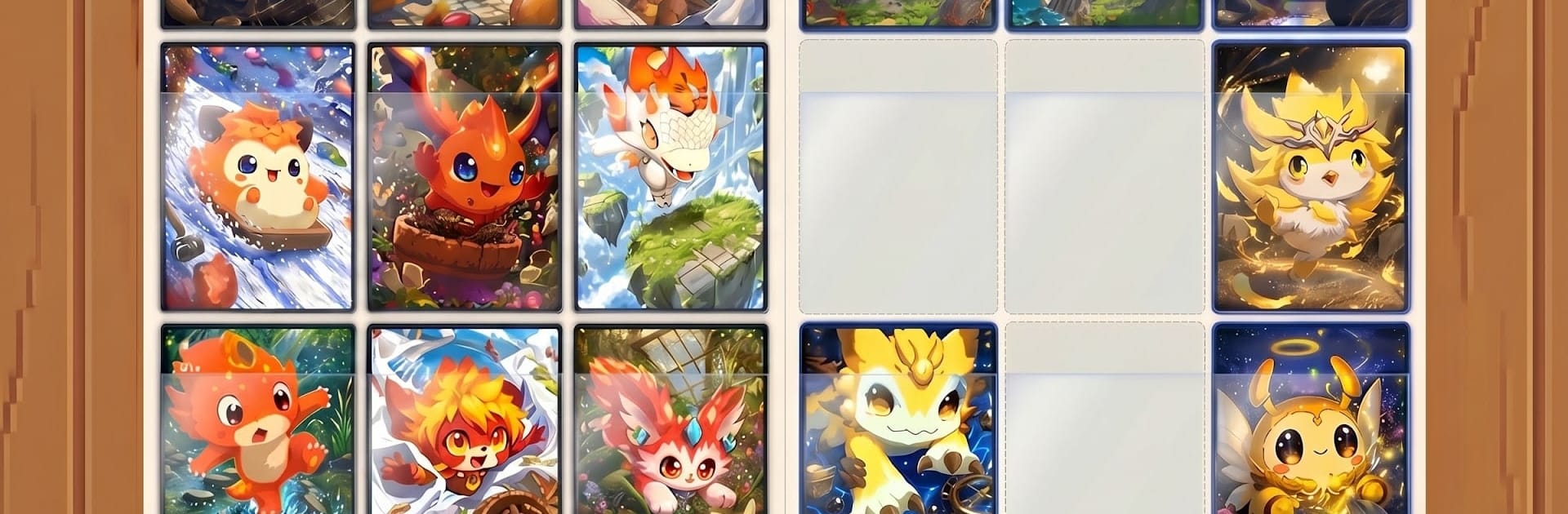
Hatchy Pocket TCG is a monster-collecting Card experience that mashes strategic deck battles with a whole stack of quick arcade games and chill puzzles. Open packs, build a team of quirky Hatchies, and jump between fast action, brain teasers, and competitive play whenever the mood strikes. Prefer playing on a bigger screen? Hatchy Pocket TCG runs smoothly on BlueStacks, so you can kick back and enjoy crisp controls while managing your collection.

Game Features

  • Pack Opening & Collection: Crack open packs to discover new Hatchies, chase rare pulls, and fill out an album that actually boosts your power as it grows.
  • Roguelike Mayhem: Hop into Hatchy Survivors for a bullet-heaven run where your character auto-fires, you level up mid-run, and a sprawling skill tree lets you experiment with wild builds.
  • Quick-Fire Arcade Hits: Try pick-up-and-play favorites like Flappy Hatchy, Hatchy Invaders, and Hatchy on Beach when you want fast, score-chasing action.
  • Brainy Puzzle Breaks: Unwind with Mahjong, Match Pop, Memory Match, Slide Puzzle, and Card Sort—relaxing ways to earn rewards while sharpening your focus.
  • Strategic Deck Battles: Build a deck from your best Hatchies, read elemental matchups, and time your plays to outthink opponents in tense showdowns.
  • Tournaments That Matter: Enter competitive brackets, refine your lineup, and climb the standings as you learn the meta and counter popular strategies.
  • Player Trading & Market: Use the player-to-player market to trade, hunt down missing pieces, and finish those hard-to-complete sets.
  • Progress That Feels Good: Play mini-games, clear puzzles, and win matches to climb the map, unlock goodies, and keep your collection momentum going.

Ready to top the leaderboard? We bet you do. Let precise controls and sharp visuals optimized on BlueStacks lead you to victory.


Game Features

Enhancements

  • Macros
  • Multi Instance
  • Multi Instance Sync
  • Script
  • Enhancements
Macros

Macros

Automate the predictable in Hatchy Pocket TCG and transform your gameplay with Macros. Get access to inventive Macros in the BlueStacks Macro Community
Multi Instance

Multi Instance

Play Hatchy Pocket TCG on one window. And chat with your friend on the other. Press CTRL + Shift + 8 to open the Multi-Instance Manager. And start creating fresh instances or clone an existing one.
Multi Instance Sync

Multi Instance Sync

Play Hatchy Pocket TCG with the power of Multi-Instance Sync. Replicate what you are doing on the main instance on all other instances. Level up faster, play more.
Script

Script

Script your way to gaming glory in Hatchy Pocket TCG with BlueStacks Script. Write and run a set of commands to automate repeated tasks. Trigger the command by assigning it to any key.
Read More

How to Download and Play Hatchy Pocket TCG on PC or Mac

  • Download and install BlueStacks on your PC or Mac

  • Complete Google sign-in to access the Play Store, or do it later

  • Look for Hatchy Pocket TCG in the search bar at the top right corner

  • Click to install Hatchy Pocket TCG from the search results

  • Complete Google sign-in (if you skipped step 2) to install Hatchy Pocket TCG

  • Click the Hatchy Pocket TCG icon on the home screen to start playing

video
Watch Video

Minimum System Requirements

With BlueStacks 5, you can get started on a PC that fulfills the following requirements.

  • Operating System

    Microsoft Windows 7 or above, macOS 11 (Big Sur) or above

  • Processor

    Intel, AMD or Apple Silicon Processor

  • RAM

    at least 4GB

  • HDD

    10GB Free Disk Space

Note:

* You must be an Administrator on your PC. Up to date graphics drivers from Microsoft or the chipset vendor.

Hatchy Pocket TCG - FAQs

  • How to play Hatchy Pocket TCG on Windows PC & Mac?

    Play Hatchy Pocket TCG on your PC or Mac by following these simple steps.

    • Click on 'Play Hatchy Pocket TCG on PC’ to download BlueStacks
    • Install it and log-in to Google Play Store
    • Launch and play the game.
  • Why is BlueStacks the fastest and safest platform to play games on PC?

    BlueStacks respects your privacy and is always safe and secure to use. It does not carry any malware, spyware, or any sort of additional software that could harm your PC.

    It is engineered to optimize speed and performance for a seamless gaming experience.

  • What are Hatchy Pocket TCG PC requirements?

    Minimum requirement to run Hatchy Pocket TCG on your PC

    • OS: Microsoft Windows 7 or above MacOS 11 (Big Sur) or above
    • Processor: Intel, AMD or Apple Silicon Processor
    • RAM: Your PC must have at least 4GB of RAM. (Note that having 4GB or more disk space is not a substitute for RAM)
    • HDD: 10GB Free Disk Space.
    • You must be an Administrator on your PC.