OhNo! - أونو
OhNo! - أونو

OhNo! - أونو

Card

| Patates Games

Play on PC with BlueStacks or from our cloud

  • Overview
  • Game Features
  • How to Play

Page Modified On: August 13, 2025

Play OhNo! - أونو on PC or Mac

From the innovators and creators at Patates Games, OhNo! – أونو is another fun addition to the World of Card games. Go beyond your mobile screen and play it bigger and better on your PC or Mac. An immersive experience awaits you.

About the Game

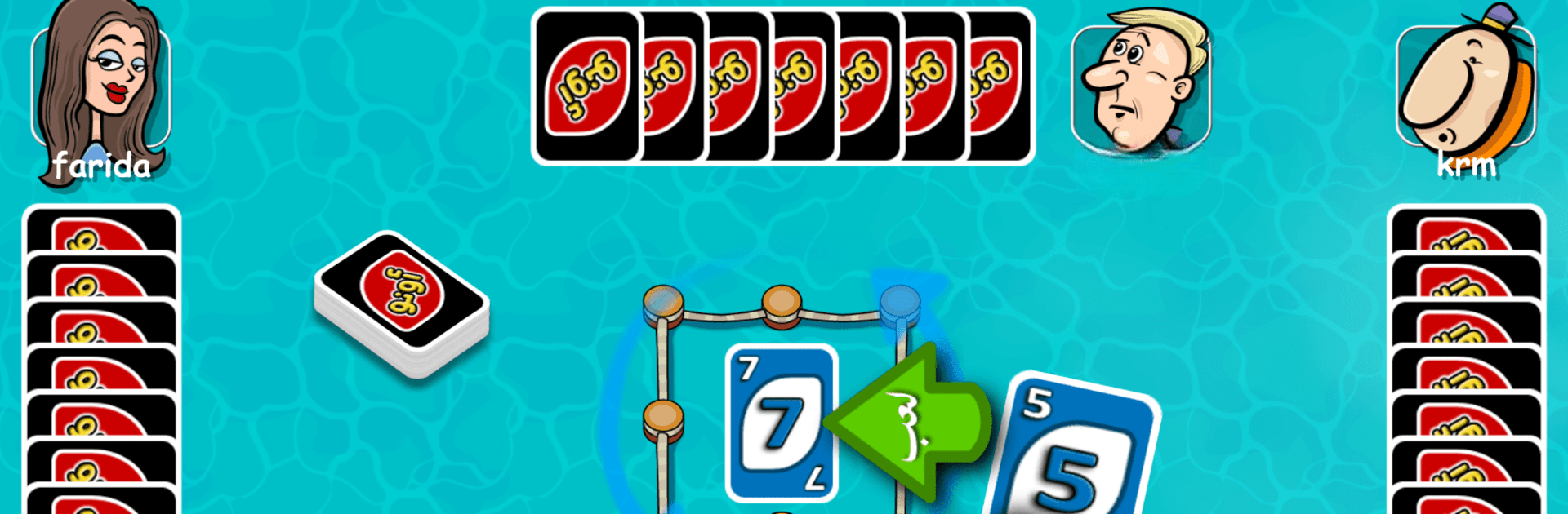
Ready for a classic card game with a twist? OhNo! – أونو from Patates Games puts a playful spin on the well-loved UNO formula, this time right in the heart of Arabic gameplay vibes. Whether you’re facing off with friends or squaring up against lively online players, you’ll jump into quick matches full of laughs, rivalry, and the thrill of snatching up coins after a sweet victory.

Game Features

  • Authentic Arabic UNO Style
    Experience the familiar fun of UNO, now with playful, cartoon visuals and menus in both Arabic and English. Game rooms feel right at home, reflecting a variety of Arabic settings from Egypt to the Gulf.

  • Casual Yet Competitive
    Think you’ve mastered the rules? Prove it against real opponents. Win matches, rake in coins, and climb your way up as you challenge skilled players from all over.

  • Gifts and Surprises
    Want to keep things friendly (or just show off)? Send gifts to your opponents or friends during matches, and see what fun surprises you get in return.

  • Play Your Way
    The setup is super flexible—pick between traditional and new rule variations, jump into quick or tough games, and scale the difficulty as it suits you.

  • Colorful, Goofy Animation
    Each card is bursting with high-quality, cartoon-style art and quirky sound effects. It’s a lively, spirited look that keeps every round fun and lighthearted.

  • Collect, Unlock, Explore
    Gather coins, gems, jokers, and cups during play. With each joker you earn, you’ll unlock new tables and backgrounds, keeping things fresh.

  • Online and Offline Challenges
    There’s always someone to challenge thanks to a big player base. Bored? Launch a quick match and let the games begin—wherever you are.

  • Simple, Strategic Fun
    Rules are easy to pick up, but if you’re in it to win, you’ll want to plan ahead, watch your moves, and sometimes take a wild risk.

  • Works Smoothly on BlueStacks
    Prefer playing card games on a bigger screen? OhNo! – أونو runs great on BlueStacks, so you can enjoy matches on PC without missing a beat.

Slay your opponents with your epic moves. Play it your way on BlueStacks and dominate the battlefield.


Game Features

Enhancements

  • Macros
  • Multi Instance
  • Multi Instance Sync
  • Script
  • Enhancements
Macros

Macros

Automate the predictable in OhNo! - أونو and transform your gameplay with Macros. Get access to inventive Macros in the BlueStacks Macro Community
Multi Instance

Multi Instance

Play OhNo! - أونو on one window. And chat with your friend on the other. Press CTRL + Shift + 8 to open the Multi-Instance Manager. And start creating fresh instances or clone an existing one.
Multi Instance Sync

Multi Instance Sync

Play OhNo! - أونو with the power of Multi-Instance Sync. Replicate what you are doing on the main instance on all other instances. Level up faster, play more.
Script

Script

Script your way to gaming glory in OhNo! - أونو with BlueStacks Script. Write and run a set of commands to automate repeated tasks. Trigger the command by assigning it to any key.
Read More

How to Download and Play OhNo! - أونو on PC or Mac

  • Download and install BlueStacks on your PC or Mac

  • Complete Google sign-in to access the Play Store, or do it later

  • Look for OhNo! - أونو in the search bar at the top right corner

  • Click to install OhNo! - أونو from the search results

  • Complete Google sign-in (if you skipped step 2) to install OhNo! - أونو

  • Click the OhNo! - أونو icon on the home screen to start playing

video
Watch Video

Minimum System Requirements

With BlueStacks 5, you can get started on a PC that fulfills the following requirements.

  • Operating System

    Microsoft Windows 7 or above, macOS 11 (Big Sur) or above

  • Processor

    Intel, AMD or Apple Silicon Processor

  • RAM

    at least 4GB

  • HDD

    10GB Free Disk Space

Note:

* You must be an Administrator on your PC. Up to date graphics drivers from Microsoft or the chipset vendor.

OhNo! - أونو - FAQs

  • How to play OhNo! - أونو on Windows PC & Mac?

    Play OhNo! - أونو on your PC or Mac by following these simple steps.

    • Click on 'Play OhNo! - أونو on PC’ to download BlueStacks
    • Install it and log-in to Google Play Store
    • Launch and play the game.
  • Why is BlueStacks the fastest and safest platform to play games on PC?

    BlueStacks respects your privacy and is always safe and secure to use. It does not carry any malware, spyware, or any sort of additional software that could harm your PC.

    It is engineered to optimize speed and performance for a seamless gaming experience.

  • What are OhNo! - أونو PC requirements?

    Minimum requirement to run OhNo! - أونو on your PC

    • OS: Microsoft Windows 7 or above MacOS 11 (Big Sur) or above
    • Processor: Intel, AMD or Apple Silicon Processor
    • RAM: Your PC must have at least 4GB of RAM. (Note that having 4GB or more disk space is not a substitute for RAM)
    • HDD: 10GB Free Disk Space.
    • You must be an Administrator on your PC.