Onsen and Girls
Onsen and Girls

Onsen and Girls

Card

| Fantasy Future

Play on PC with BlueStacks or from our cloud

  • Overview
  • Game Features
  • How to Play

Page Modified On: May 25, 2026

Play Onsen and Girls on PC or Mac

Onsen and Girls brings the Card genre to life, and throws up exciting challenges for gamers. Developed by Fantasy Future, this Android game is best experienced on BlueStacks, the World’s #1 app player for PC and Mac users.

About the Game

Onsen and Girls is a Card game that blends cozy resort management, character bonding, and a splash of supernatural mystery. You’ve inherited a fading hot spring perched on a powerful leyline, where every bath can charge up your team and nudge the story forward. Play on your phone or enjoy it on a bigger screen with BlueStacks.

Game Features

  • Restore the resort: Rebuild baths, lounges, and gardens, then upgrade them from rustic pools to luxe sanctuaries that raise your prestige and unlock new perks.
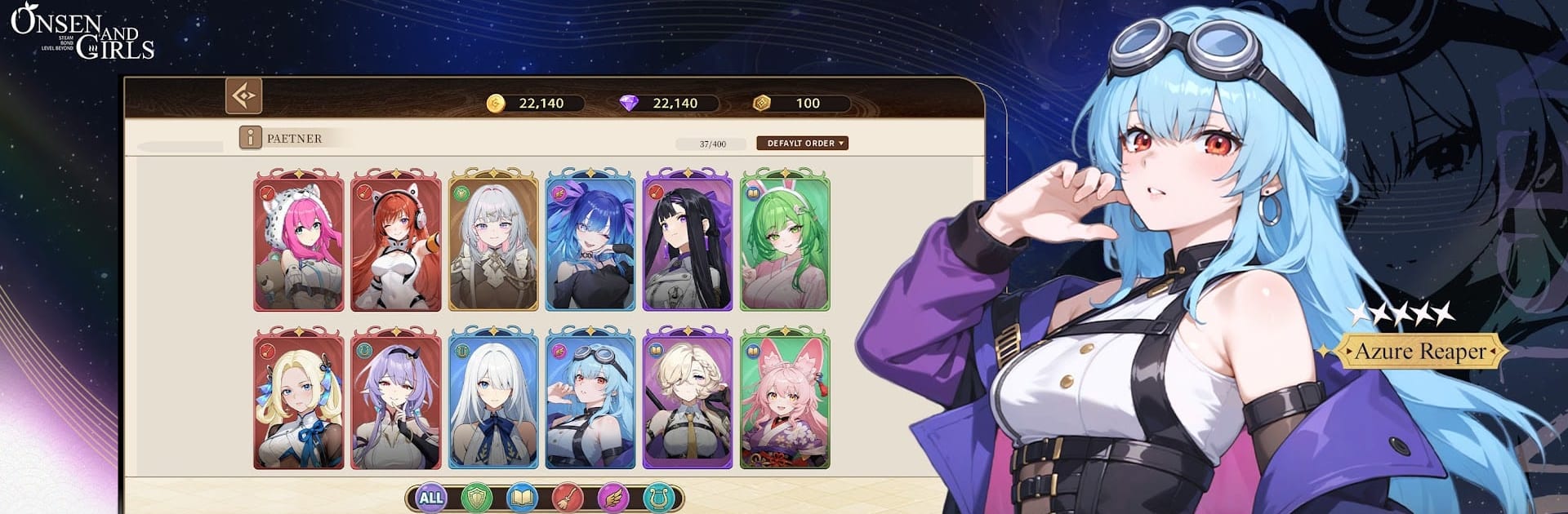
  • Recruit and connect: Assemble a colorful staff—think a sly Kitsune Priestess, a no-nonsense Sukeban, a calm Mage, even a mysterious Vampire Nurse—and get to know them through chats and interactions that grow trust.
  • Story scenes with a pulse: Earn voiced episodes and personal moments as bonds deepen, revealing motives, secrets, and why so many are drawn to your springs.
  • Resonant power-ups: Soaking together isn’t just for relaxation—it amplifies your team’s abilities, unlocking signature moves and stronger synergies in battle.
  • Card-driven combat: Collect and enhance character cards, build balanced squads, and play to each girl’s strengths to handle spirits and rivals attracted by the leyline’s energy.
  • Expressive 2D animation: Smooth, Live2D-style motion brings flowing kimonos, drifting steam, and playful expressions to life.
  • Smart staffing: Assign attendants to the right facilities to boost income, guest happiness, and the flow of magical energy across the resort.
  • Progress while you chill: The springs keep working when you’re away, gathering resources for upgrades, with quick-boost options that let you strengthen your roster without heavy grinding.

BlueStacks gives you more room to focus on the game and less time adjusting around mobile limitations.


Game Features

Enhancements

  • Macros
  • Multi Instance
  • Multi Instance Sync
  • Script
  • Enhancements
Macros

Macros

Automate the predictable in Onsen and Girls and transform your gameplay with Macros. Get access to inventive Macros in the BlueStacks Macro Community
Multi Instance

Multi Instance

Play Onsen and Girls on one window. And chat with your friend on the other. Press CTRL + Shift + 8 to open the Multi-Instance Manager. And start creating fresh instances or clone an existing one.
Multi Instance Sync

Multi Instance Sync

Play Onsen and Girls with the power of Multi-Instance Sync. Replicate what you are doing on the main instance on all other instances. Level up faster, play more.
Script

Script

Script your way to gaming glory in Onsen and Girls with BlueStacks Script. Write and run a set of commands to automate repeated tasks. Trigger the command by assigning it to any key.
Read More

How to Download and Play Onsen and Girls on PC or Mac

  • Download and install BlueStacks on your PC or Mac

  • Complete Google sign-in to access the Play Store, or do it later

  • Look for Onsen and Girls in the search bar at the top right corner

  • Click to install Onsen and Girls from the search results

  • Complete Google sign-in (if you skipped step 2) to install Onsen and Girls

  • Click the Onsen and Girls icon on the home screen to start playing

video
Watch Video

Minimum System Requirements

With BlueStacks 5, you can get started on a PC that fulfills the following requirements.

  • Operating System

    Microsoft Windows 7 or above, macOS 11 (Big Sur) or above

  • Processor

    Intel, AMD or Apple Silicon Processor

  • RAM

    at least 4GB

  • HDD

    10GB Free Disk Space

Note:

* You must be an Administrator on your PC. Up to date graphics drivers from Microsoft or the chipset vendor.

Onsen and Girls - FAQs

  • How to play Onsen and Girls on Windows PC & Mac?

    Play Onsen and Girls on your PC or Mac by following these simple steps.

    • Click on 'Play Onsen and Girls on PC’ to download BlueStacks
    • Install it and log-in to Google Play Store
    • Launch and play the game.
  • Why is BlueStacks the fastest and safest platform to play games on PC?

    BlueStacks respects your privacy and is always safe and secure to use. It does not carry any malware, spyware, or any sort of additional software that could harm your PC.

    It is engineered to optimize speed and performance for a seamless gaming experience.

  • What are Onsen and Girls PC requirements?

    Minimum requirement to run Onsen and Girls on your PC

    • OS: Microsoft Windows 7 or above MacOS 11 (Big Sur) or above
    • Processor: Intel, AMD or Apple Silicon Processor
    • RAM: Your PC must have at least 4GB of RAM. (Note that having 4GB or more disk space is not a substitute for RAM)
    • HDD: 10GB Free Disk Space.
    • You must be an Administrator on your PC.