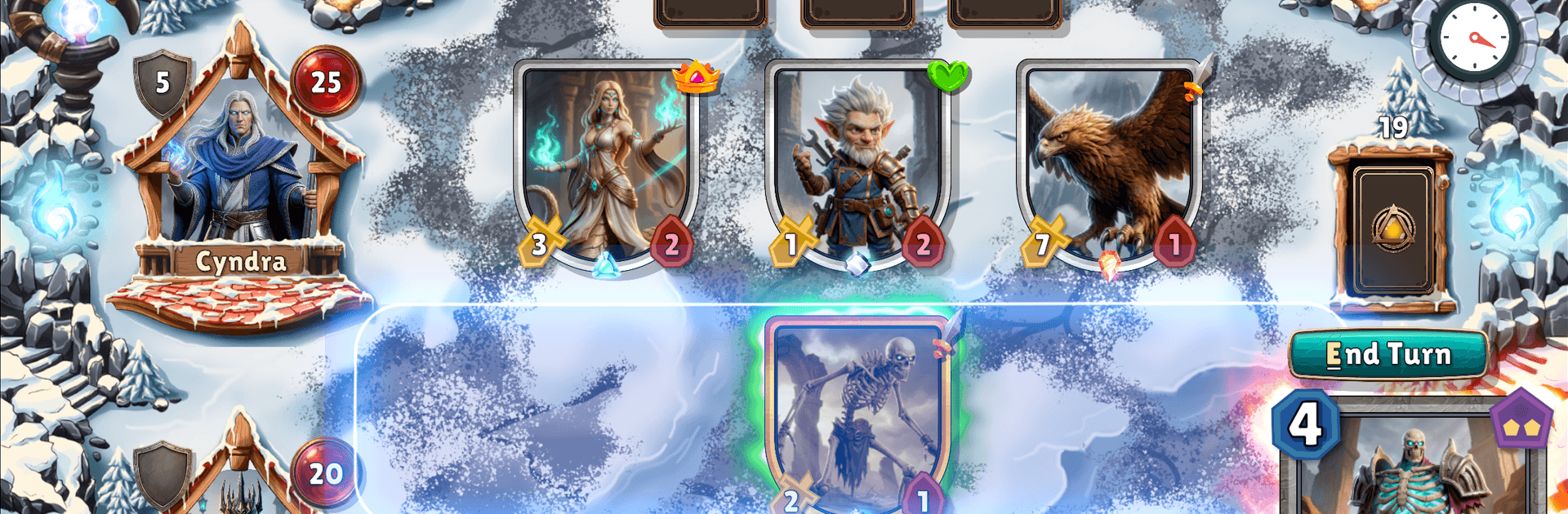
Spellsteel: Card Battle CCG

Spellsteel: Card Battle CCG

Card

| Digital Dash

Play on PC with BlueStacks or from our cloud

  • Overview
  • Game Features
  • How to Play

Page Modified On: September 25, 2026

Play Spellsteel: Card Battle CCG on PC or Mac

Bring your A-game to Spellsteel: Card Battle CCG, the Card game sensation from Digital Dash. Give your gameplay the much-needed boost with precise game controls, high FPS graphics, and top-tier features on your PC or Mac with BlueStacks.

About the Game

Spellsteel: Card Battle CCG throws you into sharp, tactical skirmishes where every play can swing the match. It’s a Card title built around clever deckbuilding, quick turns, and reading your rival’s next move in a gritty fantasy arena lit by steel and flame. Want it on a bigger screen? It runs smoothly on BlueStacks too.

Game Features

  • Fast, thinky battles: Turns are quick, decisions aren’t—manage your mana, pace your plays, and steal momentum at just the right moment.
  • Build your strategy: Craft a personalized deck with minions, spells, and tricks that support rush, control, or crafty combo game plans.
  • Six rival factions: Explore distinct identities and mechanics, then mix favorites to find surprising synergies that fit your style.
  • Head-to-head competition: Jump into real-time matchmaking for tense duels and climb a ranked ladder that rewards smart, consistent play.
  • Evolving meta: Unlock new options, counter popular strategies, and keep refining your list as the landscape shifts.
  • Every card matters: Weigh tempo against value, spend resources carefully, and squeeze extra mileage out of your hand with tight sequencing.
  • High-fantasy atmosphere: Battle across Kharadum’s torch-lit arenas and enjoy bold, characterful art that gives each unit and spell real personality.
  • Easy to learn, deep to master: Helpful onboarding gets you rolling fast, while the depth keeps veterans theorycrafting and testing for hours.

Get ready for a buttery smooth, high-performance gaming action only on BlueStacks.

Game Features

Enhancements

  • Macros
  • Multi Instance
  • Multi Instance Sync
  • Script
  • Enhancements
Macros

Macros

Automate the predictable in Spellsteel: Card Battle CCG and transform your gameplay with Macros. Get access to inventive Macros in the BlueStacks Macro Community
Multi Instance

Multi Instance

Play Spellsteel: Card Battle CCG on one window. And chat with your friend on the other. Press CTRL + Shift + 8 to open the Multi-Instance Manager. And start creating fresh instances or clone an existing one.
Multi Instance Sync

Multi Instance Sync

Play Spellsteel: Card Battle CCG with the power of Multi-Instance Sync. Replicate what you are doing on the main instance on all other instances. Level up faster, play more.
Script

Script

Script your way to gaming glory in Spellsteel: Card Battle CCG with BlueStacks Script. Write and run a set of commands to automate repeated tasks. Trigger the command by assigning it to any key.
Read More

How to Download and Play Spellsteel: Card Battle CCG on PC or Mac

  • Download and install BlueStacks on your PC or Mac

  • Complete Google sign-in to access the Play Store, or do it later

  • Look for Spellsteel: Card Battle CCG in the search bar at the top right corner

  • Click to install Spellsteel: Card Battle CCG from the search results

  • Complete Google sign-in (if you skipped step 2) to install Spellsteel: Card Battle CCG

  • Click the Spellsteel: Card Battle CCG icon on the home screen to start playing

video
Watch Video

Minimum System Requirements

With BlueStacks 5, you can get started on a PC that fulfills the following requirements.

  • Operating System

    Microsoft Windows 7 or above, macOS 11 (Big Sur) or above

  • Processor

    Intel, AMD or Apple Silicon Processor

  • RAM

    at least 4GB

  • HDD

    10GB Free Disk Space

Note:

* You must be an Administrator on your PC. Up to date graphics drivers from Microsoft or the chipset vendor.

Spellsteel: Card Battle CCG - FAQs

  • How to play Spellsteel: Card Battle CCG on Windows PC & Mac?

    Play Spellsteel: Card Battle CCG on your PC or Mac by following these simple steps.

    • Click on 'Play Spellsteel: Card Battle CCG on PC’ to download BlueStacks
    • Install it and log-in to Google Play Store
    • Launch and play the game.
  • Why is BlueStacks the fastest and safest platform to play games on PC?

    BlueStacks respects your privacy and is always safe and secure to use. It does not carry any malware, spyware, or any sort of additional software that could harm your PC.

    It is engineered to optimize speed and performance for a seamless gaming experience.

  • What are Spellsteel: Card Battle CCG PC requirements?

    Minimum requirement to run Spellsteel: Card Battle CCG on your PC

    • OS: Microsoft Windows 7 or above MacOS 11 (Big Sur) or above
    • Processor: Intel, AMD or Apple Silicon Processor
    • RAM: Your PC must have at least 4GB of RAM. (Note that having 4GB or more disk space is not a substitute for RAM)
    • HDD: 10GB Free Disk Space.
    • You must be an Administrator on your PC.