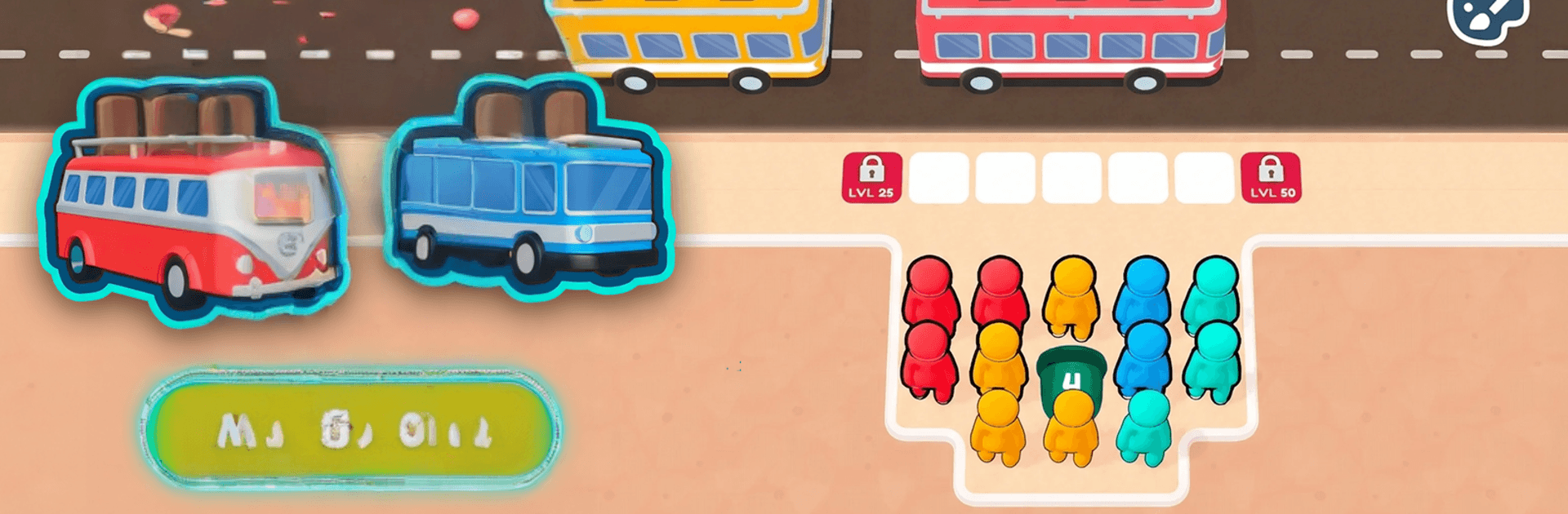
Bus Jam: Traffic Trouble

Bus Jam: Traffic Trouble

Casual

| Gimica GmbH

Play on PC with BlueStacks or from our cloud

  • Overview
  • Game Features
  • How to Play

Page Modified On: September 11, 2026

Play Bus Jam: Traffic Trouble on PC or Mac

Bus Jam: Traffic Trouble by Gimica GmbH has plenty to keep you busy. BlueStacks lets you play it on PC or Mac with more screen space, better control, and fewer mobile limits.

About the Game

Bus Jam: Traffic Trouble turns a jam-packed bus stop into a bite-size brain workout. This Casual puzzler has you shuffling passengers, matching them to buses by color, and clearing lanes before the curb locks up—easy to learn, surprisingly tricky to master. If you like a wider view while you think things through, it runs smoothly on PC with BlueStacks.

Game Features

  • Tap-and-sort gameplay: Send riders toward the boarding zone, slip them into the right queue, and keep paths open as the crowd swells.
  • Color-matching buses: Pair each passenger with the bus of the same color, fill it up, and dispatch it to make breathing room for the next wave.
  • Crowding logic puzzles: Plan a few steps ahead so people don’t block one another, dodge dead ends, and prevent those dreaded bottlenecks.
  • Hidden twists: Uncover tucked-away passengers and surprise mechanics that reshuffle your approach mid-level.
  • Loads of handcrafted stages: Work through a big slate of puzzles that steadily add new obstacles and clever wrinkles.
  • Helpful boosts: Pop a power-up when the stop gets jammed to clear space, reroute lines, or salvage a near-miss.
  • Themes and makeovers: Unlock fresh bus stop looks and colorful styles to personalize your curbside chaos.
  • Smooth, cheerful presentation: Bold colors and clean animations make every successful send-off feel extra satisfying.
  • Play at your pace: Knock out a quick puzzle on a short break or settle in for a longer session when you’ve got time.

Start playing Bus Jam: Traffic Trouble on BlueStacks and get a smoother, more comfortable PC or Mac setup.


Game Features

Enhancements

  • Macros
  • Multi Instance
  • Script
  • Repeated Tap
  • Enhancements
Macros

Macros

Automate the predictable in Bus Jam: Traffic Trouble and transform your gameplay with Macros. Get access to inventive Macros in the BlueStacks Macro Community
Multi Instance

Multi Instance

Play Bus Jam: Traffic Trouble on one window. And chat with your friend on the other. Press CTRL + Shift + 8 to open the Multi-Instance Manager. And start creating fresh instances or clone an existing one.
Script

Script

Script your way to gaming glory in Bus Jam: Traffic Trouble with BlueStacks Script. Write and run a set of commands to automate repeated tasks. Trigger the command by assigning it to any key.
Repeated Tap

Repeated Tap

BlueStacks lets you master Bus Jam: Traffic Trouble with useful features like the Repeated Tap. Now you do not have to press the same key repeatedly to initiate an action. Just assign it to one key and you are good to go.
Read More

How to Download and Play Bus Jam: Traffic Trouble on PC or Mac

  • Download and install BlueStacks on your PC or Mac

  • Complete Google sign-in to access the Play Store, or do it later

  • Look for Bus Jam: Traffic Trouble in the search bar at the top right corner

  • Click to install Bus Jam: Traffic Trouble from the search results

  • Complete Google sign-in (if you skipped step 2) to install Bus Jam: Traffic Trouble

  • Click the Bus Jam: Traffic Trouble icon on the home screen to start playing

video
Watch Video

Minimum System Requirements

With BlueStacks 5, you can get started on a PC that fulfills the following requirements.

  • Operating System

    Microsoft Windows 7 or above, macOS 11 (Big Sur) or above

  • Processor

    Intel, AMD or Apple Silicon Processor

  • RAM

    at least 4GB

  • HDD

    10GB Free Disk Space

Note:

* You must be an Administrator on your PC. Up to date graphics drivers from Microsoft or the chipset vendor.

Bus Jam: Traffic Trouble - FAQs

  • How to play Bus Jam: Traffic Trouble on Windows PC & Mac?

    Play Bus Jam: Traffic Trouble on your PC or Mac by following these simple steps.

    • Click on 'Play Bus Jam: Traffic Trouble on PC’ to download BlueStacks
    • Install it and log-in to Google Play Store
    • Launch and play the game.
  • Why is BlueStacks the fastest and safest platform to play games on PC?

    BlueStacks respects your privacy and is always safe and secure to use. It does not carry any malware, spyware, or any sort of additional software that could harm your PC.

    It is engineered to optimize speed and performance for a seamless gaming experience.

  • What are Bus Jam: Traffic Trouble PC requirements?

    Minimum requirement to run Bus Jam: Traffic Trouble on your PC

    • OS: Microsoft Windows 7 or above MacOS 11 (Big Sur) or above
    • Processor: Intel, AMD or Apple Silicon Processor
    • RAM: Your PC must have at least 4GB of RAM. (Note that having 4GB or more disk space is not a substitute for RAM)
    • HDD: 10GB Free Disk Space.
    • You must be an Administrator on your PC.