Catch & Feed 3: Haunted Swamp

Catch & Feed 3: Haunted Swamp

Casual

| Wayfu Game Studio

Play on PC with BlueStacks or from our cloud

  • Overview
  • Game Features
  • How to Play

Page Modified On: September 18, 2026

Play Catch & Feed 3: Haunted Swamp on PC or Mac

Bring your A-game to Catch & Feed 3: Haunted Swamp, the Casual game sensation from Wayfu Game Studio. Give your gameplay the much-needed boost with precise game controls, high FPS graphics, and top-tier features on your PC or Mac with BlueStacks.

About the Game

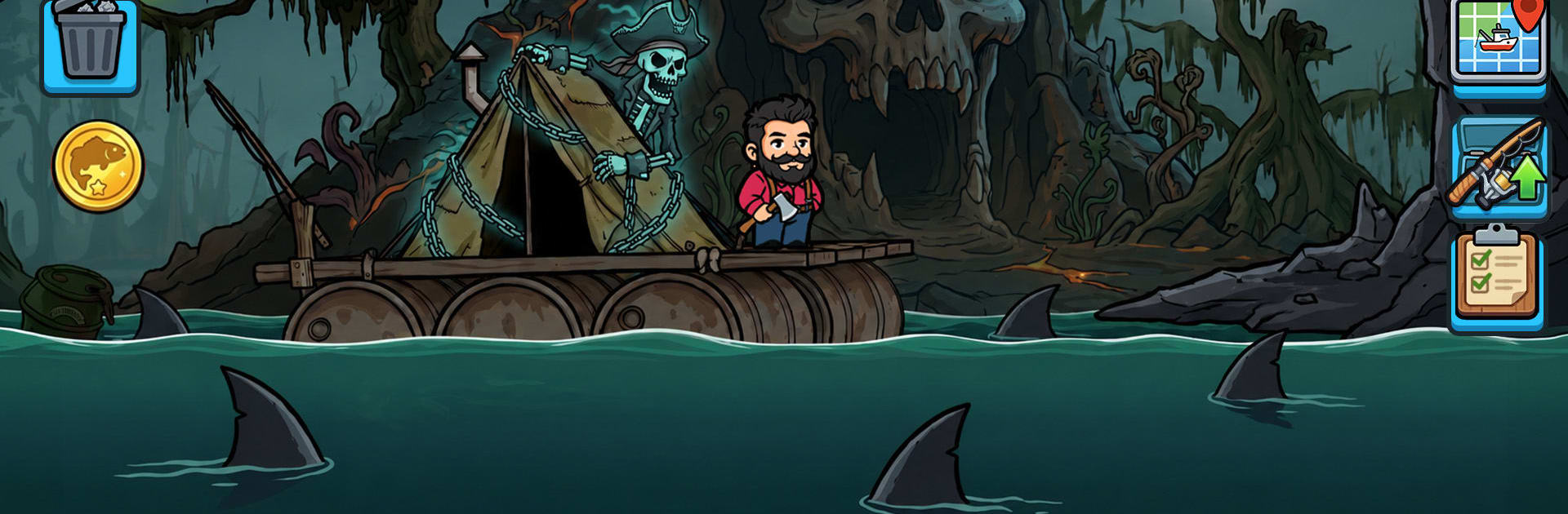
Catch & Feed 3: Haunted Swamp is a Casual fishing adventure with a spooky backbone. Stranded in a fog-soaked marsh, you team up with James and Jenny to hook strange catches, feed restless spirits, and chip away at an old curse that won’t let go. Prefer a bigger screen while you trawl the murk? It runs smoothly on PC with BlueStacks.

Game Features

  • Catch-and-feed loop: Reel in skeletal fish and wandering spirits, then feed them to unlock new routes and push deeper into the swamp.
  • Vision-guided hunting: Tap into Jenny’s eerie second sight to spot hidden schools, stash points, and artifacts masked by illusions.
  • Gear and raft upgrades: Reinforce your rod, tweak your hook, and shore up your raft to tackle rougher waters and riskier hotspots.
  • Haunted biomes: Thread through twisted cypress, sunken piers, and the broken edges of Reinf while shadows rustle just beyond the lantern glow.
  • Illusion-busting tools: Slice through thick fog and unravel swamp tricks to uncover shortcuts, rare prey, and story clues.
  • Tense survival touches: Keep an eye on light, stamina, and scarce bait while the night creeps in and the curse tightens its grip.
  • Story at the surface—and below: Piece together Julia Black’s past through catches, odd encounters, and notes that respond to what you feed.
  • Risk-versus-reward casting: Go deeper for bigger hauls and better materials, but expect weirder phenomena and nastier bites the farther you push.

Start your journey now. Download the game on BlueStacks, invite your friends, and march on a new adventure.


Game Features

Enhancements

  • Macros
  • Multi Instance
  • Script
  • Repeated Tap
  • Enhancements
Macros

Macros

Automate the predictable in Catch & Feed 3: Haunted Swamp and transform your gameplay with Macros. Get access to inventive Macros in the BlueStacks Macro Community
Multi Instance

Multi Instance

Play Catch & Feed 3: Haunted Swamp on one window. And chat with your friend on the other. Press CTRL + Shift + 8 to open the Multi-Instance Manager. And start creating fresh instances or clone an existing one.
Script

Script

Script your way to gaming glory in Catch & Feed 3: Haunted Swamp with BlueStacks Script. Write and run a set of commands to automate repeated tasks. Trigger the command by assigning it to any key.
Repeated Tap

Repeated Tap

BlueStacks lets you master Catch & Feed 3: Haunted Swamp with useful features like the Repeated Tap. Now you do not have to press the same key repeatedly to initiate an action. Just assign it to one key and you are good to go.
Read More

How to Download and Play Catch & Feed 3: Haunted Swamp on PC or Mac

  • Download and install BlueStacks on your PC or Mac

  • Complete Google sign-in to access the Play Store, or do it later

  • Look for Catch & Feed 3: Haunted Swamp in the search bar at the top right corner

  • Click to install Catch & Feed 3: Haunted Swamp from the search results

  • Complete Google sign-in (if you skipped step 2) to install Catch & Feed 3: Haunted Swamp

  • Click the Catch & Feed 3: Haunted Swamp icon on the home screen to start playing

video
Watch Video

Minimum System Requirements

With BlueStacks 5, you can get started on a PC that fulfills the following requirements.

  • Operating System

    Microsoft Windows 7 or above, macOS 11 (Big Sur) or above

  • Processor

    Intel, AMD or Apple Silicon Processor

  • RAM

    at least 4GB

  • HDD

    10GB Free Disk Space

Note:

* You must be an Administrator on your PC. Up to date graphics drivers from Microsoft or the chipset vendor.

Catch & Feed 3: Haunted Swamp - FAQs

  • How to play Catch & Feed 3: Haunted Swamp on Windows PC & Mac?

    Play Catch & Feed 3: Haunted Swamp on your PC or Mac by following these simple steps.

    • Click on 'Play Catch & Feed 3: Haunted Swamp on PC’ to download BlueStacks
    • Install it and log-in to Google Play Store
    • Launch and play the game.
  • Why is BlueStacks the fastest and safest platform to play games on PC?

    BlueStacks respects your privacy and is always safe and secure to use. It does not carry any malware, spyware, or any sort of additional software that could harm your PC.

    It is engineered to optimize speed and performance for a seamless gaming experience.

  • What are Catch & Feed 3: Haunted Swamp PC requirements?

    Minimum requirement to run Catch & Feed 3: Haunted Swamp on your PC

    • OS: Microsoft Windows 7 or above MacOS 11 (Big Sur) or above
    • Processor: Intel, AMD or Apple Silicon Processor
    • RAM: Your PC must have at least 4GB of RAM. (Note that having 4GB or more disk space is not a substitute for RAM)
    • HDD: 10GB Free Disk Space.
    • You must be an Administrator on your PC.