Climb Tower: Slide Master

Climb Tower: Slide Master

Casual

| HLD team

Play on PC with BlueStacks or from our cloud

  • Overview
  • Game Features
  • How to Play

Page Modified On: September 19, 2025

Play Climb Tower: Slide Master on PC or Mac

From the innovators and creators at HLD team, Climb Tower: Slide Master is another fun addition to the World of Casual games. Go beyond your mobile screen and play it bigger and better on your PC or Mac. An immersive experience awaits you.

About the Game

Climb Tower: Slide Master is a fast, lighthearted take on the Casual climb-and-slide craze from HLD team. You’re racing straight up towering stages, timing jumps and dodges, then blasting back down for a satisfying reward ride. It’s easy to pick up, full of quick decision-making, and surprisingly hard to put down—great on your phone or on BlueStacks if you like a bigger screen.

Game Features

  • Iconic towers: Tackle tall courses inspired by famous landmarks, each with its own rhythm, layouts, and sneaky hazards to learn.
  • One-touch parkour: Simple taps control jumps, wall hops, and tight dodges, so the focus stays on timing, momentum, and getting in the zone.
  • Reward slide: Hit crazy heights, then rocket back to the ground on a long, flashy slide that converts altitude into serious loot.
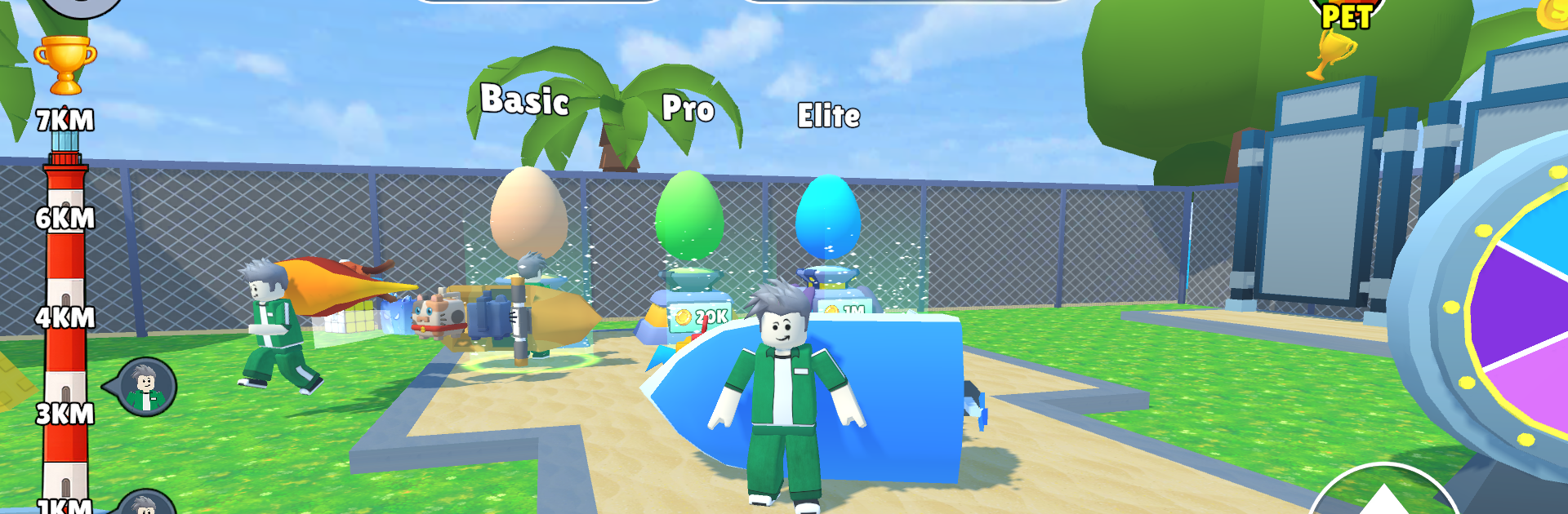
  • Pets that matter: Hatch and evolve a crew of adorable companions—from common helpers to rare legends—that boost speed, coins, and overall climb potential.
  • Wings and upgrades: Equip slick wings and stack upgrades to climb faster, recover quicker, and push for personal bests.
  • Run, earn, repeat: Use coins from each attempt to power up, then jump back in and push a little higher every run.
  • Quick sessions or marathons: Whether you’ve got a spare minute or a long break, the game scales nicely with short bursts and longer grinds.
  • Smooth progression: Clear feedback, steady unlocks, and escalating tower challenges keep the loop fresh without overcomplicating things.

Make your gaming sessions memorable with precise controls that give you an edge in close combats and visuals that pop up, bringing every character to life.


Game Features

Enhancements

  • Macros
  • Multi Instance
  • Script
  • Repeated Tap
  • Enhancements
Macros

Macros

Automate the predictable in Climb Tower: Slide Master and transform your gameplay with Macros. Get access to inventive Macros in the BlueStacks Macro Community
Multi Instance

Multi Instance

Play Climb Tower: Slide Master on one window. And chat with your friend on the other. Press CTRL + Shift + 8 to open the Multi-Instance Manager. And start creating fresh instances or clone an existing one.
Script

Script

Script your way to gaming glory in Climb Tower: Slide Master with BlueStacks Script. Write and run a set of commands to automate repeated tasks. Trigger the command by assigning it to any key.
Repeated Tap

Repeated Tap

BlueStacks lets you master Climb Tower: Slide Master with useful features like the Repeated Tap. Now you do not have to press the same key repeatedly to initiate an action. Just assign it to one key and you are good to go.
Read More

How to Download and Play Climb Tower: Slide Master on PC or Mac

  • Download and install BlueStacks on your PC or Mac

  • Complete Google sign-in to access the Play Store, or do it later

  • Look for Climb Tower: Slide Master in the search bar at the top right corner

  • Click to install Climb Tower: Slide Master from the search results

  • Complete Google sign-in (if you skipped step 2) to install Climb Tower: Slide Master

  • Click the Climb Tower: Slide Master icon on the home screen to start playing

video
Watch Video

Minimum System Requirements

With BlueStacks 5, you can get started on a PC that fulfills the following requirements.

  • Operating System

    Microsoft Windows 7 or above, macOS 11 (Big Sur) or above

  • Processor

    Intel, AMD or Apple Silicon Processor

  • RAM

    at least 4GB

  • HDD

    10GB Free Disk Space

Note:

* You must be an Administrator on your PC. Up to date graphics drivers from Microsoft or the chipset vendor.

Climb Tower: Slide Master - FAQs

  • How to play Climb Tower: Slide Master on Windows PC & Mac?

    Play Climb Tower: Slide Master on your PC or Mac by following these simple steps.

    • Click on 'Play Climb Tower: Slide Master on PC’ to download BlueStacks
    • Install it and log-in to Google Play Store
    • Launch and play the game.
  • Why is BlueStacks the fastest and safest platform to play games on PC?

    BlueStacks respects your privacy and is always safe and secure to use. It does not carry any malware, spyware, or any sort of additional software that could harm your PC.

    It is engineered to optimize speed and performance for a seamless gaming experience.

  • What are Climb Tower: Slide Master PC requirements?

    Minimum requirement to run Climb Tower: Slide Master on your PC

    • OS: Microsoft Windows 7 or above MacOS 11 (Big Sur) or above
    • Processor: Intel, AMD or Apple Silicon Processor
    • RAM: Your PC must have at least 4GB of RAM. (Note that having 4GB or more disk space is not a substitute for RAM)
    • HDD: 10GB Free Disk Space.
    • You must be an Administrator on your PC.