Count and Conquer: Hero Power

Count and Conquer: Hero Power

Casual

| HLD team

Play on PC with BlueStacks or from our cloud

  • Overview
  • Game Features
  • How to Play

Page Modified On: September 11, 2026

Play Count and Conquer: Hero Power on PC or Mac

Count and Conquer: Hero Power brings the Casual genre to life, and throws up exciting challenges for gamers. Developed by HLD team, this Android game is best experienced on BlueStacks, the World’s #1 app player for PC and Mac users.

About the Game

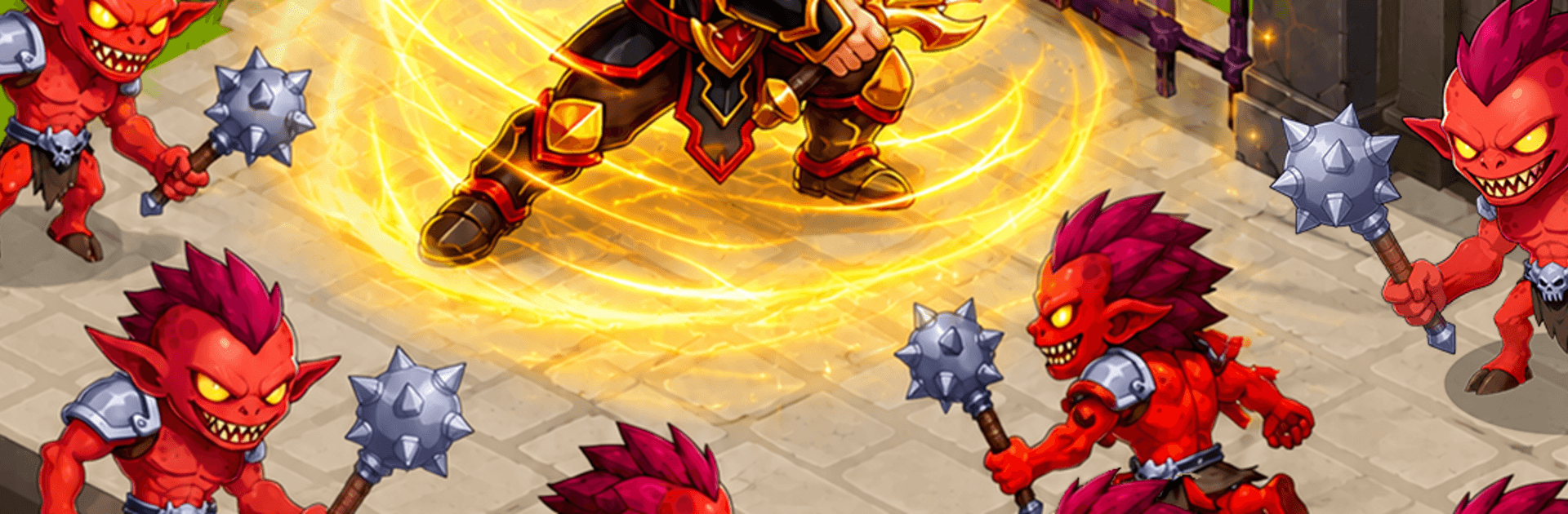
Count and Conquer: Hero Power is a Casual mashup of quick math, smart choices, and chunky battles. You’ll guide a small squad through number gates, make split-second route calls, and turn a few brave units into a banner-waving army that can take on monsters and bosses. Prefer playing on a bigger screen? It runs smoothly on BlueStacks, too.

Game Features

  • Smart Counting, Big Payoff: Slide through multiplier gates and watch a tiny troupe snowball into a force that actually scares the next wave.
  • Path Choices That Matter: Each fork has risks and rewards—pick safer boosts or gamble for massive gains before the next clash.
  • Heroes With Bite: Recruit standout champions, each with a signature trick—heals, stuns, bursts, you name it—then pair them for clever combos.
  • Battles That Pop: Smash through mobs, square up to hulking bosses, and feel the difference your last decision made the second the lines collide.
  • Meaningful Upgrades: Invest loot in troop stats, hero skills, and permanent perks that keep your momentum rolling.
  • Colorful Worlds To Conquer: March across bright, distinct stages filled with new enemy lineups and fresh curveballs.
  • Pick-Up-and-Play Controls: Simple swipes and taps keep things breezy, while the tactics underneath stay deliciously crunchy.
  • Built For Replays: Tackle bite-sized levels, chase cleaner runs, and experiment with new hero mixes until your strategy clicks.

Get ready for a buttery smooth, high-performance gaming action only on BlueStacks.

Game Features

Enhancements

  • Macros
  • Multi Instance
  • Script
  • Repeated Tap
  • Enhancements
Macros

Macros

Automate the predictable in Count and Conquer: Hero Power and transform your gameplay with Macros. Get access to inventive Macros in the BlueStacks Macro Community
Multi Instance

Multi Instance

Play Count and Conquer: Hero Power on one window. And chat with your friend on the other. Press CTRL + Shift + 8 to open the Multi-Instance Manager. And start creating fresh instances or clone an existing one.
Script

Script

Script your way to gaming glory in Count and Conquer: Hero Power with BlueStacks Script. Write and run a set of commands to automate repeated tasks. Trigger the command by assigning it to any key.
Repeated Tap

Repeated Tap

BlueStacks lets you master Count and Conquer: Hero Power with useful features like the Repeated Tap. Now you do not have to press the same key repeatedly to initiate an action. Just assign it to one key and you are good to go.
Read More

How to Download and Play Count and Conquer: Hero Power on PC or Mac

  • Download and install BlueStacks on your PC or Mac

  • Complete Google sign-in to access the Play Store, or do it later

  • Look for Count and Conquer: Hero Power in the search bar at the top right corner

  • Click to install Count and Conquer: Hero Power from the search results

  • Complete Google sign-in (if you skipped step 2) to install Count and Conquer: Hero Power

  • Click the Count and Conquer: Hero Power icon on the home screen to start playing

video
Watch Video

Minimum System Requirements

With BlueStacks 5, you can get started on a PC that fulfills the following requirements.

  • Operating System

    Microsoft Windows 7 or above, macOS 11 (Big Sur) or above

  • Processor

    Intel, AMD or Apple Silicon Processor

  • RAM

    at least 4GB

  • HDD

    10GB Free Disk Space

Note:

* You must be an Administrator on your PC. Up to date graphics drivers from Microsoft or the chipset vendor.

Count and Conquer: Hero Power - FAQs

  • How to play Count and Conquer: Hero Power on Windows PC & Mac?

    Play Count and Conquer: Hero Power on your PC or Mac by following these simple steps.

    • Click on 'Play Count and Conquer: Hero Power on PC’ to download BlueStacks
    • Install it and log-in to Google Play Store
    • Launch and play the game.
  • Why is BlueStacks the fastest and safest platform to play games on PC?

    BlueStacks respects your privacy and is always safe and secure to use. It does not carry any malware, spyware, or any sort of additional software that could harm your PC.

    It is engineered to optimize speed and performance for a seamless gaming experience.

  • What are Count and Conquer: Hero Power PC requirements?

    Minimum requirement to run Count and Conquer: Hero Power on your PC

    • OS: Microsoft Windows 7 or above MacOS 11 (Big Sur) or above
    • Processor: Intel, AMD or Apple Silicon Processor
    • RAM: Your PC must have at least 4GB of RAM. (Note that having 4GB or more disk space is not a substitute for RAM)
    • HDD: 10GB Free Disk Space.
    • You must be an Administrator on your PC.