Dream Doll House Decorating

Dream Doll House Decorating

Casual

| Promedia Studio

Play on PC with BlueStacks or from our cloud

  • Overview
  • Game Features
  • How to Play

Page Modified On: December 15, 2025

Play Dream Doll House Decorating on PC or Mac

Step into the World of Dream Doll House Decorating, a thrilling Casual game from the house of Promedia Studio. Play this Android game on BlueStacks App Player and experience immersive gaming on PC or Mac.

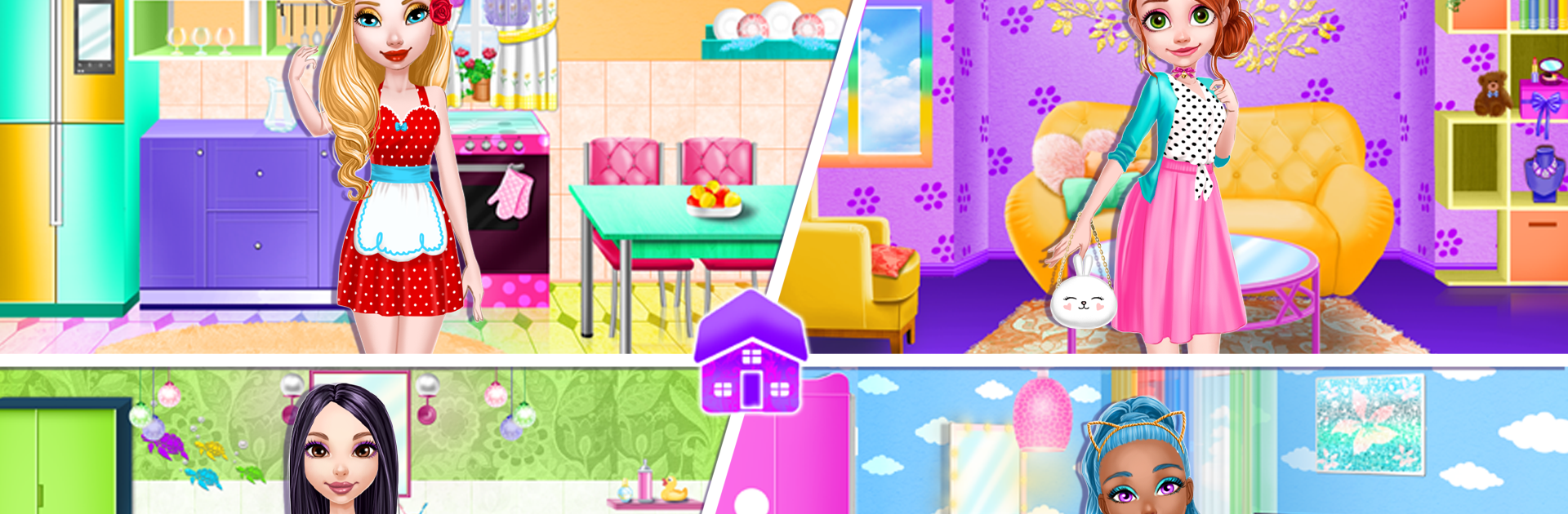
Dream Doll House Decorating feels like a calm little design sandbox where the fun is all in picking colors and placing cute stuff until a room looks just right. The flow is simple. Choose a room, paint the walls and floor, then start swapping in furniture, appliances, and tiny details until the dolls look happy. On PC with BlueStacks, dragging items with a mouse on a bigger screen makes it easier to compare styles and line things up, which suits this kind of game.

There are three houses, each with four rooms to fix up, so there is a good amount to play with without feeling lost. The kitchen begs for bright walls, shiny fridges, and a proper table with chairs. Bathrooms are all about bubble-bath energy, so soft lights and clean tiles make sense. The bedroom goes a little dreamy, with a fluffy bed, lots of pillows, a big wardrobe, and curtains that tie it together. The living room ends up being the star, since there are loads of decorations to mix and match, and that is where the personality really shows. There are over 1200 items, so it is easy to swap themes on the fly and try wild color combos or go minimalist if that suits. It runs without internet, it is free, and it feels safe for kids, though anyone who enjoys home decor puzzles without the stress will get it. The whole thing is less about rules and more about making a tiny space feel cozy, then moving to the next room for another round.

Get ready for a buttery smooth, high-performance gaming action only on BlueStacks.

Game Features

Enhancements

  • Macros
  • Multi Instance
  • Script
  • Repeated Tap
  • Enhancements
Macros

Macros

Automate the predictable in Dream Doll House Decorating and transform your gameplay with Macros. Get access to inventive Macros in the BlueStacks Macro Community
Multi Instance

Multi Instance

Play Dream Doll House Decorating on one window. And chat with your friend on the other. Press CTRL + Shift + 8 to open the Multi-Instance Manager. And start creating fresh instances or clone an existing one.
Script

Script

Script your way to gaming glory in Dream Doll House Decorating with BlueStacks Script. Write and run a set of commands to automate repeated tasks. Trigger the command by assigning it to any key.
Repeated Tap

Repeated Tap

BlueStacks lets you master Dream Doll House Decorating with useful features like the Repeated Tap. Now you do not have to press the same key repeatedly to initiate an action. Just assign it to one key and you are good to go.
Read More

How to Download and Play Dream Doll House Decorating on PC or Mac

  • Download and install BlueStacks on your PC or Mac

  • Complete Google sign-in to access the Play Store, or do it later

  • Look for Dream Doll House Decorating in the search bar at the top right corner

  • Click to install Dream Doll House Decorating from the search results

  • Complete Google sign-in (if you skipped step 2) to install Dream Doll House Decorating

  • Click the Dream Doll House Decorating icon on the home screen to start playing

video
Watch Video

Minimum System Requirements

With BlueStacks 5, you can get started on a PC that fulfills the following requirements.

  • Operating System

    Microsoft Windows 7 or above, macOS 11 (Big Sur) or above

  • Processor

    Intel, AMD or Apple Silicon Processor

  • RAM

    at least 4GB

  • HDD

    10GB Free Disk Space

Note:

* You must be an Administrator on your PC. Up to date graphics drivers from Microsoft or the chipset vendor.

Dream Doll House Decorating - FAQs

  • How to play Dream Doll House Decorating on Windows PC & Mac?

    Play Dream Doll House Decorating on your PC or Mac by following these simple steps.

    • Click on 'Play Dream Doll House Decorating on PC’ to download BlueStacks
    • Install it and log-in to Google Play Store
    • Launch and play the game.
  • Why is BlueStacks the fastest and safest platform to play games on PC?

    BlueStacks respects your privacy and is always safe and secure to use. It does not carry any malware, spyware, or any sort of additional software that could harm your PC.

    It is engineered to optimize speed and performance for a seamless gaming experience.

  • What are Dream Doll House Decorating PC requirements?

    Minimum requirement to run Dream Doll House Decorating on your PC

    • OS: Microsoft Windows 7 or above MacOS 11 (Big Sur) or above
    • Processor: Intel, AMD or Apple Silicon Processor
    • RAM: Your PC must have at least 4GB of RAM. (Note that having 4GB or more disk space is not a substitute for RAM)
    • HDD: 10GB Free Disk Space.
    • You must be an Administrator on your PC.