Find Spooky: All Hidden Morphs

Find Spooky: All Hidden Morphs

Casual

| Asyamnabil Studio

Play on PC with BlueStacks or from our cloud

  • Overview
  • Game Features
  • How to Play

Page Modified On: September 18, 2026

Play Find Spooky: All Hidden Morphs on PC or Mac

Explore a whole new adventure with Find Spooky: All Hidden Morphs, a Casual game created by Asyamnabil Studio. Experience great gameplay with BlueStacks, the most popular gaming platform to play Android games on your PC or Mac.

About the Game

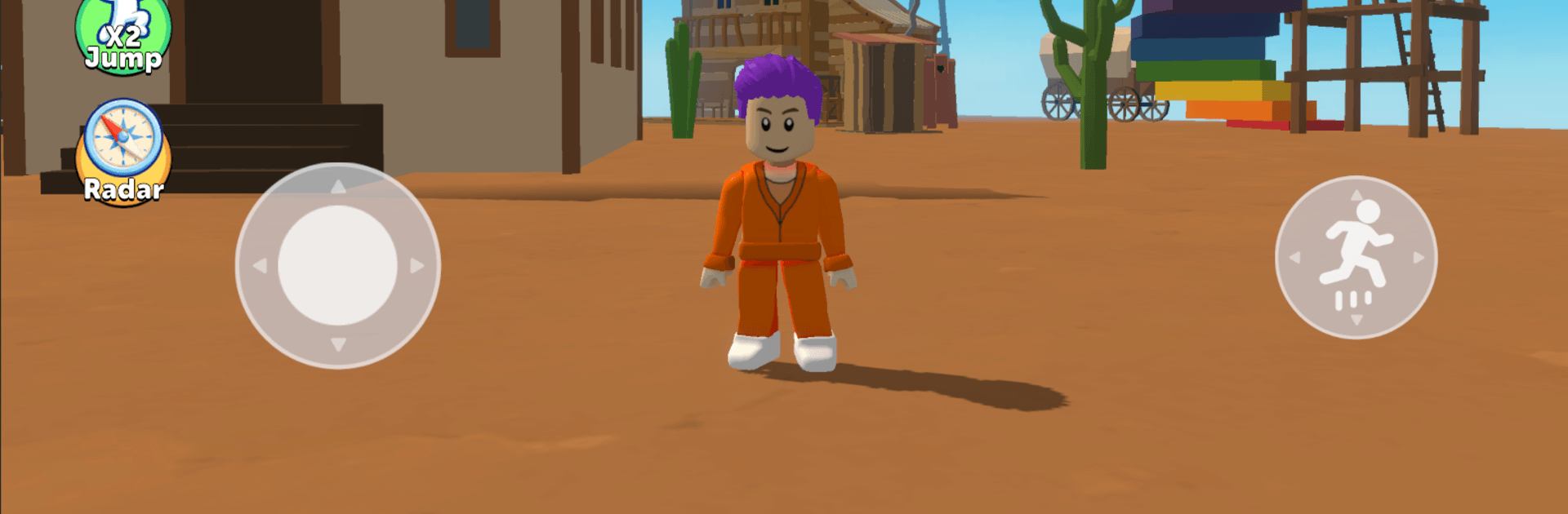
Find Spooky: All Hidden Morphs is a Casual seek-and-find sandbox all about curiosity and keen eyes. You’ll wander through bright, handcrafted spaces as you hunt for cleverly hidden characters and add every discovery to a growing gallery. Prefer a bigger view while you scan each scene? It plays smoothly on PC with BlueStacks.

Game Features

  • Four distinct maps: Roam through four themed areas, each with its own layout, mood, and hiding tricks that keep the search fresh from start to finish.
  • Seek-and-find fun: Characters blend into the world in sneaky ways—tucked behind objects, peeking from odd angles, or disguised in plain sight—so every find feels earned.
  • Unlock and collect: Each character you spot is added to your collection, turning quick sessions into a satisfying checklist you’ll want to complete.
  • Explore at your pace: No strict paths or pressure; move around freely, revisit tricky spots, and follow your hunches without a timer breathing down your neck.
  • Sandbox simplicity: There’s no complicated story to juggle—just you, the map, and a chill hunt for anything that looks a little… off.
  • Progress across all areas: Fill out your roster one map at a time, or bounce between them whenever you want a change of scenery.
  • Attention pays off: Careful observation is rewarded—watch for color quirks, odd shapes, and patterns that don’t quite match the surroundings.
  • Quick pick-up sessions: Whether you’ve got a few minutes or a longer stretch, it’s easy to hop in, track down a couple of new finds, and feel accomplished.

Start playing Find Spooky: All Hidden Morphs on BlueStacks and get a smoother, more comfortable PC or Mac setup.


Game Features

Enhancements

  • Macros
  • Multi Instance
  • Script
  • Repeated Tap
  • Enhancements
Macros

Macros

Automate the predictable in Find Spooky: All Hidden Morphs and transform your gameplay with Macros. Get access to inventive Macros in the BlueStacks Macro Community
Multi Instance

Multi Instance

Play Find Spooky: All Hidden Morphs on one window. And chat with your friend on the other. Press CTRL + Shift + 8 to open the Multi-Instance Manager. And start creating fresh instances or clone an existing one.
Script

Script

Script your way to gaming glory in Find Spooky: All Hidden Morphs with BlueStacks Script. Write and run a set of commands to automate repeated tasks. Trigger the command by assigning it to any key.
Repeated Tap

Repeated Tap

BlueStacks lets you master Find Spooky: All Hidden Morphs with useful features like the Repeated Tap. Now you do not have to press the same key repeatedly to initiate an action. Just assign it to one key and you are good to go.
Read More

How to Download and Play Find Spooky: All Hidden Morphs on PC or Mac

  • Download and install BlueStacks on your PC or Mac

  • Complete Google sign-in to access the Play Store, or do it later

  • Look for Find Spooky: All Hidden Morphs in the search bar at the top right corner

  • Click to install Find Spooky: All Hidden Morphs from the search results

  • Complete Google sign-in (if you skipped step 2) to install Find Spooky: All Hidden Morphs

  • Click the Find Spooky: All Hidden Morphs icon on the home screen to start playing

video
Watch Video

Minimum System Requirements

With BlueStacks 5, you can get started on a PC that fulfills the following requirements.

  • Operating System

    Microsoft Windows 7 or above, macOS 11 (Big Sur) or above

  • Processor

    Intel, AMD or Apple Silicon Processor

  • RAM

    at least 4GB

  • HDD

    10GB Free Disk Space

Note:

* You must be an Administrator on your PC. Up to date graphics drivers from Microsoft or the chipset vendor.

Find Spooky: All Hidden Morphs - FAQs

  • How to play Find Spooky: All Hidden Morphs on Windows PC & Mac?

    Play Find Spooky: All Hidden Morphs on your PC or Mac by following these simple steps.

    • Click on 'Play Find Spooky: All Hidden Morphs on PC’ to download BlueStacks
    • Install it and log-in to Google Play Store
    • Launch and play the game.
  • Why is BlueStacks the fastest and safest platform to play games on PC?

    BlueStacks respects your privacy and is always safe and secure to use. It does not carry any malware, spyware, or any sort of additional software that could harm your PC.

    It is engineered to optimize speed and performance for a seamless gaming experience.

  • What are Find Spooky: All Hidden Morphs PC requirements?

    Minimum requirement to run Find Spooky: All Hidden Morphs on your PC

    • OS: Microsoft Windows 7 or above MacOS 11 (Big Sur) or above
    • Processor: Intel, AMD or Apple Silicon Processor
    • RAM: Your PC must have at least 4GB of RAM. (Note that having 4GB or more disk space is not a substitute for RAM)
    • HDD: 10GB Free Disk Space.
    • You must be an Administrator on your PC.