Fishing Go!
Fishing Go!

Fishing Go!

Casual

| Cloud Joy Games

Play on PC with BlueStacks or from our cloud

  • Overview
  • Game Features
  • How to Play

Page Modified On: August 20, 2026

Play Fishing Go! on PC or Mac

Fishing Go! by Cloud Joy Games has plenty to keep you busy. BlueStacks lets you play it on PC or Mac with more screen space, better control, and fewer mobile limits.

About the Game

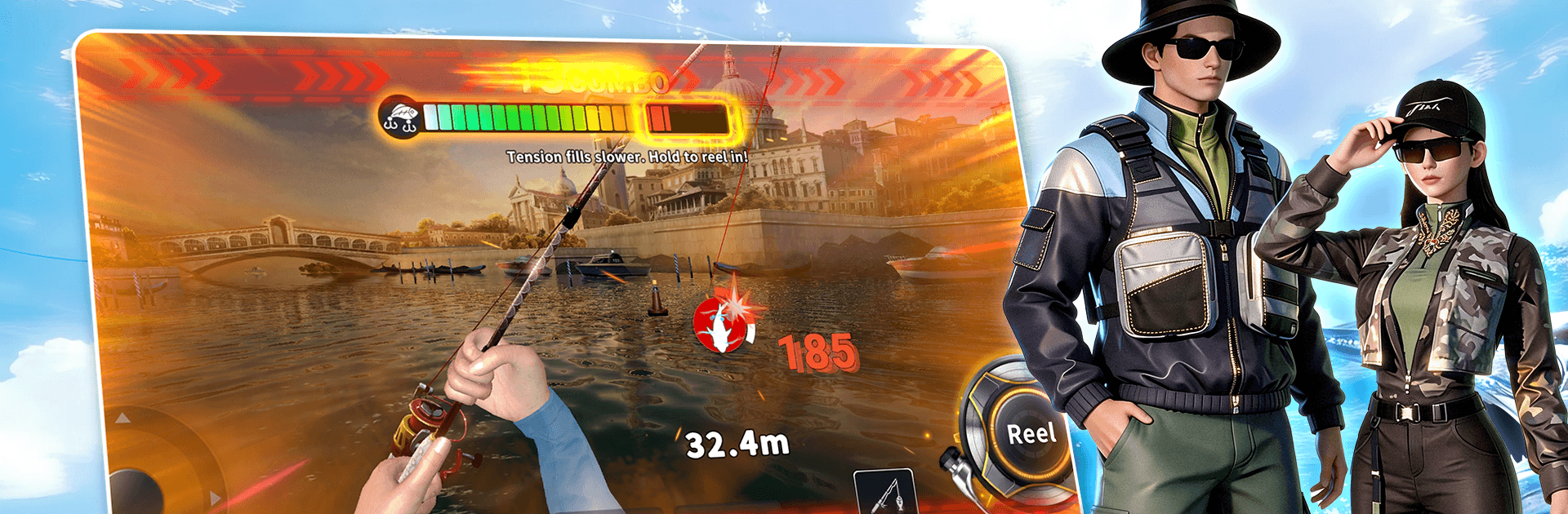
Fishing Go! is a Casual fishing game that puts you in thrilling standoffs with creatures of the deep, then lets you chill while growing a collection that’s strangely satisfying to complete. It’s easy to pick up, surprisingly tactical when a monster bites, and packed with places to cast your line. Prefer a bigger screen and comfy controls? It plays smoothly on BlueStacks, too.

Game Features

  • Heart-Pounding Hookups: When a heavyweight bites, it’s all about timing and control—manage the run, keep the tension right, and outlast the beast to land that brag-worthy catch.
  • Realistic Line Physics: Feel the tug and pull with believable drag, feedback, and line tension that make each fight tense, risky, and super rewarding when the net comes out.
  • World-Famous Waters: Travel from bright tropical seas to iconic coastal cities, each with its own vibe, scenery, and fish behavior that keeps every trip fresh.
  • 300+ Species to Discover: Fill out a sprawling collection of real fish, from everyday favorites to rare legends, complete with profiles that turn your logbook into a mini marine museum.
  • Build Your Dream Rig: Tune your setup with smarter lures, sleeker yachts, stylish outfits, titles, and handy boosters—mix and match until it fits the way you like to fish.
  • Competitive Fishing, Live: Jump into tournaments, climb global leaderboards, or face anglers 1v1 in real time to see whose strategy truly holds under pressure.
  • Quick to Learn, Fast to Play: Simple controls and brisk battles make it easy to sneak in a round or two, or settle in for a longer session when you’ve got the time.

Start playing Fishing Go! on BlueStacks and get a smoother, more comfortable PC or Mac setup.

Game Features

Enhancements

  • Macros
  • Multi Instance
  • Script
  • Repeated Tap
  • Enhancements
Macros

Macros

Automate the predictable in Fishing Go! and transform your gameplay with Macros. Get access to inventive Macros in the BlueStacks Macro Community
Multi Instance

Multi Instance

Play Fishing Go! on one window. And chat with your friend on the other. Press CTRL + Shift + 8 to open the Multi-Instance Manager. And start creating fresh instances or clone an existing one.
Script

Script

Script your way to gaming glory in Fishing Go! with BlueStacks Script. Write and run a set of commands to automate repeated tasks. Trigger the command by assigning it to any key.
Repeated Tap

Repeated Tap

BlueStacks lets you master Fishing Go! with useful features like the Repeated Tap. Now you do not have to press the same key repeatedly to initiate an action. Just assign it to one key and you are good to go.
Read More

How to Download and Play Fishing Go! on PC or Mac

  • Download and install BlueStacks on your PC or Mac

  • Complete Google sign-in to access the Play Store, or do it later

  • Look for Fishing Go! in the search bar at the top right corner

  • Click to install Fishing Go! from the search results

  • Complete Google sign-in (if you skipped step 2) to install Fishing Go!

  • Click the Fishing Go! icon on the home screen to start playing

video
Watch Video

Minimum System Requirements

With BlueStacks 5, you can get started on a PC that fulfills the following requirements.

  • Operating System

    Microsoft Windows 7 or above, macOS 11 (Big Sur) or above

  • Processor

    Intel, AMD or Apple Silicon Processor

  • RAM

    at least 4GB

  • HDD

    10GB Free Disk Space

Note:

* You must be an Administrator on your PC. Up to date graphics drivers from Microsoft or the chipset vendor.

Fishing Go! - FAQs

  • How to play Fishing Go! on Windows PC & Mac?

    Play Fishing Go! on your PC or Mac by following these simple steps.

    • Click on 'Play Fishing Go! on PC’ to download BlueStacks
    • Install it and log-in to Google Play Store
    • Launch and play the game.
  • Why is BlueStacks the fastest and safest platform to play games on PC?

    BlueStacks respects your privacy and is always safe and secure to use. It does not carry any malware, spyware, or any sort of additional software that could harm your PC.

    It is engineered to optimize speed and performance for a seamless gaming experience.

  • What are Fishing Go! PC requirements?

    Minimum requirement to run Fishing Go! on your PC

    • OS: Microsoft Windows 7 or above MacOS 11 (Big Sur) or above
    • Processor: Intel, AMD or Apple Silicon Processor
    • RAM: Your PC must have at least 4GB of RAM. (Note that having 4GB or more disk space is not a substitute for RAM)
    • HDD: 10GB Free Disk Space.
    • You must be an Administrator on your PC.