العاب بنات مكياج
العاب بنات مكياج

العاب بنات مكياج

Casual

| fASHION SPA GAMES GIRLS

Play on PC with BlueStacks or from our cloud

  • Overview
  • Game Features
  • How to Play

Page Modified On: September 05, 2025

Play العاب بنات مكياج on PC or Mac

العاب بنات مكياج brings the Casual genre to life, and throws up exciting challenges for gamers. Developed by fASHION SPA GAMES GIRLS, this Android game is best experienced on BlueStacks, the World’s #1 app player for PC and Mac users.

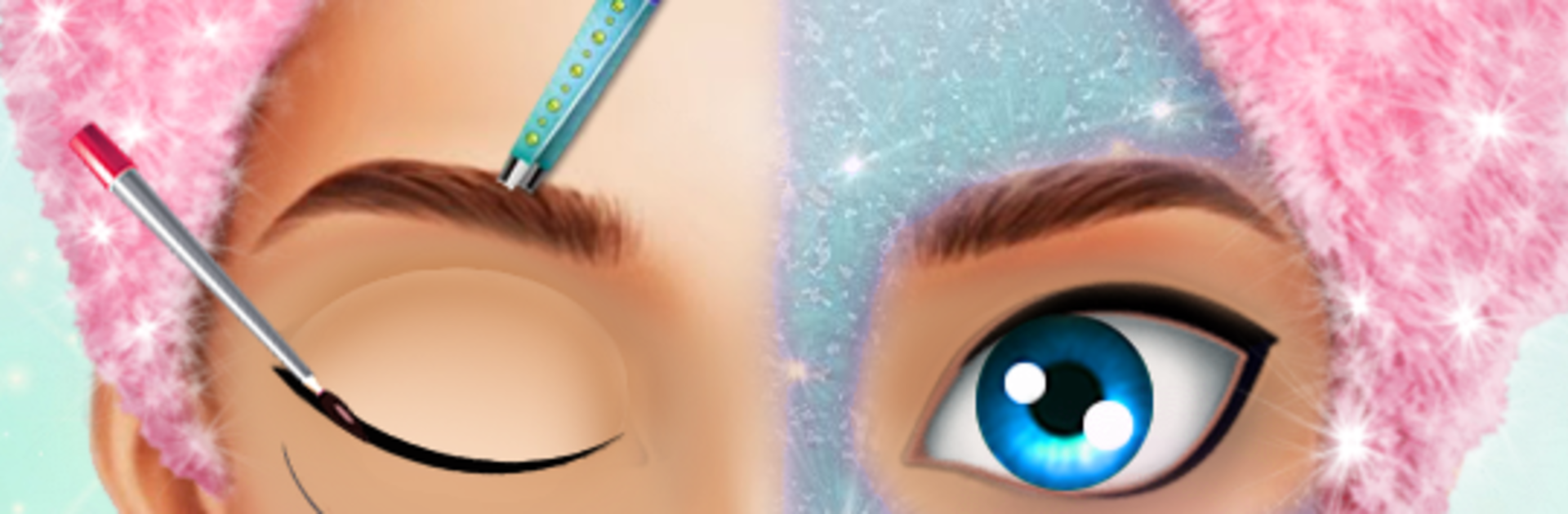
This is a relaxed dress up and makeup game where someone picks a model and builds a full look from scratch. It starts in the spa chair with cleansers, masks, and little skin fixes, then moves into haircuts and hairstyles, and finishes with makeup, nails, and outfits. The tools feel like a real vanity table. There are blushes, lipsticks, eyeshadows, liners, plus accessories like earrings and necklaces. Shades actually matter, so matching colors to the model’s skin tone and hair color is part of the fun, and the dresses swing from casual to princess to bridal. Nothing stressful here, no timers shouting, just a slow, satisfying routine of wash the face, choose the style, paint on the details, then pick a dress that ties it all together. It plays offline, which is great for quick sessions, and it is fine for kids or adults who just enjoy fashion play.

What stands out is the amount of choice and how clean the visuals look. The interface is simple, so younger players figure it out fast, but there is enough variety that someone can spend time tinkering until everything clicks. On PC with BlueStacks, the mouse makes brushing eyeshadow or placing lipstick more precise than on a small screen, and the bigger view helps when comparing shades. There are multiple characters to style, lots of spa tools, and a ton of hairstyles, so creating a wedding ready or princess look feels easy. Some will even compare looks with friends for fun and bragging rights.

Start your journey now. Download the game on BlueStacks, invite your friends, and march on a new adventure.


Game Features

Enhancements

  • Macros
  • Multi Instance
  • Script
  • Repeated Tap
  • Enhancements
Macros

Macros

Automate the predictable in العاب بنات مكياج and transform your gameplay with Macros. Get access to inventive Macros in the BlueStacks Macro Community
Multi Instance

Multi Instance

Play العاب بنات مكياج on one window. And chat with your friend on the other. Press CTRL + Shift + 8 to open the Multi-Instance Manager. And start creating fresh instances or clone an existing one.
Script

Script

Script your way to gaming glory in العاب بنات مكياج with BlueStacks Script. Write and run a set of commands to automate repeated tasks. Trigger the command by assigning it to any key.
Repeated Tap

Repeated Tap

BlueStacks lets you master العاب بنات مكياج with useful features like the Repeated Tap. Now you do not have to press the same key repeatedly to initiate an action. Just assign it to one key and you are good to go.
Read More

How to Download and Play العاب بنات مكياج on PC or Mac

  • Download and install BlueStacks on your PC or Mac

  • Complete Google sign-in to access the Play Store, or do it later

  • Look for العاب بنات مكياج in the search bar at the top right corner

  • Click to install العاب بنات مكياج from the search results

  • Complete Google sign-in (if you skipped step 2) to install العاب بنات مكياج

  • Click the العاب بنات مكياج icon on the home screen to start playing

video
Watch Video

Minimum System Requirements

With BlueStacks 5, you can get started on a PC that fulfills the following requirements.

  • Operating System

    Microsoft Windows 7 or above, macOS 11 (Big Sur) or above

  • Processor

    Intel, AMD or Apple Silicon Processor

  • RAM

    at least 4GB

  • HDD

    10GB Free Disk Space

Note:

* You must be an Administrator on your PC. Up to date graphics drivers from Microsoft or the chipset vendor.

العاب بنات مكياج - FAQs

  • How to play العاب بنات مكياج on Windows PC & Mac?

    Play العاب بنات مكياج on your PC or Mac by following these simple steps.

    • Click on 'Play العاب بنات مكياج on PC’ to download BlueStacks
    • Install it and log-in to Google Play Store
    • Launch and play the game.
  • Why is BlueStacks the fastest and safest platform to play games on PC?

    BlueStacks respects your privacy and is always safe and secure to use. It does not carry any malware, spyware, or any sort of additional software that could harm your PC.

    It is engineered to optimize speed and performance for a seamless gaming experience.

  • What are العاب بنات مكياج PC requirements?

    Minimum requirement to run العاب بنات مكياج on your PC

    • OS: Microsoft Windows 7 or above MacOS 11 (Big Sur) or above
    • Processor: Intel, AMD or Apple Silicon Processor
    • RAM: Your PC must have at least 4GB of RAM. (Note that having 4GB or more disk space is not a substitute for RAM)
    • HDD: 10GB Free Disk Space.
    • You must be an Administrator on your PC.