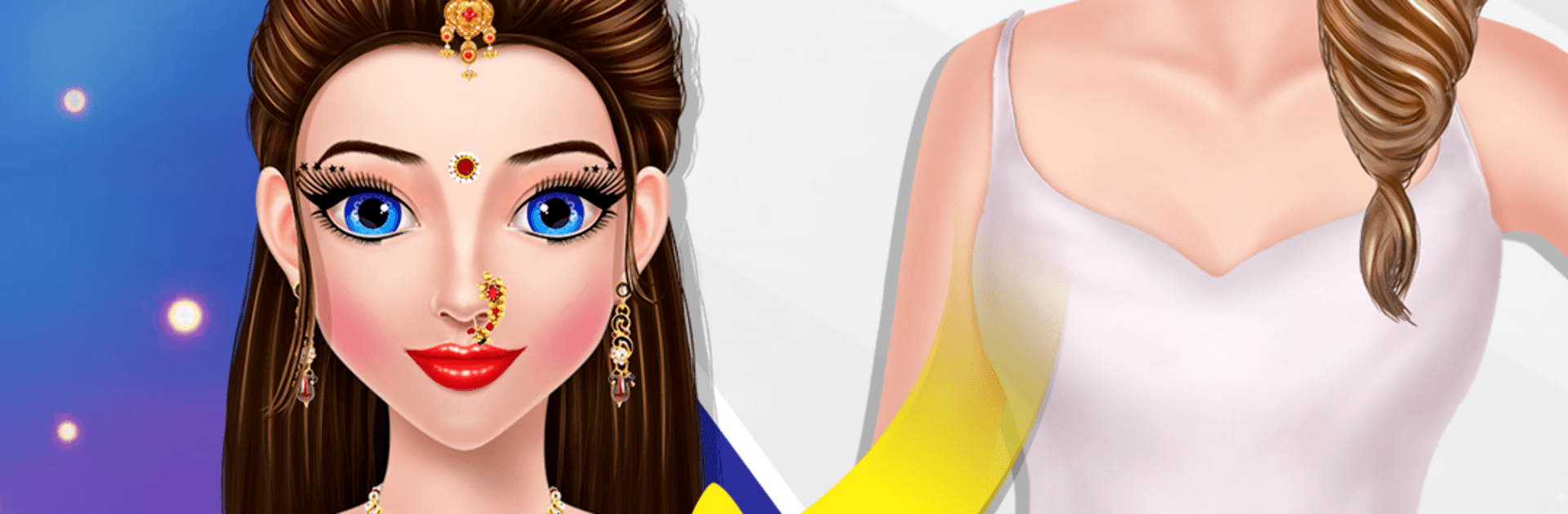
Indian Wedding: DressUp Makeup

Indian Wedding: DressUp Makeup

Casual

| GameiAvo

Play on PC with BlueStacks or from our cloud

  • Overview
  • Game Features
  • How to Play

Page Modified On: April 07, 2026

Play Indian Wedding: DressUp Makeup on PC or Mac

From the innovators and creators at GameiAvo, Indian Wedding: DressUp Makeup is another fun addition to the World of Casual games. Go beyond your mobile screen and play it bigger and better on your PC or Mac. An immersive experience awaits you.

About the Game

Indian Wedding: DressUp Makeup from GameiAvo lets you play stylist for the big day, complete with rich traditions and runway-worthy glam. Build stunning bridal looks, experiment with colors and textures, and bring each ceremony to life with outfits, accessories, and pro-level makeup. It’s a relaxed, creative Casual playground—easy to pick up, fun to tinker with, and packed with gorgeous details.

Game Features

  • Bridal Makeover Suite: Start with skin prep and a soothing spa moment, then layer on foundation, blush, eyeliner, mascara, brows, eye color, and lipstick to get that bridal glow just right.
  • Dress to Impress: Mix sarees, lehengas, and gowns with dupattas and chic drapes. Finish the look with rings, necklaces, earrings, bangles, a stylish bag, and heels.
  • Gorgeous Hairstyles: Try braids, buns, and soft waves, then add hair color accents and floral touches to match the outfit and vibe.
  • Mehndi Magic: Choose beautiful henna designs for hands and feet—classic patterns or something a little bold for the photos.
  • Ritual-Ready Levels: Move through key moments of an Indian wedding—think haldi, mehndi, sangeet, and the wedding itself—each with its own styling tasks and goals.
  • Wedding Decor & Photoshoot: Set up backgrounds, pick poses, and capture the final look for a keepsake album-worthy snapshot.
  • Style the Groom: Coordinate the groom’s attire and accessories so the couple looks picture-perfect together.
  • Creative Challenges: Put together themed looks and test your fashion sense with quick prompts and stylist-style requests.
  • Play Offline: Enjoy dress-up and makeup sessions anytime, even without an internet connection.
  • PC-Friendly Option: Prefer a bigger screen and mouse control? You can also play on BlueStacks for a comfy setup at your desk.

Make your gaming sessions memorable with precise controls that give you an edge in close combats and visuals that pop up, bringing every character to life.


Game Features

Enhancements

  • Macros
  • Multi Instance
  • Script
  • Repeated Tap
  • Enhancements
Macros

Macros

Automate the predictable in Indian Wedding: DressUp Makeup and transform your gameplay with Macros. Get access to inventive Macros in the BlueStacks Macro Community
Multi Instance

Multi Instance

Play Indian Wedding: DressUp Makeup on one window. And chat with your friend on the other. Press CTRL + Shift + 8 to open the Multi-Instance Manager. And start creating fresh instances or clone an existing one.
Script

Script

Script your way to gaming glory in Indian Wedding: DressUp Makeup with BlueStacks Script. Write and run a set of commands to automate repeated tasks. Trigger the command by assigning it to any key.
Repeated Tap

Repeated Tap

BlueStacks lets you master Indian Wedding: DressUp Makeup with useful features like the Repeated Tap. Now you do not have to press the same key repeatedly to initiate an action. Just assign it to one key and you are good to go.
Read More

How to Download and Play Indian Wedding: DressUp Makeup on PC or Mac

  • Download and install BlueStacks on your PC or Mac

  • Complete Google sign-in to access the Play Store, or do it later

  • Look for Indian Wedding: DressUp Makeup in the search bar at the top right corner

  • Click to install Indian Wedding: DressUp Makeup from the search results

  • Complete Google sign-in (if you skipped step 2) to install Indian Wedding: DressUp Makeup

  • Click the Indian Wedding: DressUp Makeup icon on the home screen to start playing

video
Watch Video

Minimum System Requirements

With BlueStacks 5, you can get started on a PC that fulfills the following requirements.

  • Operating System

    Microsoft Windows 7 or above, macOS 11 (Big Sur) or above

  • Processor

    Intel, AMD or Apple Silicon Processor

  • RAM

    at least 4GB

  • HDD

    10GB Free Disk Space

Note:

* You must be an Administrator on your PC. Up to date graphics drivers from Microsoft or the chipset vendor.

Indian Wedding: DressUp Makeup - FAQs

  • How to play Indian Wedding: DressUp Makeup on Windows PC & Mac?

    Play Indian Wedding: DressUp Makeup on your PC or Mac by following these simple steps.

    • Click on 'Play Indian Wedding: DressUp Makeup on PC’ to download BlueStacks
    • Install it and log-in to Google Play Store
    • Launch and play the game.
  • Why is BlueStacks the fastest and safest platform to play games on PC?

    BlueStacks respects your privacy and is always safe and secure to use. It does not carry any malware, spyware, or any sort of additional software that could harm your PC.

    It is engineered to optimize speed and performance for a seamless gaming experience.

  • What are Indian Wedding: DressUp Makeup PC requirements?

    Minimum requirement to run Indian Wedding: DressUp Makeup on your PC

    • OS: Microsoft Windows 7 or above MacOS 11 (Big Sur) or above
    • Processor: Intel, AMD or Apple Silicon Processor
    • RAM: Your PC must have at least 4GB of RAM. (Note that having 4GB or more disk space is not a substitute for RAM)
    • HDD: 10GB Free Disk Space.
    • You must be an Administrator on your PC.