King's War
King's War

King's War

Casual

| Casual Command Games

Play on PC with BlueStacks or from our cloud

  • Overview
  • Game Features
  • How to Play

Page Modified On: July 14, 2026

Play King's War on PC or Mac

King’s War brings the Casual genre to life, and throws up exciting challenges for gamers. Developed by Casual Command Games, this Android game is best experienced on BlueStacks, the World’s #1 app player for PC and Mac users.

About the Game

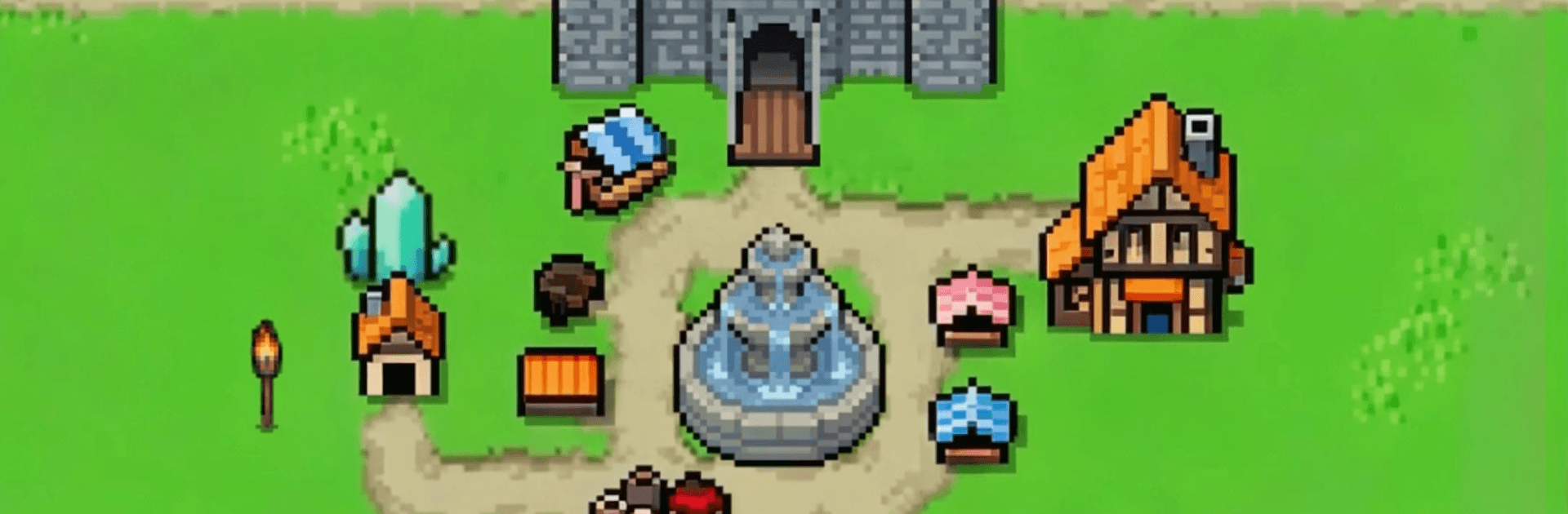
King’s War is a Casual, pixel-styled kingdom builder where a tiny village slowly turns into the kind of realm that makes neighbors nervous. It keeps things friendly and approachable: gather resources, upgrade buildings, and jump into quick skirmishes without getting buried in menus. If you like playing on a bigger screen, it runs smoothly on BlueStacks as well.

Game Features

  • Build Your Realm: Start small and keep adding—upgrade your castle, open workshops, and set up steady resource spots. Watching the town grow into a sturdy fortress feels great, one upgrade at a time.
  • Charming Pixel Look: Crisp retro sprites bring the medieval setting to life, from plucky foot soldiers to big, scaly troublemakers. It’s colorful, readable, and full of tiny details that reward a closer look.
  • Quick, Punchy Battles: Form your army and send them in. Fights are short, easy to control, and still scratch that tactical itch, so you can squeeze in a victory on a break.
  • Heroes With Personality: Recruit distinct pixel heroes, each with their own flair and useful abilities. Level them up and let your favorites lead the charge.
  • Team Up in Alliances: Join a group to chat, share building boosts, and coordinate attacks. Whether you’re here for friendly banter or map-wide campaigns, there’s room for both.
  • Strategy Without Stress: Simple taps handle the busywork, while smart choices—what to build, who to recruit, when to attack—keep things satisfying without getting overwhelming.

BlueStacks gives you more room to focus on the game and less time adjusting around mobile limitations.


Game Features

Enhancements

  • Macros
  • Multi Instance
  • Script
  • Repeated Tap
  • Enhancements
Macros

Macros

Automate the predictable in King's War and transform your gameplay with Macros. Get access to inventive Macros in the BlueStacks Macro Community
Multi Instance

Multi Instance

Play King's War on one window. And chat with your friend on the other. Press CTRL + Shift + 8 to open the Multi-Instance Manager. And start creating fresh instances or clone an existing one.
Script

Script

Script your way to gaming glory in King's War with BlueStacks Script. Write and run a set of commands to automate repeated tasks. Trigger the command by assigning it to any key.
Repeated Tap

Repeated Tap

BlueStacks lets you master King's War with useful features like the Repeated Tap. Now you do not have to press the same key repeatedly to initiate an action. Just assign it to one key and you are good to go.
Read More

How to Download and Play King's War on PC or Mac

  • Download and install BlueStacks on your PC or Mac

  • Complete Google sign-in to access the Play Store, or do it later

  • Look for King's War in the search bar at the top right corner

  • Click to install King's War from the search results

  • Complete Google sign-in (if you skipped step 2) to install King's War

  • Click the King's War icon on the home screen to start playing

video
Watch Video

Minimum System Requirements

With BlueStacks 5, you can get started on a PC that fulfills the following requirements.

  • Operating System

    Microsoft Windows 7 or above, macOS 11 (Big Sur) or above

  • Processor

    Intel, AMD or Apple Silicon Processor

  • RAM

    at least 4GB

  • HDD

    10GB Free Disk Space

Note:

* You must be an Administrator on your PC. Up to date graphics drivers from Microsoft or the chipset vendor.

King's War - FAQs

  • How to play King's War on Windows PC & Mac?

    Play King's War on your PC or Mac by following these simple steps.

    • Click on 'Play King's War on PC’ to download BlueStacks
    • Install it and log-in to Google Play Store
    • Launch and play the game.
  • Why is BlueStacks the fastest and safest platform to play games on PC?

    BlueStacks respects your privacy and is always safe and secure to use. It does not carry any malware, spyware, or any sort of additional software that could harm your PC.

    It is engineered to optimize speed and performance for a seamless gaming experience.

  • What are King's War PC requirements?

    Minimum requirement to run King's War on your PC

    • OS: Microsoft Windows 7 or above MacOS 11 (Big Sur) or above
    • Processor: Intel, AMD or Apple Silicon Processor
    • RAM: Your PC must have at least 4GB of RAM. (Note that having 4GB or more disk space is not a substitute for RAM)
    • HDD: 10GB Free Disk Space.
    • You must be an Administrator on your PC.