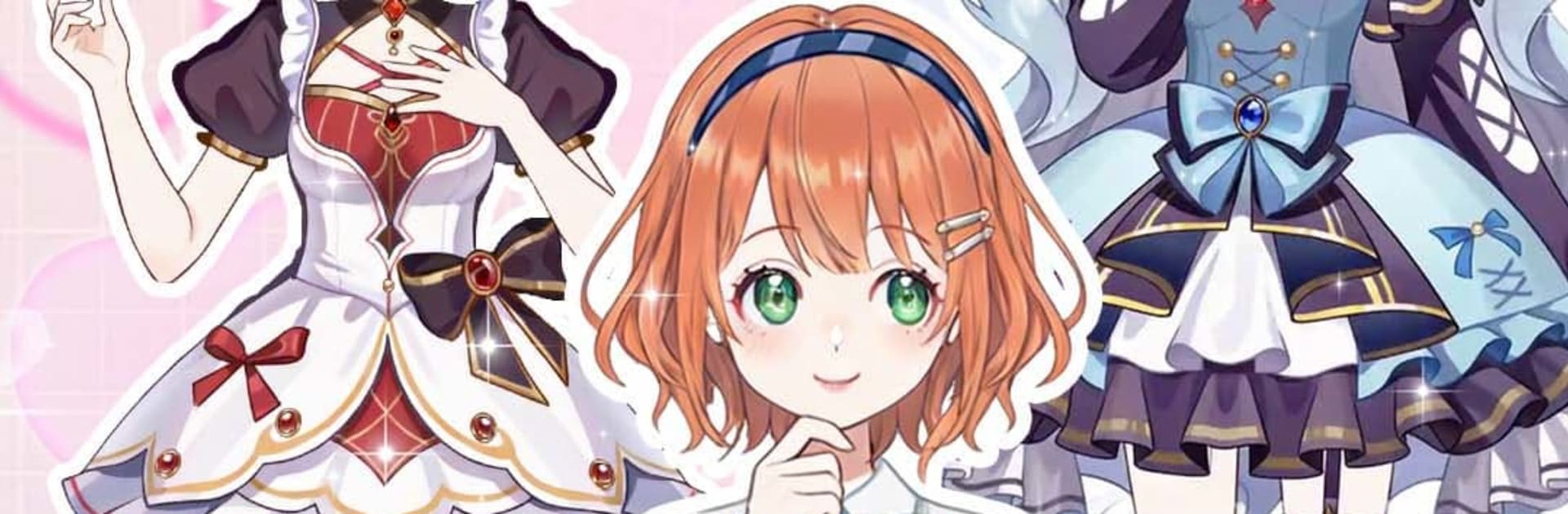
Momo Dress up game
Momo Dress up game

Momo Dress up game

Casual

| Kitten Doll Studio

Play on PC with BlueStacks or from our cloud

  • Overview
  • Game Features
  • How to Play

Page Modified On: July 27, 2026

Play Momo Dress up game on PC or Mac

Bring your A-game to Momo Dress up game, the Casual game sensation from Kitten Doll Studio. Give your gameplay the much-needed boost with precise game controls, high FPS graphics, and top-tier features on your PC or Mac with BlueStacks.

About the Game

Momo Dress up game is a Casual fashion playground where your avatar is the canvas and your style calls the shots. Mix, match, and experiment with looks that swing from cute and cozy to bold cosplay and magical-girl vibes. It’s relaxed, super creative, and packed with ways to show off your personal aesthetic—whether you’re styling a paper doll or building a budding star.

Game Features

  • Giant closet, tiny details: Style across 20+ spots with 600+ pieces, from outfits and shoes to accessories that pull a look together.
  • Face and hair your way: Tweak facial features, try fresh makeup combos, and switch up hairstyles until it feels exactly right.
  • Cosplay and themed looks: Go sweet, sporty, street, or full-on anime-inspired—mix themes for something totally your own.
  • Shape your avatar’s journey: Guide a new character as she grows. Will she glow as a magic girl or turn heads as a fashion icon? Your choices set the tone.
  • Go live in-game: Launch a live stream to share your latest makeover, trade styling tips, and build an audience around your fashion sense.
  • Fashion battles and crews: Enter style showdowns to test your instincts, then form a dance crew so your paper dolls can light up the stage together.
  • Hidden finds to unlock: Discover clever easter eggs that open up special outfit and makeup sets for even more looks.
  • Plays great on PC with BlueStacks: Prefer a bigger screen for designing and streaming? It runs smoothly there, too.

Start your journey now. Download the game on BlueStacks, invite your friends, and march on a new adventure.


Game Features

Enhancements

  • Macros
  • Multi Instance
  • Script
  • Repeated Tap
  • Enhancements
Macros

Macros

Automate the predictable in Momo Dress up game and transform your gameplay with Macros. Get access to inventive Macros in the BlueStacks Macro Community
Multi Instance

Multi Instance

Play Momo Dress up game on one window. And chat with your friend on the other. Press CTRL + Shift + 8 to open the Multi-Instance Manager. And start creating fresh instances or clone an existing one.
Script

Script

Script your way to gaming glory in Momo Dress up game with BlueStacks Script. Write and run a set of commands to automate repeated tasks. Trigger the command by assigning it to any key.
Repeated Tap

Repeated Tap

BlueStacks lets you master Momo Dress up game with useful features like the Repeated Tap. Now you do not have to press the same key repeatedly to initiate an action. Just assign it to one key and you are good to go.
Read More

How to Download and Play Momo Dress up game on PC or Mac

  • Download and install BlueStacks on your PC or Mac

  • Complete Google sign-in to access the Play Store, or do it later

  • Look for Momo Dress up game in the search bar at the top right corner

  • Click to install Momo Dress up game from the search results

  • Complete Google sign-in (if you skipped step 2) to install Momo Dress up game

  • Click the Momo Dress up game icon on the home screen to start playing

video
Watch Video

Minimum System Requirements

With BlueStacks 5, you can get started on a PC that fulfills the following requirements.

  • Operating System

    Microsoft Windows 7 or above, macOS 11 (Big Sur) or above

  • Processor

    Intel, AMD or Apple Silicon Processor

  • RAM

    at least 4GB

  • HDD

    10GB Free Disk Space

Note:

* You must be an Administrator on your PC. Up to date graphics drivers from Microsoft or the chipset vendor.

Momo Dress up game - FAQs

  • How to play Momo Dress up game on Windows PC & Mac?

    Play Momo Dress up game on your PC or Mac by following these simple steps.

    • Click on 'Play Momo Dress up game on PC’ to download BlueStacks
    • Install it and log-in to Google Play Store
    • Launch and play the game.
  • Why is BlueStacks the fastest and safest platform to play games on PC?

    BlueStacks respects your privacy and is always safe and secure to use. It does not carry any malware, spyware, or any sort of additional software that could harm your PC.

    It is engineered to optimize speed and performance for a seamless gaming experience.

  • What are Momo Dress up game PC requirements?

    Minimum requirement to run Momo Dress up game on your PC

    • OS: Microsoft Windows 7 or above MacOS 11 (Big Sur) or above
    • Processor: Intel, AMD or Apple Silicon Processor
    • RAM: Your PC must have at least 4GB of RAM. (Note that having 4GB or more disk space is not a substitute for RAM)
    • HDD: 10GB Free Disk Space.
    • You must be an Administrator on your PC.